People who take frequent work calls
If a fan will run near your workstation, a controllable lower setting matters alongside the ability to increase airflow when needed. Check the sound information for the setting you expect to use during calls.


For an occupied home office, choose a tower fan with a controllable setting for work calls, then match its oscillation to the seats you need to reach. A narrow tower format can help where floor space is tight; for a larger room, compare its stated airflow and placement needs with a pedestal fan or air circulator rather than judging reach by height alone.
If a fan will run near your workstation, a controllable lower setting matters alongside the ability to increase airflow when needed. Check the sound information for the setting you expect to use during calls.
If more than one seat is occupied, adjustable oscillation and speed settings can help you direct airflow without keeping a strong stream aimed at one person.
A narrow floor footprint may make placement easier beside a desk, provided the fan and its cable can be positioned safely. Electrical Safety First describes tower fans as tall, narrow options suited to smaller rooms.
Start with the setting you would use while working, then consider how far and how widely the fan needs to move air. Controls and floor placement matter most when they solve a problem in your particular room.
| Concern | What to check | Who this matters to |
|---|---|---|
| Call-time distraction | Check which speed or mode a published sound figure describes, and whether the available settings allow gentler airflow. | If I take calls beside the fan, I need an airflow setting that does not distract me or interfere with conversation. For around 36% of consumers, keeping call-time distraction manageable would be the primary concern. |
| Airflow across the room | Compare the intended fan position with the occupied seats; check the stated oscillation settings and any qualified airflow figures. | When someone else is working across the room, I want air to reach both seats rather than remain directed at mine. Reaching multiple positions would come first for around 29% of consumers. |
| Comfort at one desk | Look for usable speed adjustments and a timer or controls you would actually use during the working day. | If the air stream feels too direct while I work, I want to adjust it without settling for a fixed, forceful setting. Around 21% of consumers would put that personal control first. |
| Desk-area setup | Allow space for stable placement and a clear cable route; check the total load before using an extension lead. | With office equipment already plugged in nearby, I need a fan I can position without creating a cable obstruction or overloading an extension. A manageable setup would be the leading need for around 14% of consumers. |
Costco UK lists a 25–48 dB range for the Dreo Pilot Max, while Dyson UK states separate Quiet Mode and maximum figures for the AM07. Those figures do not describe identical operating conditions.
For calls, compare sound information at the speeds you are likely to use, not just the lowest published number.
Electrical Safety First describes tower fans as narrow options for smaller rooms and pedestal fans as more powerful options for larger rooms that occupy more floor space.
Consider the distance to each occupied seat and the available floor space before settling on a fan format.
Adding a fan to equipment already connected near a desk can increase the load on an extension lead. Electrical Safety First warns that overloaded extension equipment can overheat.
Check the lead’s rating against the combined connected load, avoid daisy-chaining extensions and keep cables out of walkways.
A timer sets a run period; it does not replace an attended-use routine. Electrical Safety First advises against leaving electric fans running overnight or while out of the house.
Use the timer during a work session, then switch off and unplug the fan when it is not in use.
Consider the Pilot Max DR-HTF004S-SILVER if fine speed adjustment and selectable oscillation are important near a desk.
Meaco’s range includes the Sefte 19-inch Tower Fan and Sefte Smart 36-inch Tower Fan, alongside other fan formats.
The Cool AM07 is a tower-fan option to consider when airflow across a deeper room is a priority.
The Premium Tower Fan RHTWR3S is a simpler option for shoppers who want conventional fan controls.
This heating-and-cooling tower model is an option for a desk-area setup if you also want app control. If you need a fan only, check that its fan-mode controls and operating sound suit your working day.
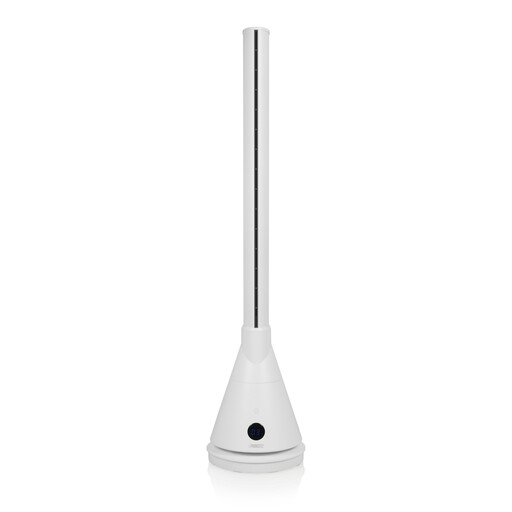 No image available
For a desk-area setup, consider this app-controlled model if you want to adjust the fan during work. It also has a heating function; check its fan-mode controls, sound at your working setting and suitability for the room before buying.
Choose a tower fan if its narrow footprint and side-to-side airflow suit your smaller room. Electrical Safety First describes pedestal fans as more powerful for larger rooms but says they take up more floor space, so consider one when you have room for its base.
No: Electrical Safety First advises against leaving an electric fan running overnight or while out of the house. A timer is useful for setting a work-session run period, not for making unattended operation appropriate.
It can only do so if the combined load stays within the extension lead’s marked rating. Electrical Safety First warns against overloading extension equipment; do not daisy-chain leads, and fully unwind a cable reel when using one.
Check that the fan is intended for your market, has a plug suitable for your socket and can be placed without obstructing a walkway. The UK Office for Product Safety and Standards says electrical equipment placed on the Great Britain market must meet the applicable Electrical Equipment (Safety) Regulations 2016 requirements; check the exact product and seller information rather than assuming that a brand name establishes compliance.