Check the operator, train and seating arrangement before relying on onboard power, and carry a charged power bank if losing phone or laptop power would disrupt your journey. A phone-focused bank suits phone backup; for a laptop, choose a USB-C Power Delivery bank only after matching the laptop, port output and cable. A compact mains charger is useful when you have confirmed access to a suitable socket, but it cannot provide power on its own.
Who needs which charging setup?
Phone-first passengers on uncertain services
If your phone carries tickets, directions or messages, independent backup matters when you cannot count on reaching a socket. LNER and Avanti West Coast describe different power arrangements for particular trains and seats.
Laptop-dependent workers and students
If you need a laptop throughout the journey, confirm that your model charges over USB-C, then match its charging requirement to the power bank’s individual port and cable. A phone-oriented bank is not automatically a laptop charger.
Light-pack travellers with confirmed socket access
If you have checked power access for your planned service and seat, a suitable mains charger and cable may meet your needs without a large battery. It will not help if that socket is unavailable or inaccessible.
What should you check before buying?
Start with the power your devices need, then check what your particular train and seat provide. Cables and multi-port output can change whether the setup works as intended.
| Concern | Buying checks | Who this matters to |
|---|
| Independent phone backup |
Check the service’s power provision, then compare power-bank capacity, phone connection and what you need to carry. |
If my ticket and directions are on my phone, I want stored power when socket access is uncertain; about 36% of consumers put independent phone backup first. |
| Laptop charging |
Confirm the laptop’s USB-C charging requirement, the bank’s single-port Power Delivery output and its output when other ports are used. |
For work or study throughout the journey, keeping a compatible laptop powered is the priority; that is the primary need for about 29% of consumers. |
| Travelling with less battery weight |
Verify socket access for the planned train and seat; match a UK-plug charger’s available port output to your device. |
If I can reach a confirmed mains socket, I would rather carry a charger than a large battery; about 21% of consumers chiefly prioritise that lighter setup. |
| Cables and older ports |
Match each device to the planned USB-A or USB-C output; check a USB-C-to-USB-C cable’s stated power capability for laptop charging. |
When my kit mixes older USB-A outputs with USB-C devices, making the connections work matters more than extra battery capacity; cable and port compatibility comes first for about 14% of consumers. |
Charging mistakes to avoid
-
Assuming every seat has a socket
LNER describes plugs at tables in Azuma Standard, while Avanti West Coast describes a plug and USB sockets per pair of seats in Evero Standard. Neither description establishes what will be available at every seat on your journey.
Check the operator’s information for your planned train, class and seating arrangement. Carry charged backup power if losing charge would cause a problem.
-
Choosing a laptop bank by its total wattage
The advertised total does not tell you what one USB-C port supplies while other devices are connected.
Compare the laptop’s documented charging requirement with the bank’s single-port rating and its multi-port power allocation.
-
Treating every USB-C cable alike
A USB-C connector alone does not establish a cable’s power capability. The USB Implementers Forum distinguishes 60W and 240W USB-C-to-USB-C cable capability markings in its compliance programme.
Check the stated cable capability against the intended laptop and charger. Keep a USB-A-to-USB-C cable only if you plan to use a compatible USB-A output.
-
Carrying only a mains charger as backup
A mains charger needs an accessible socket; it cannot supply stored power if your seat’s provision differs from what you expected.
Pair it with a charged power bank when uninterrupted phone or laptop use matters.
Brands to consider
Anker
Anker’s UK range includes USB-C power banks marketed for phones and laptops.
- Some models are described with high single-port output and multiple charging ports.
- Check the exact model’s port rating, power sharing, cable and your laptop’s USB-C charging requirements; the range description does not apply to every model.
UGREEN
UGREEN’s UK range includes slim, magnetic and larger-capacity power banks with differing USB-C outputs.
- The range offers distinct phone-backup and laptop-oriented options.
- Confirm the selected model’s output allocation and cable arrangement rather than judging it by capacity alone.
Belkin
Belkin’s UK USB-C power-bank range includes phone-oriented models and higher-output laptop-oriented models.
- Belkin lists capacity, ports and nominal output across its models for comparison.
- Those specifications still need to be matched to the exact laptop and to the output available when several ports are used.
Joybuy charging options for rail journeys
These options cover stored backup power for phones or compatible USB-C laptops, a USB-C cable for an existing power source, and a mains charger for journeys with confirmed socket access.
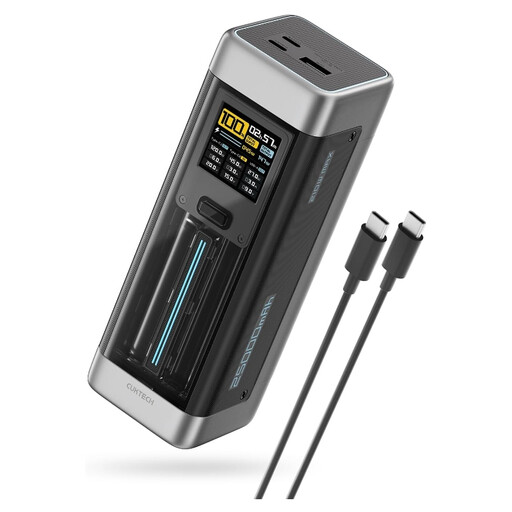 Image unavailable
CUKTECH NO.20 P23 25,000mAh power bank, grey
Consider this for laptop-oriented backup only after confirming that your laptop accepts USB-C Power Delivery. The supplied description specifies PD3.1, two USB-C ports, one USB-A port and a maximum 140W USB-C output. Check the output available to your laptop when other ports are occupied, and match the cable to its charging requirement.
View on Joybuy
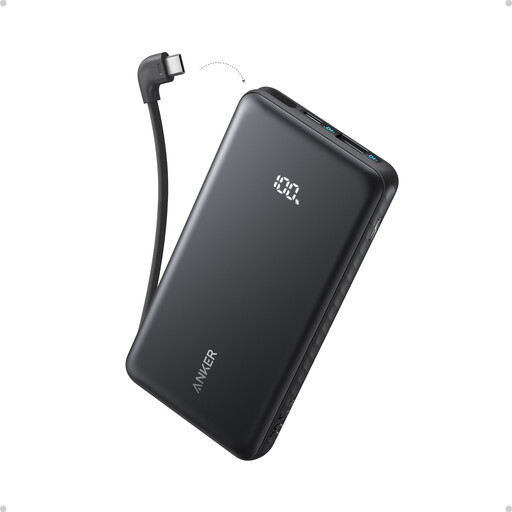 Image unavailable
Anker Zolo 10,000mAh power bank with USB-C cable
A phone-backup option when you want to carry the charging cable with the bank. Its supplied description specifies a built-in USB-C cable, a USB-A port and 22.5W output. Check your phone’s input and how output is shared if you expect to charge two devices together.
View on Joybuy
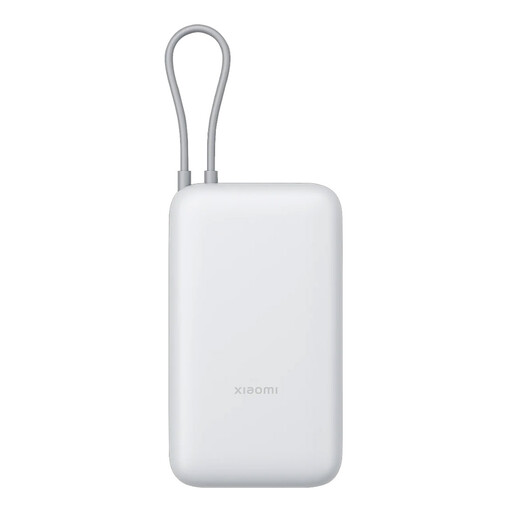 Image unavailable
Xiaomi 20,000mAh integrated-cable power bank, light grey
This is a phone-backup option if you prioritise the stated 20,000mAh capacity and an integrated USB-C cable. The supplied description lists up to 22.5W maximum output and describes that charging level for compatible Xiaomi smartphones. Check the output for your own device and how power is allocated if charging several devices.
View on Joybuy
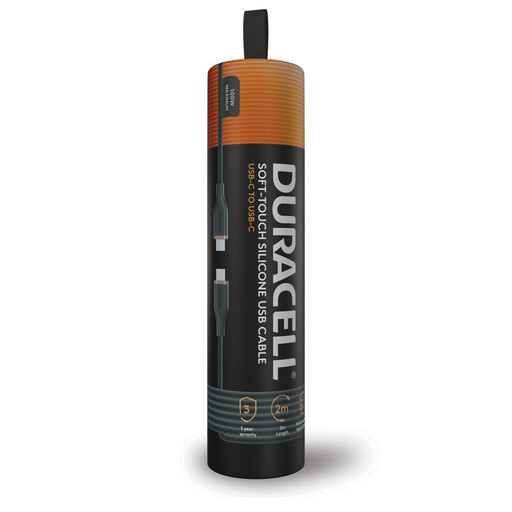 Image unavailable
Duracell 2m USB-C to USB-C charging cable, 100W
Use this with a compatible power source and device; the cable does not provide backup power itself. The supplied description states up to 100W USB-C Power Delivery charging and USB 2.0 data transfer up to 480 Mbps. For a laptop, check its charging requirement, the source’s output and the cable’s stated capability marking.
View on Joybuy
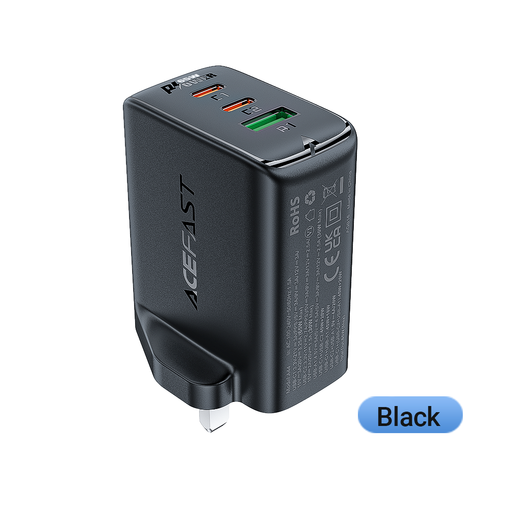 Image unavailable
ACEFAST 65W dual USB-C and USB-A charger, UK plug
Consider this when your planned train and seat have an accessible mains socket; it is not independent backup power. Its supplied description specifies two USB-C ports, one USB-A port and 65W maximum output. Check the output available from the port you intend to use, particularly when charging more than one device.
View on Joybuy
Common questions
Can I rely on a train socket to charge my phone or laptop?
Only if you have checked the provision for your planned service and can access it from your seat. LNER describes plugs at Azuma Standard tables; Avanti West Coast describes one plug and two USB sockets per pair of Evero Standard seats. Those arrangements are specific to the trains and seating described, so carry stored power if a missed charge would disrupt your journey.
Will any USB-C power bank charge my laptop?
No. Confirm that your exact laptop accepts USB-C Power Delivery, then compare its documented charging wattage with the bank’s single-port output and the cable’s capability. Apple, for example, gives different recommended adaptor wattages for different Mac models.
How do I choose a USB-C cable for laptop charging?
Check its stated power capability against the laptop and power source rather than relying on connector shape. The USB Implementers Forum identifies 60W and 240W capability markings for USB-C-to-USB-C cable categories in its compliance programme.
What does a multi-port charger’s wattage tell me?
A total wattage does not necessarily equal the output available from the port connected to your laptop. Read the charger or power bank’s per-port ratings and its power allocation when your phone and laptop are connected at the same time.


