What matters when choosing
For a window-side transcription desk, address reflected light and screen positioning before deciding how much text workspace you need. The Health and Safety Executive advises adjusting both screens and lighting to avoid glare.
| Concern | What to check | Who this matters to |
|---|
| Window reflections |
Check the exact screen finish and whether the stand or a compatible mount lets you turn the display away from reflected window light. |
If the window appears in my screen while I read a transcript, I need to control that reflection before adding other features. Around 36% of consumers put reflection control first. |
| Text workspace |
Compare size with resolution: 27-inch QHD, 27-inch 4K and 28.2-inch 3840 × 2560 offer different layouts. Check your computer’s output and preferred text scaling. |
Keeping the transcript open alongside timestamps, notes and playback controls makes usable text space my main concern; around 29% of consumers prioritise that need. |
| Stand adjustment |
Check height and tilt adjustment, then swivel or mounting compatibility if your desk makes positioning difficult. |
When I transcribe for long, repeated sessions, I need to place the screen comfortably without accepting a fixed angle. Stand flexibility comes first for around 21% of consumers. |
| Simple setup |
Check that the inputs suit your computer and that the supplied stand works at your desk before choosing a basic Full HD model. |
If I transcribe only occasionally and can control the room light, I may value a straightforward setup over extra pixels and connections; roughly 14% of consumers put simplicity first. |
Joybuy monitors for transcript work
These QHD, WQHD and 4K monitors offer different ways to arrange transcript text and notes. For a bright-window desk, check the exact screen finish, available adjustments and connection requirements while planning how to control reflected light.
 No image available
ASUS ProArt PA278CV IPS WQHD
Consider this WQHD model if you want room for transcript text and notes at a window-side desk.
Check how its screen position works with the window; if laptop charging through USB-C matters, confirm the power delivery your laptop requires.
View on Joybuy
 No image available
ASUS ProArt PA278CFRV IPS QHD 100Hz
Its QHD format is relevant when you want the transcript and playback controls visible together.
If one-cable laptop use is important, confirm the exact regional USB-C and charging configuration before choosing it.
View on Joybuy
 No image available
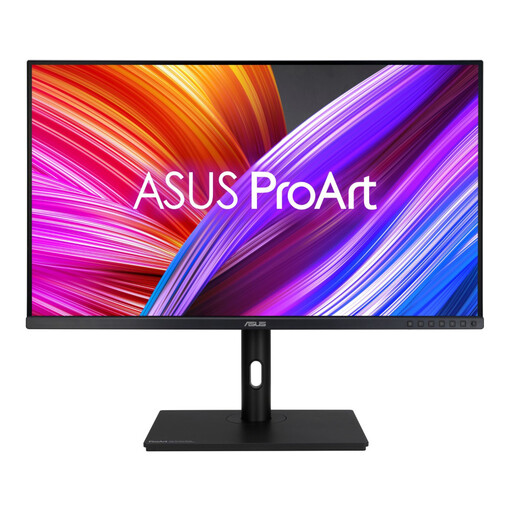
ASUS ProArt PA328QV IPS WQHD
Consider this larger-format WQHD option if you want a physically larger area for transcripts and notes.
Check that your desk has enough space and allows a comfortable viewing distance; repositioning and room-light control still matter beside a window.
View on Joybuy
 No image available
LG UHD Monitor 27UP650K 27-inch 4K IPS
The 27-inch 4K format is worth considering if you want more pixels for a transcript, notes and playback controls.
Before placing it beside a bright window, confirm the exact screen finish. Check your computer’s display output and whether you prefer text scaling at 4K.
View on Joybuy
 No image available
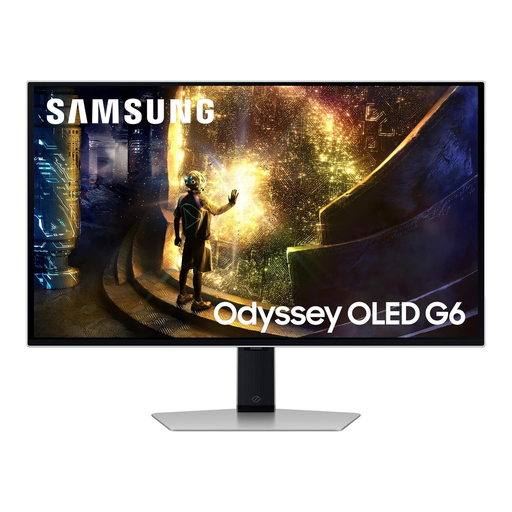
Samsung Odyssey G6 S27DG612 27-inch QHD OLED 240Hz
The 27-inch QHD format can serve transcript and notes work if you also want this model’s gaming-oriented display.
Its 240Hz refresh rate does not resolve window reflections. Check whether the display’s brightness suits your room and plan to adjust its position and the window light.
View on Joybuy
Frequently asked questions
Will a brighter monitor solve reflections from the window?
Not on its own. The Health and Safety Executive advises arranging the screen and lighting to avoid reflections and glare. Position the display so the window is not reflected in it, control the window light where possible, then adjust brightness for readable text.
Should I choose QHD or 4K for interview transcription?
Choose 27-inch QHD if it gives you enough room for the transcript and accompanying controls; consider 27-inch 4K or the cited 28.2-inch 3840 × 2560 format if you want more pixels for simultaneous windows. Check your computer’s display output and whether text scaling gives you a comfortable reading size.
Does a new monitor complete a workplace screen assessment?
No. The Health and Safety Executive says the UK Display Screen Equipment Regulations apply to workers who use screen equipment daily for continuous periods of an hour or more, and that employers must assess the whole workstation, including work conditions, the job and individual needs.
What should I do with an old monitor?
Check your local authority’s electrical-waste arrangements rather than putting the monitor in general household waste. The UK’s Waste Electrical and Electronic Equipment Regulations cover this category, while collection and take-back arrangements need to be checked with your council or retailer.


