What matters when choosing
Start with the space needed to compare the letter and translation, then check how the screen fits and adjusts on your desk. Treat laptop connectivity as a separate decision rather than assuming it follows from the display size.
| Concern |
What to check |
Who this matters to |
| Readable document space |
Compare native resolution and screen size, then view text at your usual reading distance. |
If I keep a scan beside my translation, I need both to remain readable without constantly switching windows. Around 40% of consumers would put document space first. |
| Positioning and glare |
Check stand adjustment and how the screen will sit relative to your study lighting. The Health and Safety Executive advises arranging screens and lighting to avoid reflections. |
When I read for longer stretches, I want to reposition the screen and keep reflected light off the text. This would be the main concern for roughly 30% of consumers. |
| Laptop connections |
Confirm USB-C video support, the laptop's charging requirement and the monitor's stated power delivery; check cable contents too. |
If my laptop is the centre of the study setup, I want to know which connections I will actually need. Around 20% of consumers would prioritise a simpler laptop connection. |
| Compact desk fit |
Measure usable desk width and depth, including the stand footprint, before choosing a display size. |
On a small desk, I still need room for the physical letter and my notes beside the monitor. For roughly 10% of consumers, desk fit would come first. |
Joybuy monitors for document work
These monitors offer different labelled resolution classes for reading a letter scan alongside a translation. Compare each model's desk fit and connections before choosing; a shared panel label does not establish that every setup will work the same way.
 No image available
ASUS ProArt PA278CV IPS WQHD monitor
Consider this for viewing a letter scan beside your translation if its dimensions and stand suit your desk.
The product name specifies an IPS display and WQHD resolution. Check USB-C video and charging compatibility if you plan to connect a laptop with one cable.
View on Joybuy
 No image available
ASUS ProArt PA24ACRV IPS QHD monitor
Consider this when comparing a letter with translated text while checking how the display fits your study desk.
The product name specifies an IPS display and QHD resolution. Confirm laptop compatibility and the cables included with the model you order.
View on Joybuy
 No image available
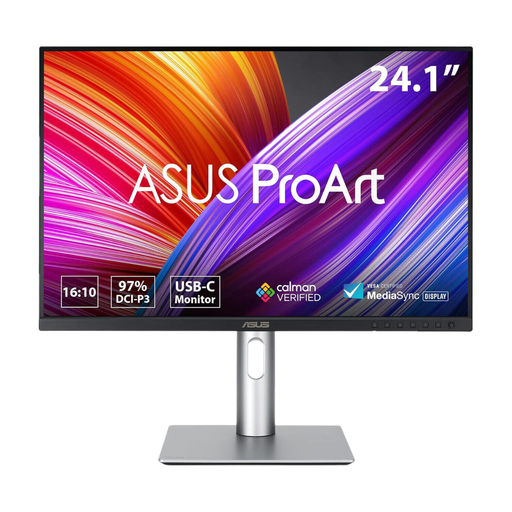
ASUS ProArt PA248CRV IPS WUXGA monitor
Consider this for document work if its screen dimensions leave enough desk space for the physical letter and your notes.
The product name specifies an IPS display and WUXGA resolution. If connecting a laptop over USB-C, check video support, charging requirements and cable contents.
View on Joybuy
 No image available
LG 27UP650K 27-inch 4K IPS monitor, white
Consider this larger display if you have room to position it comfortably while viewing the letter and translation.
The product name specifies a 27-inch 4K IPS display in white. Check its connection options and screen surface against your laptop and study lighting needs.
View on Joybuy
 No image available
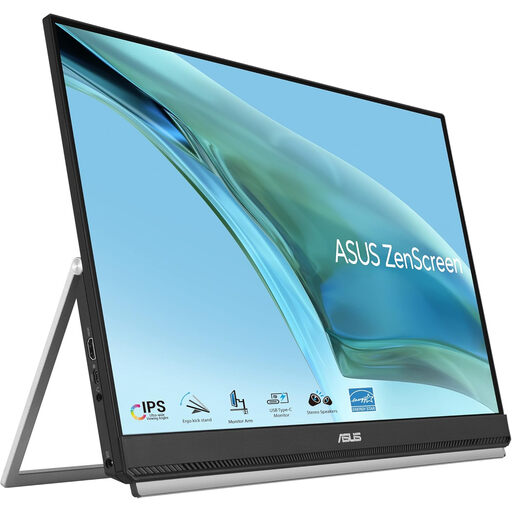
ASUS ZenScreen MB249C IPS USB-C monitor
Consider this for a laptop-based reading desk if its display and stand arrangement suit your available space.
The product name specifies an IPS display and USB-C. Confirm that your laptop supports the required video connection, whether the monitor's charging output meets your needs and which cables are included.
View on Joybuy
Common questions
Should I choose QHD or Full HD to translate a letter?
Choose a QHD option if keeping a letter image and translation visible together is your priority and the screen fits your desk. LG's 27U631A-B, for example, is specified as a 27-inch QHD IPS monitor; a smaller Full HD display can still suit a compact desk, particularly when its stand can be positioned comfortably.
Will a USB-C monitor charge my laptop through one cable?
Not necessarily: the monitor's power delivery, your laptop's charging needs and USB-C video support must all match. LG lists up to 15W for its 27U631A-B and says the cable is not included; Dell lists up to 90W for its P2425E. Check the exact monitor and cable before planning a one-cable desk.
How can I manage reflections while reading?
Arrange the monitor and study lighting so reflections do not fall across the text, then adjust the screen position and brightness to suit the room. The Health and Safety Executive identifies screen and lighting arrangement as part of its display-screen workstation guidance.
What should I do with an old monitor?
Check your local authority's or retailer's arrangements for collecting electrical equipment. The UK Office for Product Safety and Standards and the Department for Environment, Food & Rural Affairs describe waste-electrical-equipment regulations as intended to reduce electrical products sent to landfill or incineration.
What should I check about returns before ordering?
Read the return and warranty terms for the exact monitor and seller, rather than assuming another listing's voluntary policy applies. GOV.UK states that consumer rights protect purchases made remotely and in person; keep those rights distinct from a retailer's change-of-mind return offer.


