Handheld travel recorders
If you want to compose holiday clips or casual vlogs as you film, look for a camera and accessory setup that suits handheld recording away from home. PCMag UK identifies travel videos and vlogs as action-camera use cases.


Choose a conventional action camera when you want to frame each shot as you record, a 360° camera when choosing the viewpoint afterwards matters more, or a wearable camera when hands-free recording is central. Before settling on a model, check that its mounting system, water-use conditions and storage requirements fit your activities. Mounts and protective accessories complete a setup; they do not replace the camera.
If you want to compose holiday clips or casual vlogs as you film, look for a camera and accessory setup that suits handheld recording away from home. PCMag UK identifies travel videos and vlogs as action-camera use cases.
If you want to record while taking part in an activity, check how the camera attaches to your chosen mount or wearable setup. GoPro and DJI documentation describes model-specific mounting interfaces and accessories.
If you plan to film in or around water, or want to choose the view after recording, check the exact model’s water-use instructions and editing workflow. Insta360 documents distinct water conditions and reframing tools for its relevant models.
Choose when: you want to aim and compose the shot while recording handheld clips or a fixed mounted view.
Trade-off: the framing depends on where you point the camera, and mounts or accessories need to match the model.
Choose when: selecting the viewpoint after recording is more useful than composing every shot during the activity.
Trade-off: allow for reframing and exporting footage; underwater use can have additional model-specific requirements.
Choose when: a small camera worn on your body or clothing is central to the viewpoint you want.
Trade-off: check the mounting arrangement and the separate water-use conditions for the camera and any pod.
| Concern | What to check | Who this matters to |
|---|---|---|
| Choosing the viewpoint | Decide whether to frame shots during recording, wear the camera, or reframe 360° footage afterwards. Insta360 describes its Studio software as a desktop tool for reframing. | If I want to decide on the view after filming, I will need to allow for that editing step. Around 25% of consumers put their preferred viewpoint first. |
| Mounting for the activity | Check the exact camera, adapter and included mounting parts; do not assume accessories are interchangeable across brands or generations. | When I plan to record from a fixed or wearable viewpoint, the mount must fit both the activity and camera. Around 20% of consumers prioritise mounting compatibility. |
| Water-use conditions | Check the exact model’s depth rating, closure instructions and case requirements. DJI and Insta360 give model-specific guidance, including separate conditions for some camera pods. | If I expect to record in or around water, I need to know which parts of the setup can be used and under what conditions. Around 20% of consumers make water use their primary concern. |
| Storage and editing | For a model that records to microSD, check the supported card interface, speed class, format and capacity. Insta360 lists these requirements for the X5 and GO Ultra. | If I need to record while travelling and edit afterwards, compatible storage and a workable editing process both matter. Around 15% of consumers prioritise storage and workflow. |
| Bundle contents | Compare the included batteries, chargers and mounts against the setup you need. DJI and GoPro list differences between specific bundles. | If I want a ready-to-use kit, I need to identify which included parts I will actually use and which are still needed. Around 20% of consumers focus on the complete kit. |
A body rating does not remove model-specific limits, case requirements or conditions for components such as a camera pod. For 360° footage, underwater equipment can also affect stitching.
Follow the exact model’s underwater instructions, distinguishing body-only use from use with a case or pod.
A model-specific dive case or underwater accessory may be needed for the recording conditions you have in mind.
Compatibility can be specific to a model or generation. GoPro states that the HERO13 Black Enduro Battery is not compatible with older GoPros, and its cited replacement folding fingers exclude HERO12 Black and earlier HERO Black models.
Match the full camera and accessory model identifiers before reusing or replacing parts.
Bundles containing the same camera can include different accessories. DJI and GoPro list distinct contents for specific combos.
Make an itemised list of the batteries, charging equipment and mounting parts you need, then check what the selected bundle actually contains.
A card that does not meet the camera’s requirements may not be suitable for recording. Insta360 specifies interface, speed-class and format requirements for models including X5 and GO Ultra.
Check the exact camera’s supported interface, speed class, format and capacity limit before choosing a card.
DJI’s Osmo Action 6 is a conventional-camera option for handheld or deliberately framed travel recording; its Standard and Adventure Combos have different accessory contents.
The X5 is relevant when you want to reframe 360° footage, while GO Ultra is aimed at a small wearable viewpoint. These models serve different recording needs.
HERO13 Black may suit a setup where its documented mounting interfaces or a particular bundle fit the accessories you plan to use.
This selection includes conventional action cameras, 360° models and a sports-focused tracking camera. Match each camera’s recording style, mounting setup and water-use conditions to your trip.
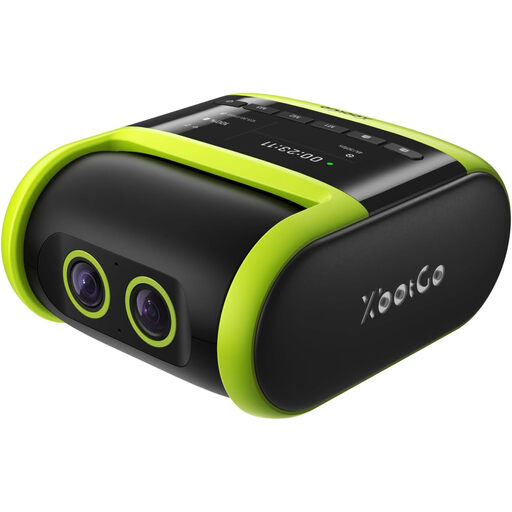 No image available
Consider this model if you want an action camera for tracking team sports such as football or basketball.
The product name specifies 4K recording, automatic tracking and live streaming. A microSD card is required for recording and sold separately.
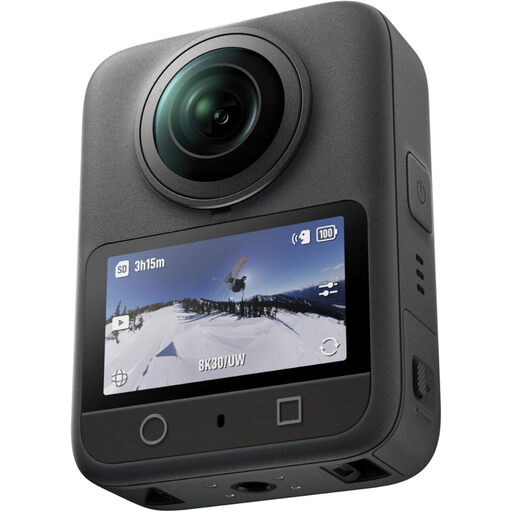 No image available
Consider a 360° camera if choosing the viewpoint after recording is part of how you want to make travel or activity footage.
The product name identifies this as a 360° action camera for sports and vlogging.
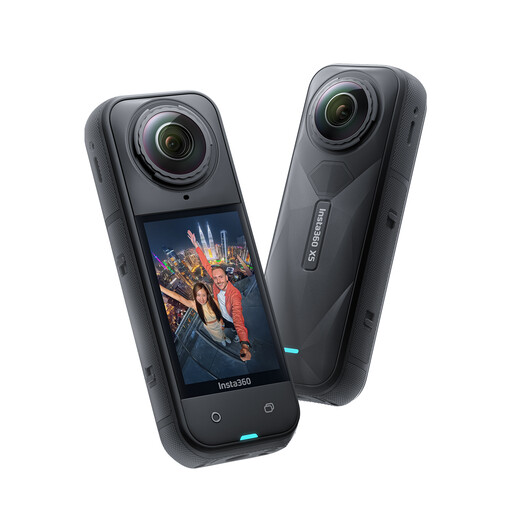 No image available
Consider this 360° camera if choosing the viewpoint after capture is useful for your travel footage.
Insta360 specifies UHS-I, V30 or above and exFAT for X5 microSD cards, with a maximum capacity of 1TB. For underwater footage, Insta360 recommends the Invisible Dive Case for optimal stitching.
 No image available
Consider this model for outdoor activities such as cycling, hiking or fishing, or for vlogging.
The product name specifies dual touchscreens and use up to 30m with the included waterproof case. It also lists a 154° wide-angle lens and 16MP photos.
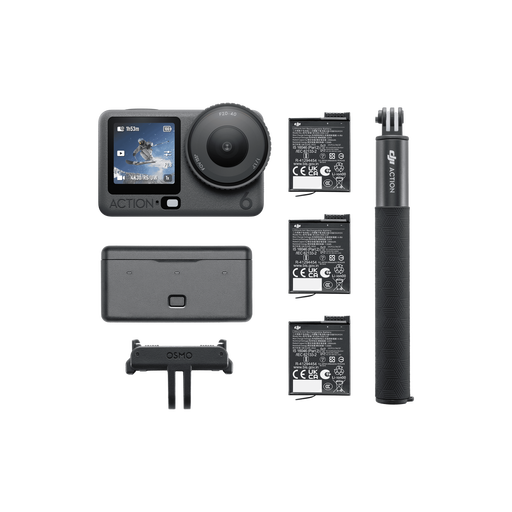 No image available
Consider this conventional action-camera combo if you want to frame handheld or mounted outdoor footage as you record.
The product name specifies three batteries, a 1/1.1-inch square sensor and a variable aperture of f/2.0–f/4.0. DJI specifies 20m without the Waterproof Case and 60m with it, and recommends a case for prolonged underwater use or high water-impact pressure.
Not without the appropriate dive case. Insta360 rates the standalone camera to 10m and describes the Action Pod as IPX4 splashproof only when the camera is installed; its guidance says not to use the pod underwater without the dive case.
No. Insta360 specifies UHS-I, V30 or above and exFAT, with a maximum capacity of 1TB. Its compatibility guidance excludes UHS-II and UHS-III cards.
Metropolitan Police guidance says members of the public do not need a permit to film or photograph in public places. This does not override venue rules or settle every privacy or recording situation.
The National Trust welcomes private, non-commercial photography and filming at most of its properties. Indoor recording depends on the property, so ask staff; monetised or promotional filming requires separate permission arrangements.
For an ordinary distance-selling purchase, GOV.UK says you must notify the seller within 14 days of receipt and then have another 14 days to return the item. Handling should be comparable to inspecting it in a shop; use or damage can affect the refund. Faulty-goods rights are separate.