Solo walk-and-talk diarists
If you film yourself while walking or change position during a diary entry, a wearable microphone can remain near your voice rather than staying on the camera.


For solo travel diaries recorded while moving, start by considering a clip-on wireless microphone that stays close to your voice. If you mainly narrate while seated, a close-positioned USB dynamic microphone is another route; a camera-mounted shotgun makes more sense when you can stay in front of the camera and reasonably close to it. None of these formats removes the need for careful placement in an untreated room.
If you film yourself while walking or change position during a diary entry, a wearable microphone can remain near your voice rather than staying on the camera.
If you record reflections or voiceovers while seated, you can position a desk-mounted microphone close to you and keep its front facing your voice.
If you prefer a microphone mounted on a camera or small rig, a directional model is worth considering when the speaker can remain in front of it and reasonably close.
Choose the microphone position that works for your usual diary shot before comparing processing features. A microphone kept near your voice addresses a different problem from one fixed to a camera farther away.
Choose it when: You walk, self-film or move around and can attach the transmitter near your mouth.
Allow for: Charging, pairing and a connection that matches your recording device; noise control cannot guarantee the removal of room reflections.
Choose it when: You mainly narrate while seated and can speak closely into the front of the microphone.
Allow for: A stationary, corded setup rather than a microphone you can wear for walking footage.
Choose it when: Your speaker stays in front of a camera or phone rig and reasonably close to its microphone.
Allow for: More room sound if the speaker moves farther away, plus any cable or wind protection needed for your setup.
| Concern | What to check | Who this matters to |
|---|---|---|
| Voice clarity in the room | Can you keep the microphone close to your mouth and, for a front-facing model, aim it towards your voice? | If room reflections or nearby sounds compete with my narration, I want my voice to remain prominent. Around 36% of consumers put that voice-to-room balance first. |
| Freedom to move | Check how the microphone attaches and whether its receiver connects to your phone or camera. | When I walk or self-film, I need the microphone to move with me rather than remain on the camera. Roughly 29% of consumers make that mobility their primary concern. |
| Compact, compatible kit | Match your device port to the required cable or receiver, and check what the package includes. | I want a small setup I can carry and connect to the device I already use. About 21% of consumers place kit simplicity and compatibility first. |
| One-take level control | Check the exact model for onboard recording, a safety channel, limiting or headphone monitoring. | If I cannot repeat a diary entry, I care about noticing level problems or retaining a separate recording. Around 14% of consumers prioritise that recording safeguard. |
A front-focused microphone can reduce some off-axis sound, but it still needs to be reasonably close to the narrator. RØDE describes the VideoMic GO II as directional, while Shure advises close speaking and aiming a microphone away from unwanted noise.
Work out where the microphone will sit in your actual shot. For walking self-filming, compare a wearable transmitter before relying on a microphone fixed to the camera.
Shure says the MV7+ denoiser can help with persistent sounds but cannot remove every intermittent noise. Noise cancelling and level controls should not be treated as a substitute for positioning.
Make a short recording in the room, move away from avoidable noise where practical, and listen before an important one-take entry.
A mobile connection may need a specific cable, and wireless packages differ in their transmitters and receivers. A microphone that cannot connect to your recording device will not suit the planned shot.
Check your device port, the number of microphones you need and whether the cable, receiver, mount and windscreen required for your setup are included.
An additional cable, receiver or windscreen can also mean another item to pack and manage.
Shure warns that counterfeit versions of its products are sold online, so seller identity matters when considering a Shure microphone.
Check whether the seller is authorised or otherwise verifiable, and keep your proof of purchase.
DJI’s Mic Mini 2 is relevant to lightweight, wearable recording for mobile travel diaries.
RØDE has distinct options for wearable recording and a compact directional camera setup: Wireless GO (Gen 3) and VideoMic GO II.
Shure’s MV7+ is relevant to travel-diary narration recorded while seated, with the microphone positioned close to the speaker.
These products cover wearable wireless microphones for moving diary shots and a desk-mounted dynamic microphone for seated narration. Choose between them according to where you can place the microphone and how you connect your recording device.
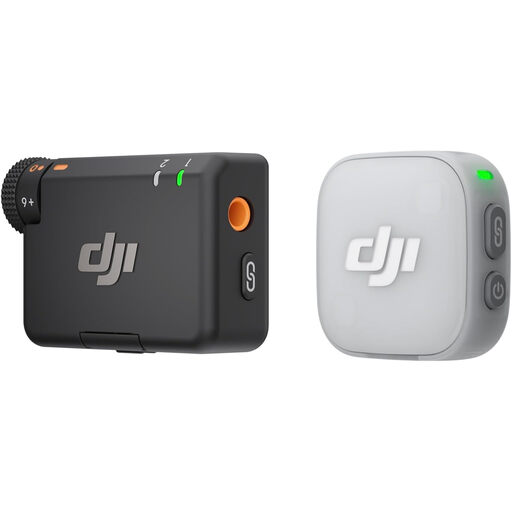 No image available
Consider this wearable wireless kit for solo walking or self-filming when you can keep the transmitter near your voice.
The kit name specifies one transmitter and one receiver. DJI specifies an approximately 11 g Mic Mini 2 transmitter, excluding its magnet clip and magnet, with automatic limiting and two levels of noise cancelling; neither feature guarantees removal of room reflections. Check the receiver connection against your recording device.
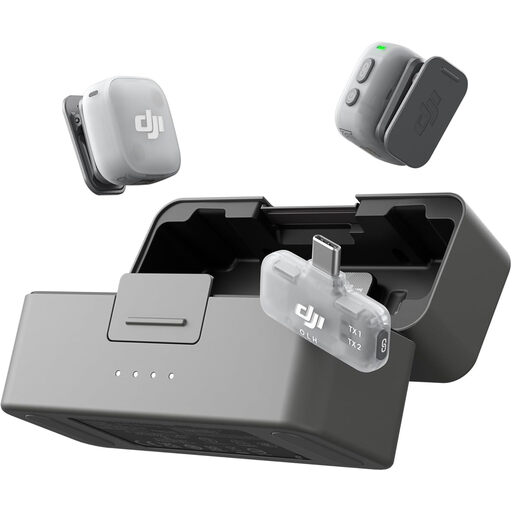 No image available
Consider this wearable kit if a second transmitter would serve your diary recordings; a solo narrator may not need both.
The kit name specifies two transmitters, one mobile receiver and a charging case. DJI specifies an approximately 11 g Mic Mini 2 transmitter, excluding its magnet clip and magnet. Confirm that the mobile receiver suits your phone and recording workflow; noise cancelling does not guarantee the removal of room reflections.
 No image available
Consider this arm-mounted microphone for seated diary narration when you can remain close to it, rather than for walk-and-talk filming.
The product name specifies a dynamic microphone, boom arm, USB and XLR ports, and a headphone jack. Check that your chosen connection and desk setup suit where you record.
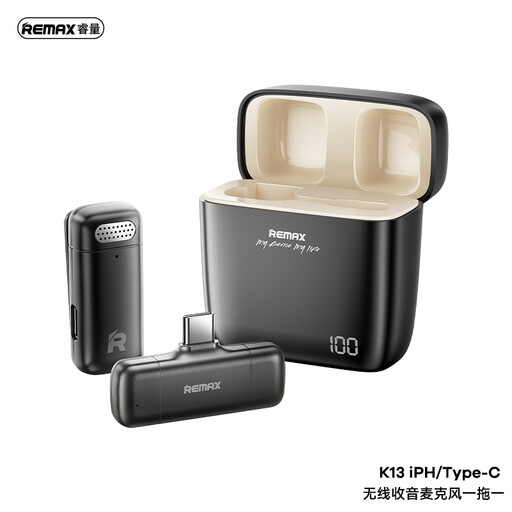 No image available
Consider this wireless format for mobile narration if your intended recording device works with its USB-C connection.
The product name identifies a 1-to-1 USB-C wireless microphone. Confirm device compatibility and the operating time needed for your recording sessions before choosing it.
Start by speaking close to the microphone and keeping its front aimed at you where its pickup pattern requires it. Shure advises positioning the microphone away from unwanted noise to improve the balance between the intended voice and background sound; room treatment can still help.
No. RØDE describes the VideoMic GO II as reducing sound from the sides and rear, but that does not mean it removes every unwanted sound. Keep the speaker reasonably close and listen to a recording made in the intended room.
Match the cable to the phone port before buying. RØDE says a USB-C device needs a suitable USB-C cable, while a Lightning iPhone or iPad needs its SC15 or SC19 cable; check the contents of the particular package.
It depends on the microphone and conditions. RØDE says the VideoMic GO II has a supplied foam windshield and recommends its separately sold WS12 furry windshield for high wind; check the fit for your exact model.