Joybuy microphones for desk and travel recording
These Joybuy choices cover close-talk USB/XLR microphones for seated narration and USB-C wireless kits for moving between a desk and travel clips. Choose by your main recording device and where the microphone will sit, rather than treating the two formats as interchangeable.
 No image available
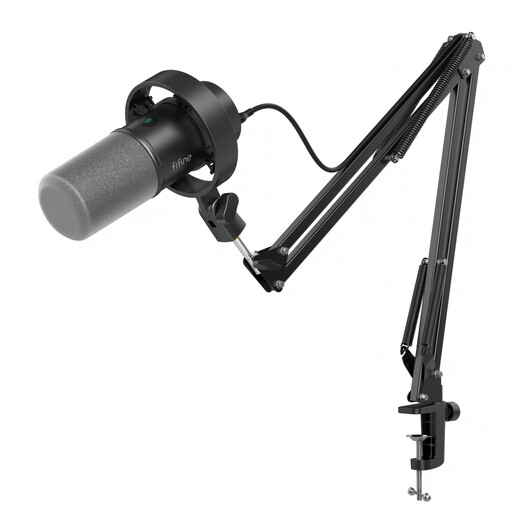
FIFINE K688CT USB/XLR Dynamic Microphone Kit with Boom Arm
Consider this kit if you can accommodate an arm to hold the microphone close during laptop diary narration. Its title identifies USB/XLR connections, a boom arm, a mute button, a headphone jack and a gain knob; check that the clamp and arm fit your shared desk. If you plan to record on a phone or use XLR, confirm the required connection, app support and accessories before ordering.
View on Joybuy
 No image available
FIFINE AM8 USB/XLR Dynamic Microphone with Desktop Stand
This desktop-stand format suits seated diary narration if you have room to keep the microphone close. The title identifies USB/XLR connections, a headphone jack, a mute button and a desktop stand. Check whether the stand leaves enough working space, and confirm the connection and app requirements if you also intend to record on a phone.
View on Joybuy
 No image available
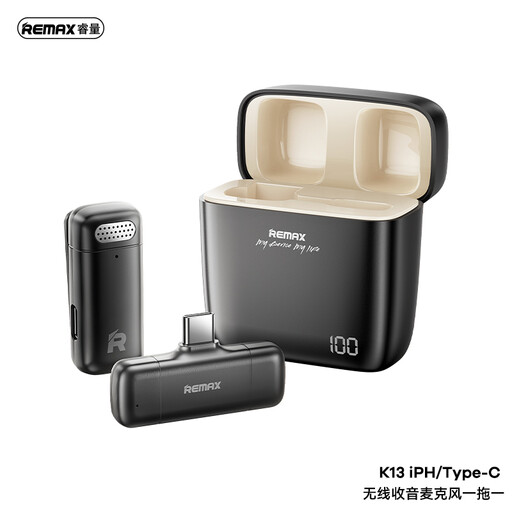
REMAX K13 1-to-1 USB-C Wireless Microphone, Black
Consider this wireless format if phone-led travel clips are your main use and you want to avoid a fixed desk microphone. The title identifies a USB-C connection and a 1-to-1 wireless kit. Confirm that your device and recording app accept the receiver, and make a test recording if nearby speech is a concern at the shared desk.
View on Joybuy
 No image available
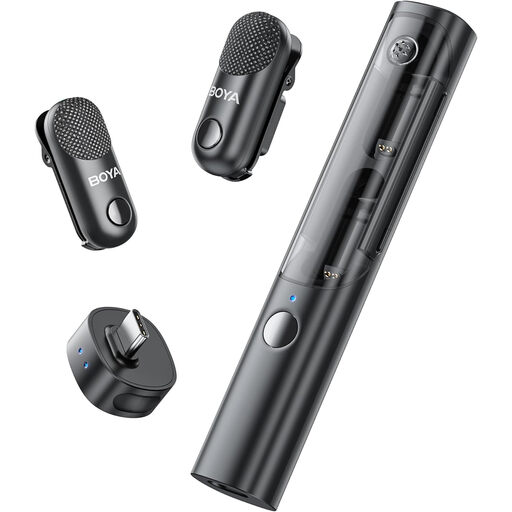
BOYA Magic-05 USB-C Wireless Lavalier Kit, 2 TX + 1 RX + Charging Case
This clip-on kit is worth considering if your travel diary may involve two speakers and you prefer not to leave a microphone on the desk. Its title specifies two transmitters, one receiver, USB-C and a charging case. Check compatibility with your particular device and recording app, along with how you will monitor audio and manage nearby speech.
View on Joybuy
Frequently asked questions
Do I need a dynamic microphone at a shared desk?
Not necessarily: a compact cardioid USB microphone may suit you if you can position it close and keep nearby noise down. If activity around the desk remains troublesome and you can speak close to the microphone, consider a close-talk dynamic model; Shure, for example, describes the MV7+ as intended for close-mic use.
Can one microphone handle desk entries and travel clips?
Yes, if its connections and recording position suit both uses. A USB desktop microphone fits a fixed laptop arrangement, whereas a phone-compatible wireless clip-on kit is easier to carry away from the desk. Decide which use takes priority, then check the other device and app before relying on one kit for both.
Where should I put the microphone on a shared desk?
Place it close enough for its intended vocal use without obstructing the workspace. Aim a directional desktop microphone towards yourself, keep it away from repeated desk knocks and check mounting compatibility before choosing an arm or stand. A short recording in the actual space will help you hear what else is captured.
Do I need permission to record at a shared desk?
Avoid recording other people’s identifiable speech without addressing their involvement first. For organised user research sessions, GOV.UK guidance says to obtain informed consent before recording participants and to use and store recordings containing personal data appropriately. That guidance does not establish one rule for every private travel diary; choose a quieter place when incidental conversation might be captured.


