Choose the screen arrangement before the laptop: using its built-in display alongside one monitor is a different requirement from keeping it active alongside two independent external monitors. Apple specifies support for up to two external displays on the current MacBook Air M5; for a Windows setup, check the exact laptop and connection method, particularly if demanding photo or video work also influences your choice.
Who is this for?
Editors using two external monitors
You want the laptop screen to remain active while separate monitors hold a photo library, map, manuscript or layout. Confirming the number of independent displays matters more than choosing a laptop by screen size alone.
Travel-journal editors working away from a desk
You mainly write, organise photos and make straightforward edits while travelling, then connect to monitors at home or at temporary accommodation. Consider how the laptop travels as well as how it connects.
Creators with demanding photo or video projects
You regularly work with high-resolution images, layered projects or video. Check the exact memory, storage, graphics and display configuration against the applications and files you use.
What matters when buying?
Decide whether your second screen travels with you or sits on a desk, then check the display connections before weighing portability against the demands of your editing work.
| Concern | What to check | Who this matters to |
|---|
| Independent displays |
Specify whether you need one or two external monitors with the laptop screen active. Match the exact laptop, dock and cables to your monitors’ resolutions and refresh rates. |
I need separate spaces for my journal and reference material, not the same image mirrored twice. Around 31% of consumers put confirmed independent-display support first. |
| Editing while travelling |
Compare the configured laptop’s weight, charging arrangement, memory and storage, as well as how it connects when you return to a desk. |
When I edit between journeys, the laptop has to be practical to carry and use without my desk monitors. Portability is the primary concern for around 31% of consumers. |
| Demanding creative work |
Check your applications against the exact processor, graphics, memory, storage and built-in display configuration. |
Frequent high-resolution photo edits or video projects make the configured editing hardware my priority; around 23% of consumers put that need first. |
| The complete setup |
Account for required monitor connections, a compatible dock if needed and a backup plan. Check the retailer’s applicable terms before ordering. |
I want the laptop, connections and file-storage plan to work together rather than solve one problem and create another. Around 15% of consumers prioritise the whole setup. |
What should you avoid?
-
Assuming a USB-C port guarantees two extended monitors
The connector shape does not establish how many independent displays the laptop and its connection route support. Microsoft Support notes that a display adapter may not support more than one external monitor.
Check the exact laptop model, monitor resolutions and refresh rates, dock and cable types against their stated specifications before ordering.
-
Using a splitter to create a second workspace
Microsoft Support explains that a splitter duplicates a display signal rather than creating two independent extended desktops.
If you need two separate external workspaces, choose a laptop and connection arrangement explicitly specified to support them.
-
Choosing by laptop family name alone
Processors, graphics and panels can differ within a series. ASUS notes that ProArt P16 display specifications vary by model and configuration.
Keep the full model number to hand and confirm the memory, storage, graphics, panel and display-output support of the configuration you intend to order.
-
Putting an old laptop in household rubbish
GOV.UK advises using an appropriate electrical-waste recycling route; damaged or wet batteries can create a fire risk.
When replacing a laptop, check your local collection options or the retailer’s applicable take-back arrangements.
Brands to consider for this setup
Apple
MacBook Air is relevant if you want macOS for travel and an external-monitor workspace when you return to a desk.
- Apple’s current UK MacBook Air M5 specifications list 16GB unified memory, two Thunderbolt 4 ports and support for up to two external displays.
- Check that your editing and publishing applications work as required on macOS, and plan how the available ports will connect your equipment.
Lenovo
The Yoga Pro line is relevant to Windows users considering a creator-oriented laptop with a larger built-in display and varied connections.
- A Lenovo UK Yoga Pro 7i Gen 11 configuration lists 32GB memory, a 1TB SSD and a 15.3-inch OLED display; Lenovo describes Thunderbolt 4, HDMI, USB-A and SD-card connectivity for the line.
- Confirm the configuration you choose and its supported external-display arrangement rather than applying one model’s specifications to the whole line.
ASUS
ProArt P16 is relevant when travel-journal work extends to substantial photo or video projects on Windows.
- A specific ProArt P16 H7606WI-ME045W configuration listed by Joybuy has 32GB memory, a 2TB SSD, RTX 4070 graphics and a 4K OLED touchscreen.
- ASUS says display specifications vary by model and configuration. Check the precise variant and its external-monitor support.
Joybuy product choices
These laptops cover different ways to edit a travel journal: a model with two built-in panels and Windows models with dedicated graphics for more demanding projects. For a desk setup, confirm each exact model’s supported external monitors before buying; built-in panels and video ports alone do not settle that question.
 No image available
ASUS Zenbook DUO UX8406CA-QL135W Dual OLED
Consider its two built-in screens if you want a dual-panel workspace while travelling, rather than assuming you will have external monitors available.
The named configuration has an Intel Core Ultra 7 255H, 16GB LPDDR5X memory and a 1TB SSD. Check the exact panel resolution and supported external-display arrangement before ordering.
View on Joybuy
 No image available
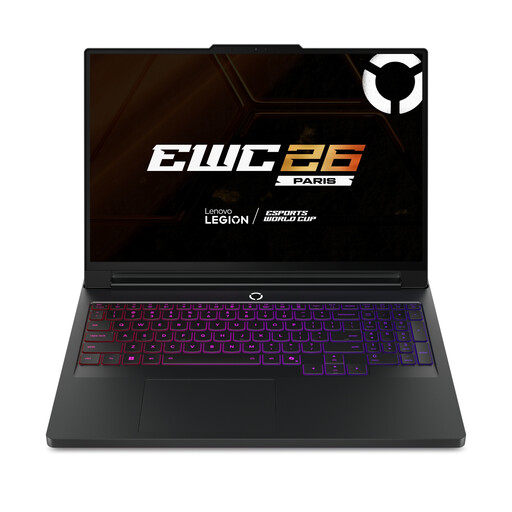
Lenovo Legion Pro 7 16IAX10H 83F5000UUK
Consider this configuration if your journal includes demanding creative projects and you can accommodate a 16-inch laptop on your journeys.
Its name specifies an Intel Core Ultra 9, 64GB memory, a 2TB SSD and NVIDIA GeForce RTX 5090 graphics. Confirm the required external-display arrangement, weight and battery life for your use.
View on Joybuy
 No image available
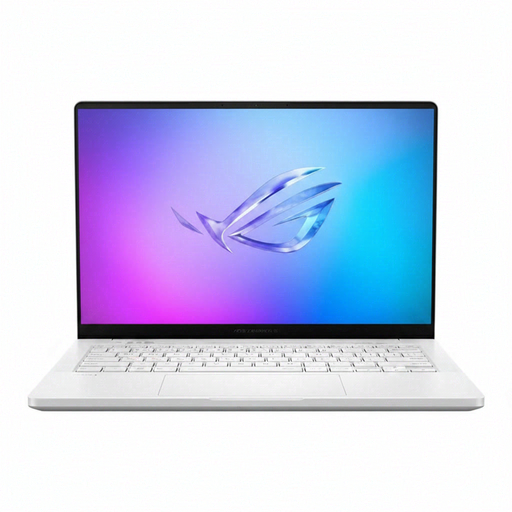
ASUS ROG Zephyrus G14 GA403WR-QS088W
The 14-inch format is worth considering when you want a smaller laptop for travel alongside hardware specified for substantial creative projects.
The named configuration has a WQXGA+ display, 32GB memory, a 2TB SSD and NVIDIA GeForce RTX 5070 Ti graphics. Check its video outputs, external-display limit, weight and battery life against your plans.
View on Joybuy
 No image available
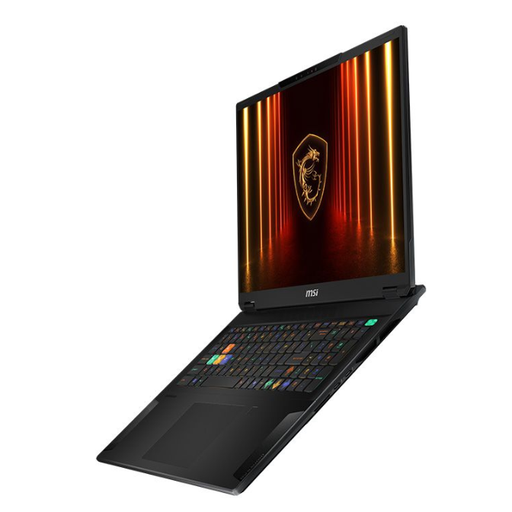
MSI Stealth 18 AI Studio A1VGG-001UK
Consider the larger built-in workspace if you expect to edit at a desk more often than you carry the laptop between locations.
The named configuration has an 18-inch display, an Intel Core Ultra 9, a 2TB SSD and NVIDIA GeForce RTX 4070 graphics. Its listed 2.89kg weight matters for travel; confirm external-display support for your monitors.
View on Joybuy
Common questions
Does a two-screen setup mean one external monitor or two?
Either is possible, so specify whether the laptop’s own display counts as one of your two screens. If you want its display active alongside two independent external monitors, check the exact laptop’s stated display limit and the resolutions and refresh rates supported through your chosen connections.
Can a USB-C splitter give me two extended desktops?
A signal splitter alone will not create two independent desktops: Microsoft Support says it duplicates the signal. For separate external workspaces, verify that the laptop and any dock support the intended display arrangement.
Do I need a dock for travel-journal editing?
Not necessarily; direct connections may meet your needs if the laptop supports the intended monitors. A dock can simplify a desk setup, but check its compatibility, charging capability and supported display modes against your exact laptop and monitors.
What should I do with an old laptop when I replace it?
Use an appropriate electrical-waste collection or recycling route rather than household rubbish. GOV.UK also describes like-for-like retailer take-back when purchasing a replacement electrical product; check the arrangements offered for your purchase.


