Buying priorities
Start with the devices you need to use, then check the charging setup, destination electricity supply and airline conditions that apply to your itinerary.
| Priority |
What to check |
Your needs |
| Keeping devices usable |
Match total output and port count to the devices that may charge together. Confirm USB-C charging compatibility and keep the charger and cables accessible in cabin baggage. |
I need my phone, tablet, camera or laptop to switch on if security requests it, without carrying separate chargers for every device. |
| Battery and power-bank rules |
Check the manufacturer’s Wh marking and model details against the operating carrier’s limits. Follow its requirements for cabin storage, quantity and terminal protection for spare batteries. |
I need charging away from a socket, but the power bank must be packed for the exact flight rather than chosen by advertised mAh alone. |
| Foreign-socket compatibility |
Check socket types at every destination and transit point, local voltage and frequency, maximum W/A rating, and whether an earthed appliance needs an appropriate adaptor. For applicable UK plug or socket sections, check for BS 8546. |
I want an adaptor that fits the sockets I will actually use and is suitable for both my device and the local supply. |
| Orderly cabin-bag packing |
Match cable loops and pockets to the charger and accessories you carry. Compare a sleeve’s internal dimensions with the device, including any fitted case or keyboard cover. |
I want cables and small accessories easy to find, while keeping my laptop or tablet separate from harder items in the bag. |
Joybuy product options
Joybuy product options for compact multi-device charging and protecting a laptop in cabin baggage.
 No image available
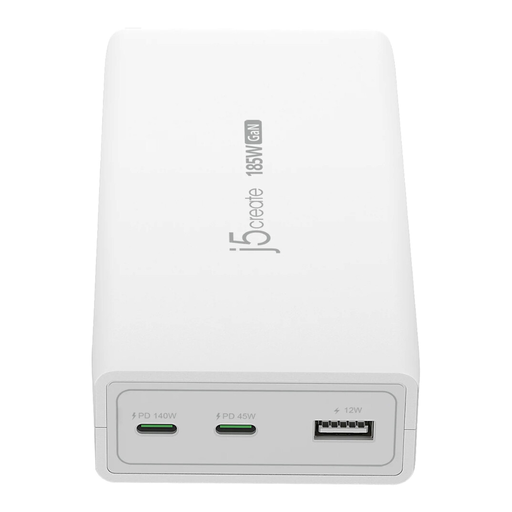
j5create JUP37185W 185W GaN PD 3.1 3-Port Charger
For a phone, tablet and compatible laptop travelling together.
Stated total output up to 185W, with USB-C PD 3.1 up to 140W, a 45W USB-C port, USB-A output and automatic power balancing.
Check that each laptop accepts the required USB-C PD profile, and verify the charger’s input rating and the destination plug arrangement before travel.
Joybuy
 No image available
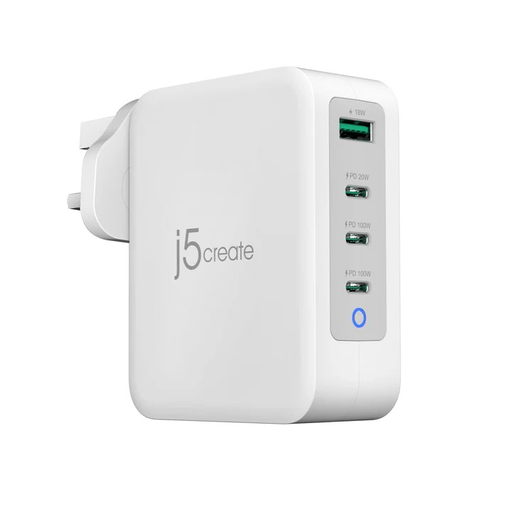
j5create JUP43130F 130W GaN USB-C 4-Port Charger
For charging a compatible laptop, tablet, phone and USB-A accessory from one mains point.
Three USB-C ports, one USB-A port, 130W combined output, stated 65W + 65W allocation on the first two USB-C ports, 100–240V input and a UK plug.
Confirm the laptop’s USB-C PD requirements and the available output when all ports are in use; a UK plug still needs a suitable adaptor abroad.
Joybuy
 No image available
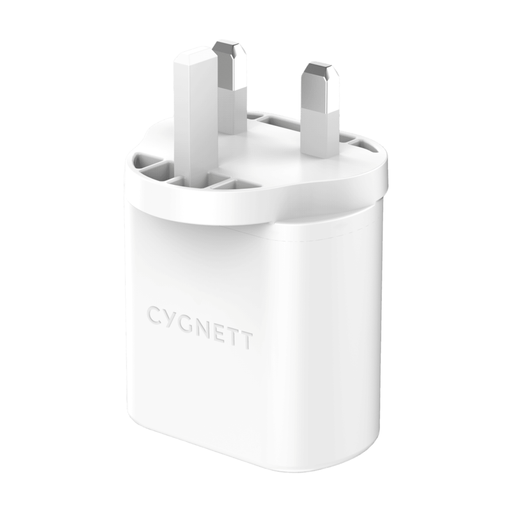
Cygnett PowerPlus 32W USB-C Dual-Port Wall Charger
For a phone or tablet plus a smaller accessory in a compact charging kit.
Stated 20W USB-C PD port, 12W USB-A port, 32W total output and foldable UK plug.
Check whether 32W is sufficient for an intended laptop, and confirm the charger’s input rating before using it abroad.
Joybuy
 No image available
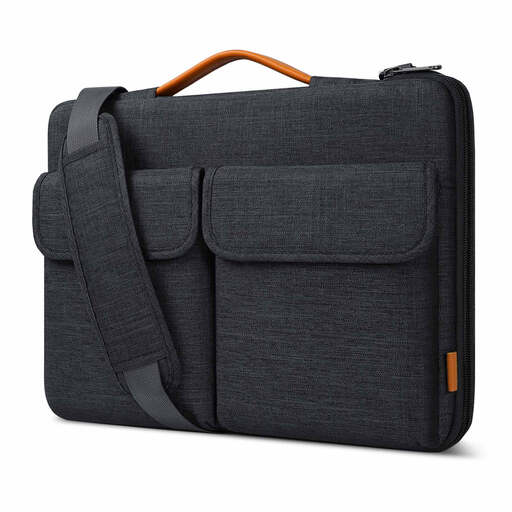
Inateck 15.6-Inch Laptop Bag Sleeve LB03008-15BG
For separating a laptop and charging accessories in cabin baggage.
Stated internal dimensions of 38.5 × 26.5 × 3cm, splash-resistant material, flannel-lined interior, zip protection and elastic organiser bands.
Measure the laptop with any fitted case or keyboard cover before buying; a protective sleeve does not replace keeping the device charged for security.
Joybuy
 No image available
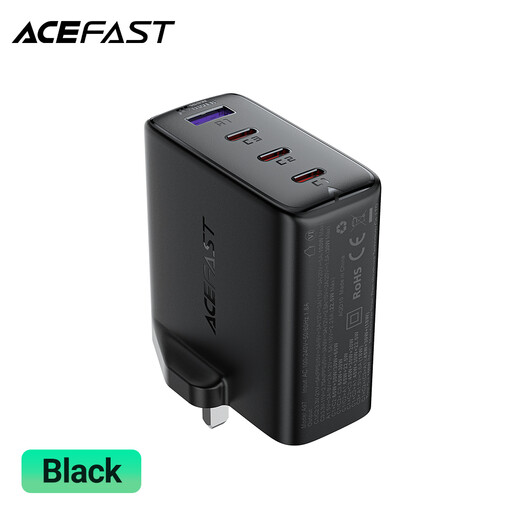
ACEFAST A97 PD100W GaN 3 USB-C + USB-A Charger
For a compatible laptop, tablet and phone that need to share one mains charger.
Stated 100W output, three USB-C ports, one USB-A port, UK plug and intelligent power allocation.
Check the manufacturer’s power-allocation table for the intended devices and verify the input rating before overseas use.
Joybuy
Frequently asked questions
Do I need to carry my phone, tablet or laptop charged from a UK airport?
Yes, it should be able to switch on if requested. GOV.UK says an electronic device that cannot switch on when requested will not be allowed onto the aircraft; this does not set a prescribed battery percentage.
Can I put a power bank in checked luggage?
Do not assume that you can. British Airways states that power banks and spare batteries are forbidden in checked baggage, while Ryanair requires them on your person or in an under-seat cabin bag rather than an overhead locker; check the operating airline, including on codeshare flights.
What power-bank capacity is allowed on a flight?
The permitted capacity depends on the airline and is measured in Wh, not a universal mAh allowance. Ryanair does not permit devices or batteries above 100Wh and limits power banks to two per passenger, while British Airways has an approval process for spare batteries between 100Wh and 160Wh.
Will a travel adaptor convert voltage for my UK device?
No. Electrical Safety First states that travel adaptors do not convert voltage or frequency, so compare the destination supply with the voltage and frequency range printed on the charger or appliance.
Which adaptor standard should I look for when buying in the UK?
For a travel adaptor sold in the UK with a UK plug or socket section, Electrical Safety First says it must meet BS 8546. Also check its maximum W/A rating and whether it is suitable for an appliance requiring an earth connection.


