What matters when choosing?
For travel writing with limited socket access, settle the power plan first, then balance bag space against sustained typing and device fit.
| Concern | What to check | Who this matters to |
|---|
| Power away from sockets |
Check whether the exact model takes replaceable cells or needs charging, and what its battery-life claim assumes. |
If I cannot count on a free socket, I want a power plan I can manage throughout the trip. Around 36% of consumers put socket independence first. |
| Bag space and protection |
Compare the keyboard’s dimensions with your bag or sleeve, and check whether it has a cover. |
With a tightly packed travel bag, I need the keyboard to fit without leaving its keys exposed. For roughly 29% of consumers, packing it securely is the primary concern. |
| Long-session typing |
Check the selected key layout and mechanism, particularly the keys you use for editing and punctuation. |
When drafting a full article, I care more about familiar keys and usable spacing than minimum thickness. About 21% of consumers make sustained typing their first priority. |
| Device and layout fit |
Confirm compatibility with your operating systems, device-switching options and the selected UK or US layout. |
If I switch devices or rely on UK punctuation placement, the keyboard must fit that workflow. Around 14% of consumers primarily look for device and layout compatibility. |
Travel keyboard options on Joybuy
These keyboards offer different compromises for drafting while travelling: compare each model’s power arrangement, key layout and bag fit against the devices and charging access you will actually have.
 No image available
Rapoo E9050L 75% Wireless Keyboard, US layout, white
Consider this compact option if you can make room in your trip for charging and want to compare connection modes. The name specifies 78 keys, a US layout, Bluetooth and 2.4 GHz connectivity. Check that its punctuation arrangement suits your writing.
View on Joybuy
 No image available
HyperX Alloy Rise 75 Wireless Keyboard UK
Its 75% format is worth considering if you want a reduced layout for drafting, but check whether the listed 1.02 kg weight suits your travel bag. Confirm the selected variant’s key arrangement and plan charging around your lighting settings.
View on Joybuy
 No image available
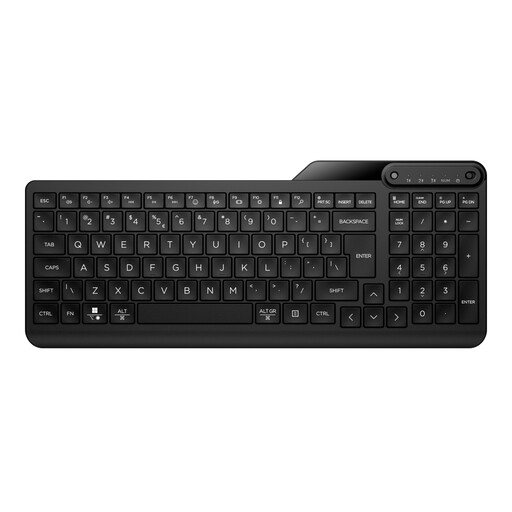
HP 460 Multi-Device Bluetooth Keyboard
If you prefer a familiar typing area while moving between devices, assess how this keyboard will fit alongside your other travel kit. Check its dimensions, selected key layout and battery arrangement before relying on it away from sockets.
View on Joybuy
 No image available
GravaStar Mercury K1 Lite 75% Keyboard, Chinese Retail Version, US layout
Consider its mechanical layout if that matters more to you than minimising carry weight; the listed weight is 0.85 kg. The product name specifies Bluetooth, 2.4 GHz and USB-C modes. Check battery runtime and compatibility with your particular device before planning to use it throughout a trip.
View on Joybuy
 No image available
Lofree OE907 65% Mechanical Keyboard, US layout, mouse bundle
The 68-key format may appeal if a reduced keyboard layout fits your editing habits. Its name specifies Bluetooth 5.1 and a wired mode; check the packed dimensions, charging needs and whether the US key arrangement works for your drafts. Confirm the mouse bundle contents before ordering.
View on Joybuy
Frequently asked questions
Are replaceable batteries or USB charging better when sockets are scarce?
Choose replaceable batteries if avoiding charging access is your main concern and you can carry compatible cells. A rechargeable keyboard is more practical when you already have a dependable way to charge your devices; check the exact connector and the conditions behind any battery-life claim.
Can one keyboard switch between my laptop, tablet and phone?
Some can: Logitech lists switching among three devices for Pebble Keys 2 K380s, and Keychron lists three Bluetooth device connections for the K3 Max. Confirm compatibility with your exact operating systems and selected keyboard variant.
Should I pair a Bluetooth keyboard before leaving?
Yes, pair it and test your usual typing and shortcuts before departure. Logitech’s setup guidance describes selecting the keyboard in your device’s Bluetooth settings and, when prompted, entering an on-screen code; follow the instructions for your particular model.
Do I need a power bank for a travel keyboard?
Not necessarily: a keyboard using replaceable batteries does not need USB charging, while a rechargeable model may fit an existing charging routine. If you take a power bank on a flight, the UK Civil Aviation Authority says to keep it in cabin baggage rather than checked baggage, and GOV.UK advises checking your airline’s restrictions.


