What to check before buying
For consumers arranging occasional camera-on work while travelling in the UK, start with employer-approved access, then consider the call setup, carrying and power, condition for refurbished machines, and connectivity at the work location.
| Concern |
What to check when buying |
Who this matters to |
| Approved access |
Ask IT which device ownership, operating system, applications, sign-in method and management requirements apply. Microsoft Learn and the National Cyber Security Centre describe device compliance and workplace policy as relevant to access. |
If my employer controls which devices can sign in, I need approval before buying; about 31% of consumers make approved access their primary concern. |
| Camera-on calls |
Confirm the exact configuration has a camera and microphone, then test a call with the intended application and audio setup. Microsoft Learn lists standard laptop camera, microphone and speakers among Teams desktop-device requirements. |
If I have scheduled video calls, I want the camera and audio setup to work for the way I will use it; about 25% of consumers put meeting function first. |
| Carrying and power |
Compare the exact model’s size, weight, charging connections and stated battery-test conditions, and plan where to charge during a call. Apple publishes separate test conditions for video streaming and wireless web use; neither establishes camera-on meeting endurance. |
When I carry a laptop between stops, I need a manageable load and a workable charging plan; about 19% of consumers make carrying and power their primary concern. |
| Refurbished condition |
Check the installed operating system and ask about the individual unit’s battery, warranty and the seller’s return terms. Microsoft Support states that Windows 10 standard support ended on 14 October 2025. |
If I will use the laptop only occasionally, I want the specific unit’s condition and support to make sense for that use; about 13% of consumers prioritise refurbished value and condition. |
| Connection at the work location |
Check available internet and predicted indoor mobile coverage for the place you will work, and confirm that tethering is permitted. Ofcom’s coverage map is based on network predictions, not a guarantee of reception at a particular desk. |
If a scheduled call depends on getting online at a particular stop, I need to check the connection there; about 12% of consumers make connectivity their primary concern. |
Joybuy laptop options for travel work
These Joybuy listings are lightweight laptop options for occasional work while travelling. Check each model’s operating system and employer approval before choosing.
 No image available
ASUS Vivobook 14 X1407QA-LY003W Copilot+ PC, Snapdragon X, 16GB RAM, 512GB SSD, Quiet Blue
The 14-inch format is listed for carrying between work locations; confirm that the device and its work-account access are approved for your role.
Joybuy
 No image available
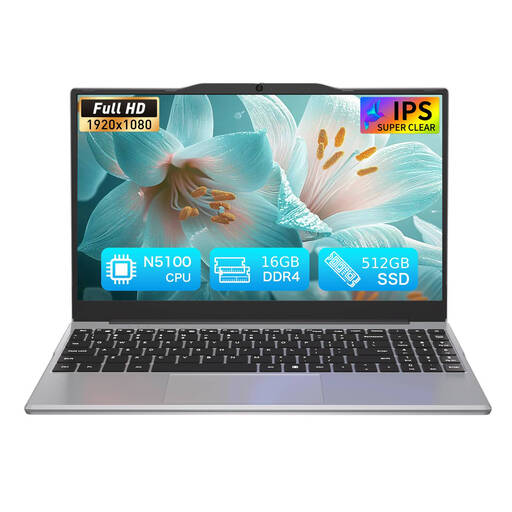
Auusda T141J, N5100, 16GB DDR4, 512GB SSD, 14.1-inch 1920 × 1080
The listing presents a 14.1-inch laptop for everyday computing; check its operating system and your employer’s access requirements before relying on it for work.
Joybuy
 No image available
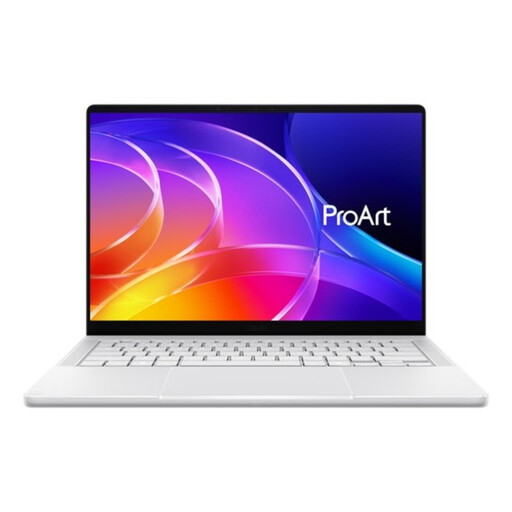
ASUS ProArt P14 H7407BA-SM083W, 14-inch 3K OLED, NVIDIA RTX Spark N1X, 32GB RAM, 1TB SSD, White
The 14-inch format is relevant if you will carry the laptop between locations; verify that its operating system and work access method suit your employer’s requirements.
Joybuy
 No image available
Lenovo IdeaPad Slim 3 Chromebook 14IAN8, Intel Core i3 N305, 8GB RAM, 256GB eMMC, Grey, 83BN001EUK
This Chromebook is listed with Chrome OS; check that your work applications and sign-in method are permitted and suitable for that operating system.
Joybuy
 No image available
HP 14-fh0006na OmniBook Ultra Flip, 2-in-1 Copilot+, 16GB RAM, 1TB SSD, Windows 11 Home
The listing specifies Windows 11 Home; confirm that your employer permits this operating system and the device’s access method for work calls.
Joybuy
Frequently asked questions
If Teams works on a tablet, can I use it for my job?
Not necessarily: your employer may restrict device types, permitted tasks or compliant-device access. Microsoft Learn describes Teams support, while the National Cyber Security Centre advises checking workplace policy; ask about your own account and workflow before relying on a tablet.
How should I set up a laptop before travelling?
With your employer’s permission, sign in using the approved method and test a meeting with the camera, microphone or headset you plan to use. Check that you have the charger and any needed connection accessories, and check the destination connection before the scheduled call.
What should I check when buying a refurbished laptop?
Ask about the individual unit’s condition, battery, installed operating system, warranty and the seller’s return terms. For online consumer purchases, GOV.UK explains that a statutory cancellation period ordinarily runs until 14 days after delivery, subject to applicable rules and exceptions; cancellation rights are distinct from remedies for faulty goods.
Does UK law require a particular laptop for remote work?
The UK guidance cited here describes organisational security decisions, not a universal legal laptop model or specification. Check your employer’s permitted-device rules; the Information Commissioner’s Office says its BYOD guidance is under review.


