What to check before choosing
Start with a transfer route your existing phone or tablet can handle, then check original retention, power, file handling and the size of the complete kit.
Portable SSD and cable
Consider this when: Your photos are already on a compatible phone or tablet and you can copy them to attached storage through a supported app.
Trade-off: The SSD is a destination, not an independent camera-card copier; confirm the host, cable, file system and power arrangement.
Card reader and portable SSD
Consider this when: You want to transfer camera-card files through a phone or tablet you already carry. A UK Talk Photography discussion describes a card-to-tablet-to-drive workflow.
Trade-off: The host may need temporary space, and the process can involve two copying stages. Match the reader to your card format; Apple’s documented SD-card route does not establish CFexpress support.
Phone or tablet with a USB-C hub
Consider this when: Your host needs a reader, drive and power connection at the same time.
Trade-off: A hub adds equipment. Anker UK specifies pass-through charging for its A8380, but that host-charging rating does not guarantee power for every attached SSD or compatibility with every device.
Wireless camera-to-device transfer
Consider this when: Your compatible camera and phone can transfer selected images without a card reader. Canon documents a Camera Connect smartphone pathway for the EOS R7.
Trade-off: Check the actual file format and resolution transferred before treating it as an original-file backup; copying onward to external storage is a separate step.
Additional memory cards
Consider this when: You want to retain camera originals or, on a supported camera, record duplicate files to multiple cards. Canon documents a “Rec. to multiple” option for the EOS R6 Mark II.
Trade-off: A spare empty card adds shooting capacity but does not copy photographs already taken. Two cards kept in the same camera are not a separately stored copy.
| Concern |
What to check when buying |
Who this matters to |
| A working transfer pathway |
Check the card format, host, operating system, reader, copying app and writable destination together. Apple Support UK documents supported camera-import and external-storage routes; Files by Google requires Android 7.0 or later for USB-storage access. |
If I am copying a camera card through a phone or tablet, I want the whole route to work before choosing a faster drive. Consumers who put pathway compatibility first account for around 31%. |
| A separate copy of originals |
Copy rather than clear the only original, then reopen or restore files from the destination. Apple’s import prompt distinguishes keeping from deleting camera media; the NI Cyber Security Centre recommends practising restoration. |
If losing an original would leave me without a usable copy, I want to retain the camera files while checking the destination. Consumers whose main concern is recoverable originals account for around 25%. |
| Power and usable ports |
Confirm the host connection, drive power needs, hub arrangement and available data ports. Apple Support says external drives may need an external power source. |
When I need to connect a reader and drive away from mains power, I want to know which power accessories the setup requires. Consumers prioritising power and ports account for around 19%. |
| Large files and editing |
Check the largest file size your format allows and whether your editing app supports the camera files. Microsoft lists FAT32’s maximum individual file size as 4 GiB; successful storage access alone does not establish editing compatibility. |
If I want to copy large videos or work with camera files while travelling, I need the file system and app to handle those exact files. Consumers focused on large files and editing account for around 13%. |
| A manageable travel kit |
Count the reader, cables and any power accessories, and check whether the host needs temporary storage. Read the exact drive’s protection and warranty conditions. |
If I want to keep luggage simple, I need to consider the complete setup rather than the drive alone. Consumers putting kit size and complexity first account for around 12%. |
Portable SSDs on Joybuy
These portable SSDs are destination-storage options for a card-reader-to-phone-or-tablet workflow. Check that your host, card reader, file system and power arrangement support the complete setup.
 No image available
Samsung Portable SSD T7 4 TB, Grey
Use it as the destination drive in a compatible phone- or tablet-based copying workflow.
The listing identifies 4 TB capacity and USB Type-C 3.2 Gen 2 connectivity. It is not IP-rated for water resistance; keep it away from liquids.
Joybuy
 No image available
Samsung MU-PG4T0B 4 TB, Black
This 4 TB external SSD can serve as destination storage when your host supports the rest of the copying route.
The listing identifies USB Type-C and USB 3.2 Gen 2x2. It is not waterproof or dustproof; avoid liquids.
Joybuy
 No image available
Samsung Portable SSD T7 1 TB, Blue
Consider it as external destination storage if your phone or tablet can copy the camera files to an attached drive.
The listing identifies 1 TB capacity and USB Type-C 3.2 Gen 2 connectivity. It is not waterproof or dustproof; avoid liquids and excessive moisture.
Joybuy
 No image available
Samsung T7 Shield MU-PE1T0S 1 TB, Black
This can be a destination drive in a compatible travel-copying setup; it does not copy camera cards by itself.
Samsung rates sequential speeds up to 1,050 MB/s read and 1,000 MB/s write when the host and cables support USB 3.2 Gen 2 and UASP is enabled. Samsung’s UK information describes controlled-test IP65 protection but excludes liquid and dust damage from warranty coverage.
Joybuy
 No image available
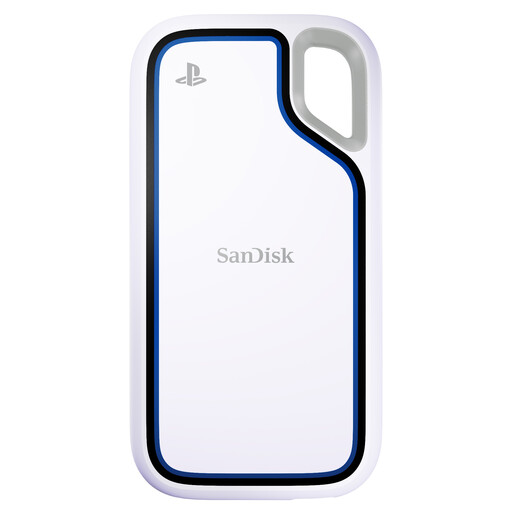
SanDisk Extreme 1 TB Portable SSD
Use it as a separate storage destination only if your host and copying app support the complete transfer workflow.
The product name identifies a 1 TB portable SSD. Check the connection, file-system and power requirements for your own devices before relying on it for travel backup.
Joybuy
Questions about laptop-free photo backup
Can I format an external drive on an iPad without a computer?
Apple Support documents formatting external storage through Files on supported USB-C iPads, with APFS, ExFAT or MS-DOS (FAT) options. Formatting erases the drive, so copy anything you need elsewhere first and follow instructions for your installed iPadOS version.
Why might an attached drive need a powered adapter?
Apple Support says external hard drives often need an external power source. It documents powered USB hubs for USB-C iPhones and a Lightning to USB 3 Camera Adapter connected to a USB power adapter for Lightning iPhones; check the requirements of your particular drive.
Should I choose Keep or Delete after importing camera photos?
Choose Keep when you want an additional backup. Apple documents this choice after import; retaining the camera copy while checking the destination helps avoid replacing the only copy with an unchecked transfer.
How can I check the backup before relying on it?
Reopen representative photos and your largest video from the destination, then check that the intended originals remain on the camera card. The NI Cyber Security Centre recommends practising restoration so you know how to recover files.
Which accessories should I allow for in the setup?
Plan for a reader that matches the camera card, suitable cables and any power equipment your host or drive requires. Anker UK states that the A8380 hub’s wall charger is excluded; check the exact accessories supplied with any hub or adapter you choose.


