Choose a travel tablet around the activity that is hardest to compromise on: keeping downloads available offline, reading in bright light, running demanding games or carrying a smaller device. An 11-inch model is a starting point if you want room for films and video calls without moving to a larger tablet; choose a compact format if packing space and handheld reading matter more. Which? assesses battery endurance, bright-daylight screens, demanding apps and video calls separately, so check results for the exact model alongside its storage and app compatibility.
Who is a travel tablet for?
Travellers planning an offline library
If connectivity may be patchy, plan space for the films, books, games and maps you want to keep on the device. Google explains that offline video availability can vary by country and that offline Maps storage depends on the device setup.
Viewers on long or bright journeys
If you read near a bright window or watch films for hours between charging opportunities, look beyond screen size. Which? tests tablet screens in bright daylight and measures battery endurance during web browsing and video playback.
Households sharing a tablet
If adults and children will pass the tablet around, consider who needs to hold it, whether the display works for shared viewing and how the intended games and video-call apps run. Which? includes setup, calls and demanding apps in its tablet assessments.
What matters when choosing?
Start with the activity that would most affect your choice, then check the exact tablet against the other needs. Which? assesses battery life, daylight visibility, demanding apps and video calls as distinct parts of tablet use.
| Concern | What to check | Who this matters to |
|---|
| Offline downloads and storage |
Check the internal capacity and how your intended apps store downloads; confirm any microSD support on the exact model. |
If I want films, games and maps ready when the connection drops, I need a storage plan that works with those apps. About 36% of consumers would put offline access first. |
| Screen visibility and battery endurance |
Compare independent bright-light screen and video or web battery tests for the exact model. |
On a long journey or beside a bright window, I want to see the screen and keep using it between charges. Around 29% of consumers would make visibility and endurance their primary concern. |
| Games, apps and video calls |
Check results for the most demanding game or app you intend to use, plus availability of your video-call apps. |
If gaming or calling is central to my trip, smooth operation matters more to me than simply having a large display. For about 21% of consumers, app and call performance would come first. |
| Carrying and sharing |
Compare exact-model size and weight, then check the fit of any protective case or stand. |
When I am packing a small bag or passing the tablet to a child, I need a manageable size without overlooking shared viewing. Portability and sharing would be the main priority for roughly 14% of consumers. |
Purchase checks worth making
-
Choosing by screen size alone
A larger display gives more room for shared films but can add carrying weight; it does not establish how readable the screen will be in glare. Apple lists its 11-inch and 13-inch iPad Air Wi-Fi models at 464 g and 616 g respectively, while Which? tests daylight visibility separately.
Decide whether handheld reading, shared viewing or bright-light use comes first. Compare the exact model's weight and independent screen results.
-
Assuming a card slot solves every download problem
Where content can be stored depends on both the tablet and the app. Amazon says some Fire tablet apps do not support card storage, and removing a card configured as internal storage can lead to data loss.
Check the exact tablet's card rules and the download settings of the streaming, game and map apps you intend to use.
Using expandable storage may also mean obtaining a separate microSD card.
-
Choosing more processing power than your activities require
Reading and ordinary streaming do not pose the same demands as graphics-intensive games. Which? treats demanding apps and games as a separate performance consideration.
Identify the most demanding game or app you will actually use, then check performance evidence for that task before choosing a higher-specification model.
-
Buying accessories before confirming the model
A case or keyboard made for one generation may not fit another; Samsung, for example, describes its Book Cover Keyboard Slim as tailored to the Galaxy Tab S11.
Match accessories to the complete model name and generation. Check what charging equipment is included and whether a separately purchased mains charger suits your destination's socket arrangement.
An incompatible case, stylus, keyboard or charger may need replacing.
Brands to consider
Apple
Consider an iPad if your intended apps, services or existing accessories make iPadOS a practical fit.
- Apple lists storage tiers, USB-C connectivity and model-specific accessory support across its iPad range.
- Choose internal storage before purchase and check Pencil or keyboard compatibility against the exact generation. Apple lists its 11-inch iPad Air Wi-Fi at 464 g and its 13-inch version at 616 g.
Samsung
The 11-inch Galaxy Tab S11 is an Android option for travellers considering Samsung's DeX and tablet accessories.
- Samsung lists DeX support for the Galaxy Tab S11.
- Samsung says its Book Cover Keyboard Slim is tailored to the Galaxy Tab S11; check accessory fit rather than assuming covers work across models.
Lenovo
The 9-inch Tab M9 is a compact Android option to consider for reading and downloaded entertainment.
- Lenovo lists an HD display, stereo speakers and expandable microSD storage for the Tab M9.
- Lenovo says specifications vary by region and model. Confirm the precise variant and whether it runs your intended apps adequately.
Amazon
Compatible Fire tablets are worth considering if expandable storage is important to your travel setup.
- Amazon says compatible Fire tablets from the 5th generation onward support microSD cards.
- Portable and internal card configurations behave differently, and Amazon says some apps cannot use card storage. Check the apps and downloads you need.
Travel tablet selections on Joybuy
These selections cover Android and iPadOS tablets for travel entertainment and communication, including a smaller-format option. Compare each model with the downloads, apps and carrying conditions that matter to you.
 Image unavailable
Samsung Galaxy Tab S11 12GB/128GB Wi-Fi, Silver
Consider this Android model if an 11-inch viewing area and expandable storage suit your planned downloads. The listing gives a 469 g weight, 120 Hz display and microSD expansion up to 2 TB; check whether your apps can use card storage. Compare independent daylight-screen and battery results if either will decide the purchase, and confirm the included charging equipment.
View on Joybuy
 Image unavailable
DOOGEE U11 PRO 256GB, 11-inch, Black
Consider this Android tablet if room for an offline library is a priority. Its listing states 256 GB of internal storage, a TF-card slot with expansion up to 2 TB and an 11-inch, 90 Hz screen. Check app storage rules and independent battery and daylight-screen results rather than treating the listed playback claim as tested endurance.
View on Joybuy
 Image unavailable
Xiaomi Pad 8 Pro 12GB/512GB, Grey
This configuration offers 512 GB of internal storage for travellers planning a substantial offline library. The description specifies an 11.2-inch, 3.2K display with a 144 Hz refresh rate. Confirm the tablet's weight and included charger, and use model-specific testing to judge daylight visibility and battery endurance.
View on Joybuy
 Image unavailable
Apple 11-inch iPad Air (2026, M4) Wi-Fi 128GB, Space Grey
Consider this iPad if iPadOS and your intended apps or accessories fit your existing setup. This Wi-Fi configuration has 128 GB of internal storage and USB-C connectivity. Plan the space needed for downloads before choosing the capacity; check exact accessory compatibility, weight and independent screen and battery results where those affect your trip.
View on Joybuy
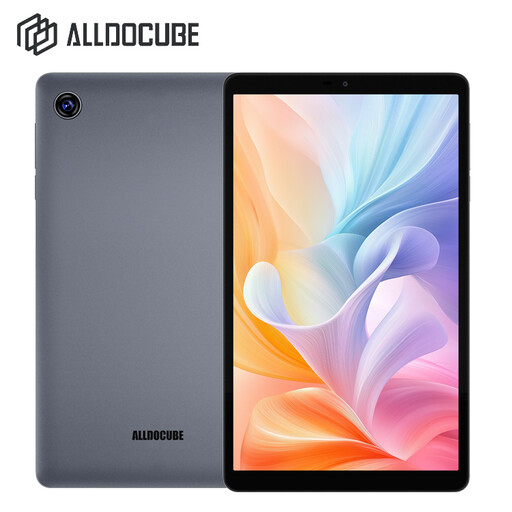 Image unavailable
ALLDOCUBE iPLAY60 Mini 4GB/64GB, 8.68-inch
Consider the smaller 8.68-inch format if packing space or handheld reading comes before a large shared display. The title specifies Android 15 and 64 GB of storage, and states that no charger is included. Check that you have a compatible charger, that your intended apps run on this model and that its storage and tested endurance meet your plans.
View on Joybuy
Travel tablet questions
How much storage do I need for travel downloads?
List the films, episodes, games, books and offline maps you want available at the same time, then choose a capacity that accommodates them. Google says video download availability can vary by country and that eligible Android setups can store offline Maps on an SD card. Check each app's storage rules before relying on expandable storage.
Will a larger screen be easier to read outdoors?
A larger display alone does not establish readability in bright light. Which? tests tablets in daylight and reports that some lower-cost screens struggle with glare, so compare independent results for the exact model you are considering.
Will my existing case, keyboard, stylus or charger work?
Check compatibility against the complete tablet model and generation before buying. Apple lists model-specific Pencil and keyboard support, while Samsung says its Book Cover Keyboard Slim is tailored to the Galaxy Tab S11. Confirm the supplied charging equipment and whether any separately purchased charger suits the socket arrangement where you will use it.
Can I take a tablet on a flight to the UK?
GOV.UK lists tablets as allowed in both hand and hold luggage on flights to the UK. Keep the device charged so it can switch on if requested, and check your airline's additional restrictions before travelling.


