What matters when choosing?
Decide how you will get live updates before choosing a screen size, then save the details you would need if the connection drops.
| Concern |
What to check |
Who this matters to |
| Connection continuity |
Check whether the exact variant has cellular data, what compatible service it needs and how you will store essential details offline. |
If flight or gate information changes while I am on the train, I want another way to refresh it besides my phone or train Wi-Fi. Around 46% of consumers put connection continuity first. |
| Easy carry |
Compare the exact variant’s weight and dimensions, including any case you intend to carry. |
I need to reach my travel documents quickly during a transfer without handling a larger device. Compact carry is the primary concern for around 27% of consumers. |
| Viewing room |
Compare screen sizes and consider whether you need to view an app, email and map in quick succession. |
When I am piecing together flight and transfer details, I would rather have more room to read them than the smallest item in my bag. Around 27% of consumers prioritise viewing room. |
Joybuy tablet choices
These tablets offer different ways to carry and view travel details. Check the exact connectivity variant before choosing one for live updates on a train.
 No image available
TABWEE W90 11-inch dual-4G tablet, 256GB
Consider this model if you want a larger screen and a tablet with its own listed 4G LTE connection. The title specifies an 11-inch display, dual 4G SIM and 256GB storage; its 5G Wi-Fi designation does not mean 5G mobile data. Confirm UK carrier compatibility and the required plan before relying on it for live updates.
View on Joybuy
 No image available
Samsung Galaxy Tab A11+ 11-inch Wi-Fi, 128GB, grey
This Wi-Fi variant suits travellers who want an 11-inch screen for travel documents and are willing to use a phone hotspot for updates away from Wi-Fi. Its name specifies 128GB storage. Save essential flight details offline in case the phone or train connection fails.
View on Joybuy
 No image available
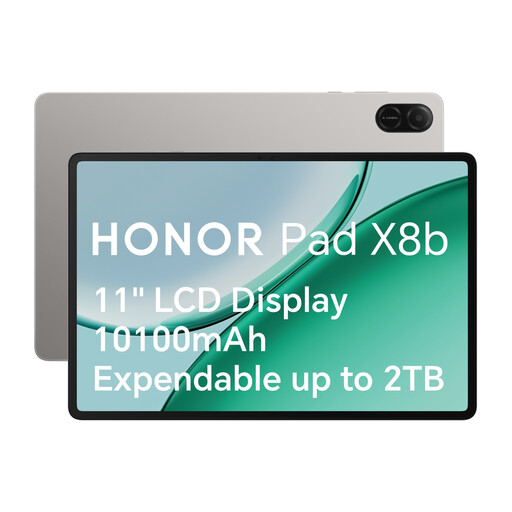
HONOR Pad X8b 128GB, Space Grey
This 128GB tablet is an option for keeping flight documents together. If you need live data without a phone hotspot, confirm whether this exact variant supports cellular service before buying; keep a copy of essential details offline either way.
View on Joybuy
 No image available
Apple iPad Mini 7 (A17 Pro) 512GB, Space Grey
Consider this 512GB iPad Mini if keeping a tablet accessible during transfers is your priority. Check whether this exact variant supports cellular data before choosing it for updates without a phone; do not assume it has the connectivity of Apple’s Wi-Fi + Cellular model.
View on Joybuy
Common questions
Do I need a cellular tablet to check a flight connection on a train?
A cellular tablet is useful if you want to refresh flight information without relying solely on your phone or train Wi-Fi, but it is not essential if tethering works for you. Ofcom’s UK rail measurements show that connections can be unreliable, so save your boarding pass and key itinerary details before travelling whichever setup you choose.
Should I choose a compact or larger tablet?
Choose a compact tablet if easy carry and quick access matter most; consider a roughly 11-inch screen if you often compare an airline app, email and maps. Apple lists its iPad mini Wi-Fi + Cellular model at 297g, while the researched Samsung and Lenovo routes have larger 10.9-inch and 11-inch displays.
Can I take a tablet in hand luggage when flying from the UK?
Yes. GOV.UK lists tablets as permitted in hand luggage, and advises that electronic devices be charged so they can be switched on if requested. Check your airline’s restrictions before travelling.
What should I save before the train journey?
Save your boarding pass, booking reference, flight number and essential connection details where you can open them offline. You can then read them during a loss of service, although you will still need a connection to see new flight changes.


