Buying priorities
Start with the job the device must do away from a desk, then check connectivity, accessories and the exact model’s support information before choosing a configuration.
| Priority |
What to check |
Your needs |
| Portable screen |
Compare screen size with the space in your day bag; check brightness or outdoor-visibility features and front-camera placement for calls. |
I want a screen that is noticeably larger than my phone without making hand luggage cumbersome. |
| Offline viewing and charging |
Confirm that your chosen streaming apps support downloads; compare battery claims only under similar use conditions; check USB-C charging requirements and box contents. |
I need downloaded media and enough usable power for journeys where sockets, Wi-Fi or mobile data may be limited. |
| Connectivity |
Decide whether Wi-Fi and phone tethering are sufficient; for cellular or 5G models, check data allowance, network coverage and carrier terms. |
Sometimes a phone hotspot is enough, but regular email, maps or calls away from Wi-Fi may justify an independent mobile connection. |
| Typing and accessories |
Check the full model and generation against the keyboard compatibility list; consider the case weight, stand design and whether your work needs desktop software. |
I need to distinguish occasional emails and trip notes from frequent document work before buying a keyboard setup. |
| Software support |
Look for a published support policy for the exact model and region; check update settings and use the manufacturer’s current support page rather than a generic brand promise. |
I want a device that can continue receiving security updates for an appropriate part of its expected ownership period. |
Joybuy product options
Joybuy tablet options for portable films, email and video calls, including Wi-Fi models and one model listed with 4G connectivity.
 No image available
Samsung Galaxy Tab S11 12GB 128GB Wi-Fi
A Wi-Fi tablet option for portable films, email and video calls where Wi-Fi or phone tethering is available.
12GB memory and 128GB storage are stated in the product name.
Check the separate 45W charger requirement and confirm the exact model’s software-support policy before purchase.
Joybuy
 No image available
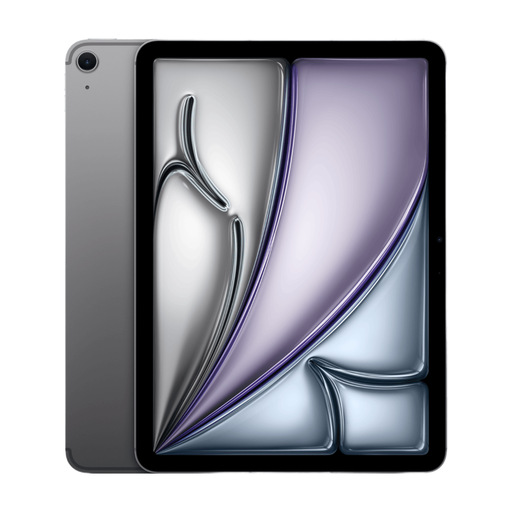
Apple 11-Inch iPad Air (2026, M4) Wi-Fi 512GB
This Wi-Fi configuration suits a tablet-first travel setup for films, email and occasional calls.
It has an 11-inch display and 512GB storage; Magic Keyboard compatibility is stated.
Independent mobile data is not included, and the keyboard and Apple Pencil are separate accessories.
Joybuy
 No image available
Apple 11-Inch iPad Air (2026, M4) Wi-Fi 256GB
This is a general-purpose Wi-Fi tablet route for entertainment, email and portable communication.
It is an 11-inch Wi-Fi model with 256GB storage and stated Magic Keyboard compatibility.
Use Wi-Fi or phone tethering away from a network; keyboard and stylus accessories are sold separately.
Joybuy
 No image available
Apple 11-Inch iPad Air (2026, M4) Wi-Fi 128GB
An 11-inch Wi-Fi tablet for films, email and calls away from a fixed workstation.
The product name states 128GB storage, while USB-C and optional Magic Keyboard compatibility are also stated.
This is not a cellular configuration; consider how many offline downloads you expect to keep on the 128GB model.
Joybuy
 No image available
TABWEE W90 11-inch Tablet, 256GB, Dual 4G SIM
This model is aimed at travellers who want a listed 4G connection without relying solely on Wi-Fi.
The product name states an 11-inch display, 256GB storage, dual 4G SIM support, 5G Wi-Fi and microSD expansion.
Confirm UK network compatibility, supplied configuration, charger contents and the applicable software-support policy before buying.
Joybuy
Frequently asked questions
Should I choose Wi-Fi only or Wi-Fi + Cellular for a travel tablet?
Choose Wi-Fi only if reliable Wi-Fi or phone tethering is normally enough. Choose Wi-Fi + Cellular or 5G when the tablet needs to connect independently for email, maps or calls away from Wi-Fi; Apple states that its Wi-Fi + Cellular option uses a mobile-data plan when Wi-Fi is unavailable, so coverage and data costs still matter.
Can I take a tablet on a flight to the UK?
Yes, GOV.UK lists tablets as permitted in both hand luggage and hold luggage on flights to the UK. Airlines can apply different restrictions, and GOV.UK advises keeping devices charged because an item that cannot be switched on when requested may not be allowed onto the aircraft.
Is a keyboard case enough to replace a compact laptop?
It can be enough for regular email, trip planning and light documents when your apps work well on the tablet. Choose a compact laptop when desktop software, sustained typing, complex multitasking or conventional file management are essential, because a keyboard case does not change the tablet operating system.
How should I check software-support duration before buying?
Check the manufacturer’s current support page for the exact model rather than relying on the brand name or operating system alone. Google states that Pixel Tablet updates are guaranteed until June 2028, while Samsung says update availability can depend on the model, carrier and location.
Can a Kindle Paperwhite replace a tablet for travel?
Only when reading is the main activity. Amazon lists a glare-free 7-inch display and up to 12 weeks of battery life for the Kindle Paperwhite, but it is not the route for video calls, general email work or film streaming.


