Between-visit mobile editors
You make short edits while moving between appointments and want a tablet you can pack and take out repeatedly without making your bag cumbersome.


For frequent short editing sessions between client visits, start with a tablet around 11 inches if carrying it matters more than a spacious writing workspace. Consider a larger screen if you regularly work beside photos or other reference material, but account for the tablet’s weight and any keyboard or pen you need to carry. Check your editing apps, accessory compatibility and offline file needs before settling on a model.
You make short edits while moving between appointments and want a tablet you can pack and take out repeatedly without making your bag cumbersome.
You handwrite notes, sketch layouts or mark up photos and documents. Whether a compatible stylus comes with the tablet is central to your choice.
You write longer entries while referring to photos, maps or messages, so keyboard availability and room to work across apps matter more than having the smallest screen.
Start with how you will carry and use the tablet between visits, then check the pen, keyboard and file workflow your journal actually requires.
| Concern | What to check | Who this matters to |
|---|---|---|
| Carry weight and quick setup | Compare the exact tablet variant’s stated weight, then consider the case, keyboard and charger you would carry with it. | If I edit in brief gaps between visits, I want to take the tablet out and put it away without a burdensome kit. Around 31% of consumers put easy carrying and setup first. |
| Pen input | Check stylus compatibility and in-box contents, then confirm that your editing apps have the annotation tools you need. | When I mark up photos or handwrite journal notes, pen input shapes how I work. Roughly 25% of consumers make that their primary concern. |
| Writing and multitasking | Check keyboard availability and whether your usual writing and reference apps can be used together on the chosen tablet. | For longer entries, I want to keep reference material beside my draft and type comfortably. Around 25% of consumers prioritise that writing workspace. |
| Offline files and connections | Size your typical projects and exports; check internal capacity, any microSD support and how you will transfer or back up files. | If my photos and journal files must stay with me while travelling, I need a workable local-storage and backup plan. For about 19% of consumers, file handling comes first. |
A suitable screen does not tell you whether the pen, keyboard or charger you need comes in the box. Samsung UK lists an S Pen but no travel adapter with the Galaxy Tab S10 FE; Apple lists a Magic Keyboard for iPad Air separately.
Make a list for the exact variant: tablet, compatible pen, keyboard, case, charger and any storage or backup accessories you plan to use. Check the in-box contents before ordering.
A roomier workspace also changes what you carry. Apple states 464 g for the 11-inch Wi-Fi iPad Air, while OnePlus states 584 g for the 12.1-inch Pad 2; both are tablet-only figures.
Choose a larger display when working beside images and messages is a regular part of your journal routine, and assess the weight of the full kit you would take between visits.
Text entries, photos, exports and offline reference material place different demands on local space. An expandable-storage option does not remove the need for a backup plan.
Check the space used by a representative trip, allow for exports and decide when you will copy files elsewhere. Confirm the exact variant’s capacity and any microSD support.
Battery-packing rules can affect whether you can travel with the equipment you planned to use. The UK Civil Aviation Authority says spare batteries and power banks must travel in the cabin; tablets should normally be carried there too.
Pack these items in cabin baggage and check your airline’s requirements before flying.
These product lines offer different ways to balance a pen, writing space and what you carry; the relevant features depend on the model and variant.
The iPad Air offers an iPadOS route in 11-inch and 13-inch sizes for writing and creative apps.
The Galaxy Tab S10 FE is an Android option for pen-led notes and journal mark-up with expandable local storage.
The Pad 2 offers a 12.1-inch Android screen for people who regularly draft beside other material.
These tablets include smaller writing and pen setups and larger screens for journal work. Compare the exact accessory bundle, your editing apps and the files you need to keep offline.
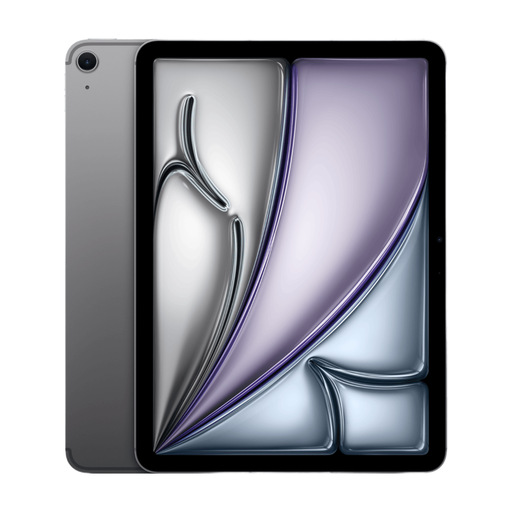 Image unavailable
For short editing sessions between visits when you want an 11-inch iPadOS tablet and 512GB of internal storage.
Apple states 464 g for the 11-inch Wi-Fi iPad Air; that is the tablet’s weight, not the weight of a complete kit. Confirm the compatible Pencil, keyboard and apps you intend to use.
 Image unavailable
For an 11-inch iPadOS journal setup when your planned offline files fit the 128GB capacity.
Apple states 464 g for the 11-inch Wi-Fi iPad Air, before accessories. Check your project and export sizes, plus the compatible Pencil and keyboard, before choosing this storage variant.
 Image unavailable
For an 11-inch journal-editing setup if your required iPad apps and files suit 256GB of storage.
The listed variant has standard glass. If carrying weight or pen input is decisive, confirm this model’s weight, compatible accessories and in-box contents before ordering.
 Image unavailable
For journal layouts or pen-led work when a 12.7-inch screen matters more to you than choosing a smaller tablet.
The product name specifies 256GB storage, an included stylus and dual-SIM 4G LTE. Check its carry weight and compatibility with your editing apps before making it your between-visit kit.
 Image unavailable
For typing journal entries and using a stylus with a 10.1-inch tablet bundle.
The product name lists 256GB storage and a TF card option. Confirm the exact model and Android version before relying on compatibility with your editing apps, and assess the weight of the full bundle rather than the tablet alone.
That depends on the exact model and bundle. Samsung UK lists an S Pen with the Galaxy Tab S10 FE, while Apple lists a Magic Keyboard for iPad Air separately; OnePlus presents the Smart Keyboard and Stylo 2 as Pad 2 accessories. Check the selected offer’s in-box contents and compatibility before ordering.
Not necessarily: a Wi-Fi-only model can suit a journal workflow that works offline or uses another connection when needed. If you plan to sync files or use online tools between visits, check where you will have a connection and whether your chosen apps can save work offline.
Yes, the UK Civil Aviation Authority says tablets should normally travel in the cabin and that power banks and spare batteries must be kept there rather than in checked baggage. Check your airline’s requirements for the equipment you plan to bring.
The Consumer Rights Act 2015 covers faulty goods bought by consumers in the UK, separately from any voluntary manufacturer protection plan. Keep your order details and evidence of the fault, then contact the seller about the applicable statutory remedy.