
24/7 Customer Support

Free returns

Same-day & Next-day Delivery

Quality Guaranteed

Unlock Your Welcome Offers: FREE Delivery | Up to 80% OFF | Free 30-day JoyPlus trial
Download the APP
The promise of a single mouse that can handle intense gaming sessions, connect to a laptop on the go and never run out of power is compelling. This versatility is the core appeal of a tri-mode wireless gaming mouse. However, the market is filled with technical jargon and marketing claims that can lead to a disappointing purchase.
Many buyers find themselves with a mouse that has unreliable wireless connections, impractical features or a flimsy build that doesn't last. To help you navigate the options, we're highlighting the common pitfalls to watch for and the key features that truly matter for performance and value.
Before adding a mouse to your basket, focus on these three non-negotiable factors. They are the true indicators of a quality device that will serve you well for both gaming and general use.
The primary benefit of this category is its flexibility. A true tri-mode mouse offers three distinct connection options, each with a specific purpose:
Instead of focusing on the maximum DPI, look at the sensor model. Reputable sensors from manufacturers like PixArt (e.g., PAW3395) are a hallmark of quality, offering precise, 1-to-1 tracking without acceleration or jitter.
Equally important is the polling rate, measured in Hertz (Hz). This is how often the mouse reports its position to the computer. A standard of 1000Hz is excellent for gaming, meaning the connection is refreshed 1,000 times per second. Anything less can feel sluggish in fast-paced games.
A mouse is a physical tool, and how it feels in your hand is crucial.
We've selected a few models that align with different user needs, from casual gamers to competitive players, all while successfully avoiding the common purchasing traps.
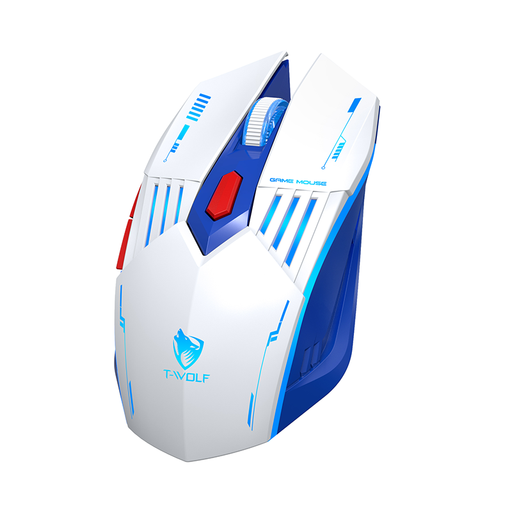
Why This Fits Their Persona: This mouse is ideal for UK students or home office users who enjoy casual gaming. It provides the full tri-mode experience—2.4GHz for gaming, Bluetooth for connecting to a work laptop and wired for charging—without a premium price tag.
It avoids the DPI trap by offering a practical and useful range of 1200–3600 DPI, which is perfect for everyday use and most game genres, rather than an inflated, unusable number.
Its main strength is offering true tri-mode connectivity and modern Type-C charging at an accessible price point, features often reserved for more expensive models.
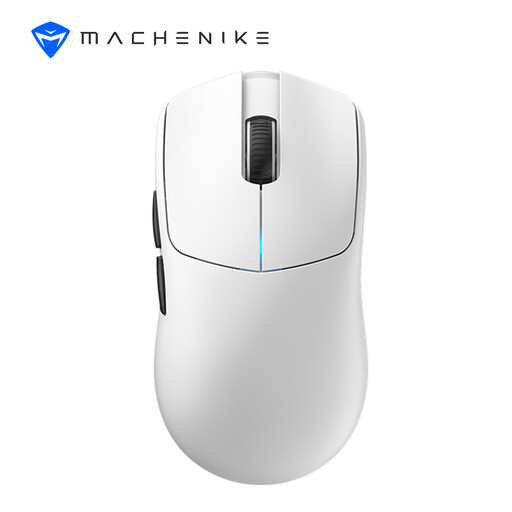
Why This Fits Their Persona: For the serious UK gamer who prioritises speed and precision above all else. Its 49g weight, flagship sensor and high polling rate are engineered for competitive play where every millisecond and gram counts.
It sidesteps the lightweight compromise by achieving its 49g weight through advanced materials and a hole-free design, ensuring a solid, durable feel without the fragility of some "holey" mice.
Its combination of a top-tier PixArt PAW3395 sensor, an extremely low 49g weight and a high 8000Hz polling rate provides a tangible performance edge for competitive gaming.
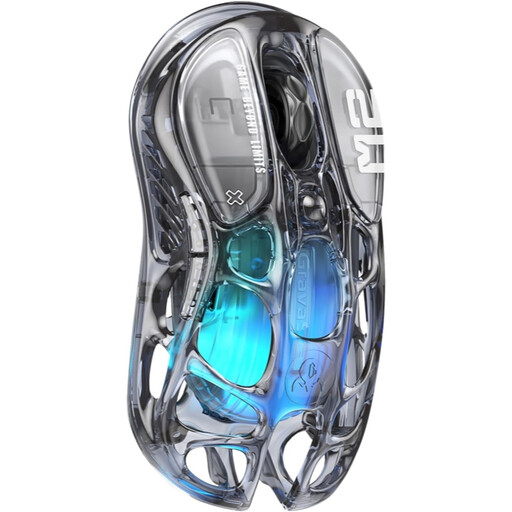
Why This Fits Their Persona: This is for the gamer who wants their setup to make a statement. The unique transparent design and customisable RGB mouse lighting are standout features, but they are backed by genuine high-performance hardware for a no-compromise experience.
It proves that style doesn't have to sacrifice substance. By including a flagship PAW3395 sensor, it delivers the performance expected of a high-end gaming mouse, avoiding the trap of being just a pretty object.
The combination of a striking transparent hollow structure, a high-performance sensor and full tri-mode connectivity makes it a unique and powerful addition to any desktop.
We have compiled a complete, real-time list of products that fully satisfy these strict selection criteria and UK safety regulations.
Yes, absolutely. The main advantage is versatility. You can use the high-performance 2.4GHz mode for gaming on your desktop and then, with the flick of a switch, use the Bluetooth mode to control your work laptop or tablet without needing to move dongles or cables. It simplifies your setup significantly.
Battery life varies widely depending on the model, usage and settings. As a general rule:
For basic functionality (left/right click, scroll and standard forward/back buttons), most tri-mode mice are plug-and-play and require no software. However, to customise programmable mouse buttons with specific macros, adjust RGB lighting effects or fine-tune DPI steps, you will typically need to download the manufacturer's companion software.
Article by the Joybuy Product Recommendation Officer, committed to providing clear and practical guidance for your purchasing decisions.