What matters when choosing?
Plan the turntable’s position and its connection to your existing audio equipment before deciding how much hands-on operation you want. For consumers choosing a turntable to play live albums in a home office, the concerns below describe distinct primary priorities.
| Concern |
What to check |
Who this matters to |
| Desk vibration |
Check that the turntable has a firm, level position and plan separate speaker placement where possible. |
If my speakers will be close to the turntable, I want to prevent their vibration reaching the cartridge during louder passages. Around 36% of consumers put stable placement first. |
| Audio connections |
Identify the receiving device’s input; check for a suitable phono stage or Bluetooth connection on the exact turntable. |
I want to use the speakers or headphones already in my office without finding that the connection needs another device. For around 29% of consumers, connection compatibility is the primary concern. |
| Ease of operation |
Confirm whether playback is fully automatic or manual; a factory-set cartridge does not establish automatic operation. |
When I put on a record during the working day, I would rather minimise tonearm handling. Hands-off playback comes first for around 21% of consumers. |
| Format and adjustment |
Check supported speeds, USB output and the exact stylus or cartridge options you intend to use. |
If my collection includes 78 RPM discs, or I intend to digitise records, I need those functions more than push-button playback. Around 14% of consumers prioritise this flexibility. |
Joybuy turntables for automatic playback
These Sony turntables suit the automatic-playback and Bluetooth route for home-office listening. Check how each would connect to your equipment and where you could place it; neither choice removes the need to manage speaker vibration.
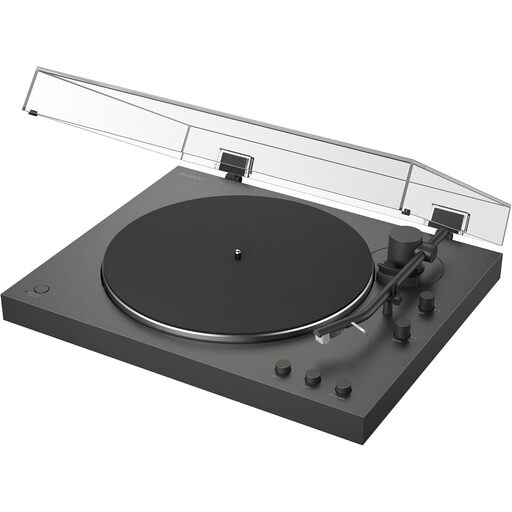 Image unavailable
Sony PS-LX3BT Bluetooth turntable
Automatic playback suits a workday listening routine when you want less tonearm handling. Bluetooth use requires compatible receiving equipment; check the wired input and phono-stage settings for your alternative connection. Give the turntable a firm, level position away from speakers, and confirm speed support if you own 78 RPM records.
View on Joybuy
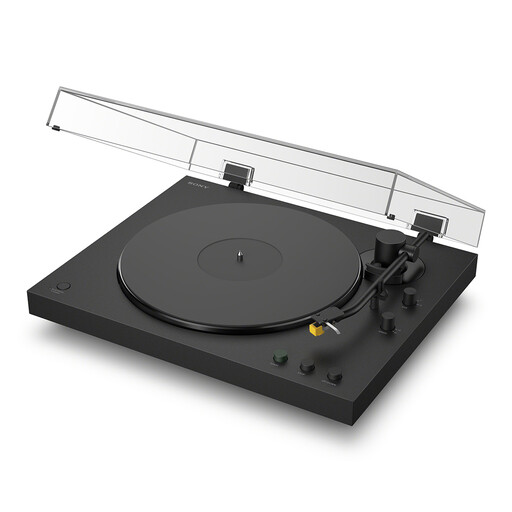 Image unavailable
Sony PS-LX5BT Bluetooth turntable
Automatic playback offers a lower-handling option for playing albums while you work. Check that your headphones or speakers can receive its Bluetooth connection, or confirm the wired connection you plan to use. Before choosing it for a tight desk space, digitisation or 78 RPM records, confirm its dimensions and the relevant functions; place it on a firm, level surface away from speakers.
View on Joybuy
Common questions
Do I need a separate phono preamp for a home-office turntable?
You need an appropriate phono stage, but it can be built into the turntable or provided by an amplifier with a PHONO input. For powered speakers or an ordinary line-level input, check that the turntable has a suitable built-in stage and set its output as directed in the model’s instructions.
Can powered speakers sit on the same desk as my turntable?
Separate surfaces are preferable because speaker vibration can reach the cartridge. Audio-Technica advises placing a turntable on a flat, level surface away from speakers, and U-Turn Audio likewise recommends separating them; isolation accessories are a compromise if space is limited, not a guarantee.
Will a Bluetooth turntable work with my office headphones?
It can work if the headphones can receive a compatible Bluetooth connection from the turntable. Bluetooth removes that audio cable, but you still need to check the connection instructions and provide a stable place for the turntable.
Should I choose automatic or manual playback for live albums?
Choose automatic playback if minimising tonearm handling during workday listening matters most. A manual model makes more sense if you need its particular functions: Audio-Technica, for example, specifies 78 RPM playback and USB output for the fully manual AT-LP120XBT-USB.
What should I do with an old turntable?
Use an appropriate electrical-equipment recycling route rather than general household waste. If you are replacing it, ask the retailer how its take-back service works for an old turntable.


