For live albums, choose a turntable that works with your speakers or amplifier: a built-in phono stage can feed a compatible line input, while a phono-only deck needs an appropriate phono input or separate stage. Automatic operation reduces tonearm handling; a manual model suits listeners willing to cue each side in return for the particular setup options that model offers.
Who is this for?
Live-album listeners with powered speakers or a basic amplifier
If you want to play a concert album without adding a separate phono stage, check the speakers’ or amplifier’s inputs before choosing the turntable. Easy operation may matter just as much as the connection.
Hi-fi owners building around an existing system
If you have a suitable phono stage or amplifier phono input, you can also consider phono-only turntables. Check cartridge and phono-stage compatibility before making setup or upgrade plans.
First-time vinyl listeners seeking simpler playback
A fitted cartridge and automatic operation can reduce initial setup and tonearm handling. Check the exact model’s speed options and how its stylus is replaced.
What matters when choosing?
For consumers choosing a turntable primarily for live albums, start with the connection to the existing system. Then consider how you want to handle each side, which speeds your records need and whether you plan to change parts later.
| Concern |
What to check |
Who this matters to |
| System connection |
Identify whether your speakers or amplifier have a phono input or a line input, then match the turntable’s output or add a compatible phono stage. |
I want to use my current speakers without discovering that the turntable needs another connection component. Around 33% of consumers put phono-stage compatibility first. |
| Playback and setup |
Check the speeds your records require and what cartridge or tonearm setup the exact model calls for. |
For a long concert recording, I want the deck set up correctly and able to play the records I own. Around 27% of consumers make playback and setup their primary concern. |
| Ease of use |
Check whether operation is automatic or manual, whether the cartridge is fitted and how the stylus is replaced. |
I would rather put on an album than cue the tonearm myself for every side. Roughly 20% of consumers put straightforward operation first. |
| Future flexibility |
Look for USB, 78 RPM or cartridge and cable options only if you have a use for them; confirm each feature on the exact model. |
I may want to play other record formats or change part of my setup later, so I need to know which changes the turntable permits. Around 20% of consumers prioritise that flexibility. |
Buying pitfalls
-
Assuming any turntable can connect directly to any speaker
Cambridge Audio explains that a turntable’s phono signal normally needs amplification and equalisation before it reaches an ordinary line input.
Check your speakers’ or amplifier’s inputs. Use an appropriate phono stage for a phono-level output, or connect a turntable’s line-level output to a compatible line input.
A separate phono stage adds another component and cable connection if neither the turntable nor the amplifier has one.
-
Taking a fitted cartridge to mean there is nothing else to check
A factory-fitted cartridge can reduce initial setup, but it does not tell you whether the deck is manual, how speeds are changed or which output mode your system needs.
Read the instructions for the exact model and check its operation, speed changes, connection and replacement stylus before buying.
-
Choosing specialist features without checking your records
Audio-Technica specifies 33-1/3, 45 and 78 RPM playback and USB on the AT-LP5X, whereas the automatic AT-LP60X plays 33-1/3 and 45 RPM records. Those differences matter only if they serve your collection or a planned use.
Check your records’ speeds first, then decide whether features such as 78 RPM, USB or additional cartridge options belong on your shortlist.
Brands to consider
Audio-Technica
Its specified models include an automatic two-speed option and a manual three-speed option, so the choice depends on how much operation and format flexibility you want.
- Audio-Technica specifies automatic 33-1/3 and 45 RPM playback and a switchable built-in phono preamp for the AT-LP60X.
- It specifies manual direct drive, 33-1/3, 45 and 78 RPM playback, USB and an MM/MC phono preamp for the AT-LP5X.
- The AT-LP5X requires manual cueing; the AT-LP60X does not offer the AT-LP5X’s third speed.
Rega
The manual Planar 1 models give listeners a choice between using a suitable external phono stage and selecting a version with one built in.
- Rega specifies a factory-fitted Carbon cartridge and preset bias for the Planar 1.
- The Planar 1 Plus has an integrated moving-magnet phono stage for a compatible line-level input.
- Rega’s Planar 1 instructions call for connection to an appropriate phono stage; both models still require manual operation.
Pro-Ject
The Debut EVO 2 is a manual option for listeners interested in the setup and parts specified for that particular model.
- Pro-Ject specifies a carbon-fibre tonearm, adjustable anti-skating, a supplied Pick it MM EVO cartridge and replaceable RCA cable capability for the Debut EVO 2.
- Before pairing the Debut EVO 2 with your system, confirm the required phono-stage arrangement and the exact version offered by the seller.
Joybuy turntables for automatic playback
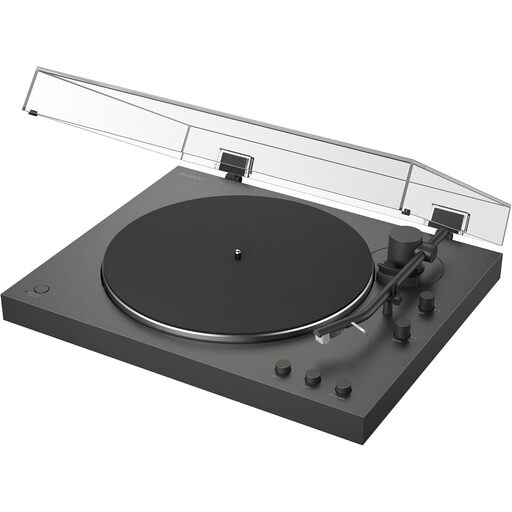
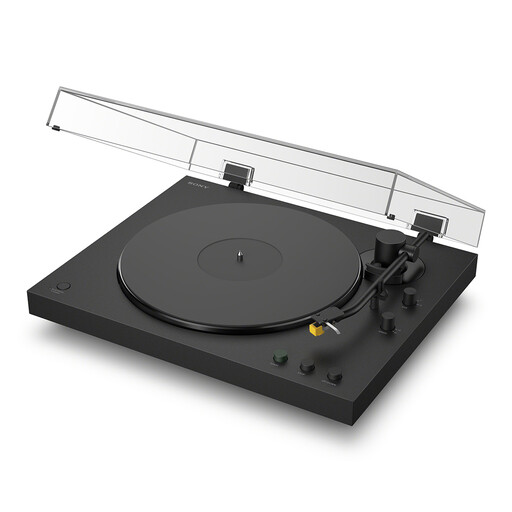
These Sony models are options for listeners considering automatic playback of live-album sides. Check their connections against your existing speakers or amplifier before choosing between them.
 No image available
Sony PS-LX3BT Bluetooth Turntable
Consider this model if you prefer automatic playback when putting on a live album. Its title identifies Bluetooth connectivity; check that its outputs suit your equipment and confirm the compatible replacement stylus before buying.
View on Joybuy
 No image available
Sony PS-LX5BT Bluetooth Turntable
This model is another option if automatic playback is important for your album-listening routine. Its title identifies Bluetooth connectivity; confirm the required output mode for your system and the compatible replacement stylus.
View on Joybuy
Frequently asked questions
Do I need a phono preamplifier for powered speakers or an AUX input?
Yes, if the turntable provides only a phono-level output and the receiving equipment has only a line-level input. Cambridge Audio explains that a turntable signal normally needs phono amplification and equalisation; a suitable built-in preamp, an amplifier phono input or a separate compatible phono stage can provide that step.
Can I connect a turntable set to line output to a phono input?
No: connect a line-level output to a compatible line input, and use a phono-level output with a suitable phono stage or phono input. Cambridge Audio’s instructions for the Alva ST specifically warn against connecting it to a phono stage or phono input while set to line output.
Do I need 78 RPM playback for live albums?
Only if your collection includes records that require 78 RPM. Check the speeds printed on your records: Audio-Technica specifies 33-1/3, 45 and 78 RPM for the AT-LP5X, but only 33-1/3 and 45 RPM for the AT-LP60X.


