For architecture programmes in a shared flat, consider OLED if several people regularly watch from side seats and evening contrast matters most. If daylight and reflections are the bigger concern, compare the brightness and reflection handling of specific Mini LED or other LCD models; a straightforward 4K LED TV may suit a flat focused on streaming rather than premium picture features. Whichever route you take, check the exact TV’s fit, apps and listening connections before ordering.
Who needs to think about what?
Viewers in side seats
If flatmates watch from a sofa, armchair and dining seat, check how the picture looks away from the centre. General TV guidance and LG UK’s description of its OLED range make OLED a route to consider for wider-angle viewing, but the seating layout still matters for the particular TV.
Viewers focused on architectural detail
Façade textures, drawings and dim interiors make both fine detail and contrast relevant. Start with 4K, then assess the picture of the exact model rather than treating an HDR label as a verdict on shadow detail or colour.
Flatmates working around a bright or compact lounge
Windows, furniture space and other people using the room can change the choice. Check reflections at the usual viewing time, measure the TV’s stand or proposed mounting space, and confirm the apps and listening connections the household will use.
What matters when choosing?
Choose the display route around the room and its regular seats, then check the exact model: a panel name alone cannot settle reflections, picture quality or whether the TV will work in the shared space.
OLED 4K
Consider it when: Several regular seats are off-centre and darker interiors or evening viewing matter most.
Keep in mind: General TV guidance describes wide-angle OLED viewing, while LG UK describes self-emitting pixels and high contrast; neither establishes the glare handling, sound or app support of a particular set.
Mini LED or other bright LCD
Consider it when: Strong daylight makes visibility in the communal room a priority.
Keep in mind: Sony UK describes the intended highlight and shadow-detail benefits of its Mini LED technology, but brightness, reflections and the view from side seats need checking on the exact model.
Straightforward 4K LED
Consider it when: The flat mainly needs a shared screen for its usual programmes and streaming services.
Keep in mind: Which? cautions that feature lists alone cannot establish screen or speaker quality, so 4K and smart-TV labels are starting points rather than a picture assessment.
| Concern |
What to check |
Who this matters to |
| Picture from side seats |
Look for viewing-angle assessments, or view the exact TV from the furthest regular seat. |
If I often watch from a chair beside the sofa, I want building details and contrast to remain convincing from there. Around 28% of consumers put side-seat picture consistency first. |
| Detail and contrast |
Start with 4K; compare picture assessments or a demonstration of textures and transitions between bright and dark scenes. |
When a programme moves from a sunlit exterior into a dim interior, I want to make out materials and lines in both. Architectural detail is the main concern for around 28% of consumers. |
| Daylight and reflections |
Assess reflections at the usual viewing time and compare model-specific brightness and reflection handling. |
With daylight falling across our lounge, I need to see the programme rather than the room reflected in the screen. Around 22% of consumers chiefly prioritise bright-room visibility. |
| Fit and shared use |
Measure the stand space or check mounting specifications; confirm required UK apps and headphone or soundbar connections. |
Our TV must fit the furniture and let flatmates use their usual services without disturbing everyone else. Physical fit, streaming and listening needs come first for around 22% of consumers. |
What is easy to overlook?
-
Choosing by screen size and HDR labels alone
A large picture at the central seat may look different to someone sitting off to the side. OLED and LCD-family TVs can differ in how colour and contrast hold up at an angle.
Map the regular seats before choosing a size. Seek viewing-angle assessments or see the exact TV from the furthest seat if you can.
-
Treating every 4K picture as equally detailed
Resolution does not settle processing, contrast or shadow detail. Which? also cautions that an online feature list cannot reveal how good a TV’s screen and speakers actually are.
Use 4K as a starting point, then compare independent picture assessments or an in-person demonstration using material similar to what the flat watches.
-
Measuring the screen but not its placement
The diagonal does not tell you where the feet sit, how deep the stand is or whether a proposed wall position suits the TV and the tenancy arrangement.
Check dimensions, stand geometry, weight and VESA mounting specifications for the exact size. Agree whether the flat needs built-in sound, headphones or a soundbar connection.
A different stand, mounting arrangement or listening accessory may be needed if the chosen setup does not meet those requirements.
-
Assuming the flat’s viewing arrangement is already covered
TV Licensing says one licence covers one household and gives specific guidance for a shared property with a joint tenancy agreement. Flatmates should not assume a different tenancy arrangement is covered in the same way.
Before using the TV for live viewing or BBC iPlayer, check the viewing requirements and the flat’s tenancy arrangement against TV Licensing’s guidance.
Brands worth comparing
These brands offer relevant TV lines or model examples, but their features and suitability need checking at model and screen-size level.
LG
LG’s OLED range is relevant when several flatmates view from different seats and contrast matters for interiors and evening scenes.
- LG UK describes independently lit OLED pixels, high contrast and wide viewing angles.
- Those range-level descriptions do not establish a particular model’s reflections, sound, apps or stand dimensions.
Sony
Sony’s Mini LED and OLED lines provide models to compare when picture requirements and installation details both matter.
- Sony UK describes its Mini LED approach as designed for bright highlights and shadow detail; its BRAVIA 5 specifications also show why exact-model mounting and stand details are useful.
- Manufacturer descriptions do not establish side-seat performance or reflection handling across all BRAVIA models.
Samsung
Selected Samsung OLED models are relevant to compare where the communal room’s reflections are a concern.
- A product listing describes the specific 55-inch S95F as an OLED TV with Glare Free technology.
- That listing does not establish the reflection performance, app requirements or availability of other Samsung models.
Hisense
The A6Q is an example to examine when a flat wants a 4K LED TV with shared-viewing connections and UK television features.
- The cited A6Q example lists Freely, Wi-Fi, Bluetooth, eARC and a headphone jack.
- Those features belong to the cited model; check the connections, services and picture of the exact Hisense TV under consideration.
Joybuy TVs for these viewing needs
These Joybuy TVs cover OLED, Mini LED and QLED options relevant to the flat’s seating, room light and shared streaming needs. Compare each model’s picture from the usual seats, physical fit and required services before choosing.
 No image available
Samsung S90F 55-inch OLED 4K Smart TV (2025)
Consider this OLED model if flatmates often watch from different seats and want to assess an OLED picture for architecture programmes.
The product name specifies a 55-inch 4K OLED smart TV. Check its picture from the regular seats, reflections in the room, stand footprint and required UK apps before choosing it.
View on Joybuy
 No image available
Hisense U7Q Pro 55U7QTUK Pro 55-inch Mini LED 4K TV
Consider this Mini LED model if daylight and changes between bright exteriors and darker interiors are central to the choice.
Its name specifies 4K HDR and VIDAA OS. Check reflections and side-seat viewing on the exact model, along with the UK services and private-listening connections the flat requires.
View on Joybuy
 No image available
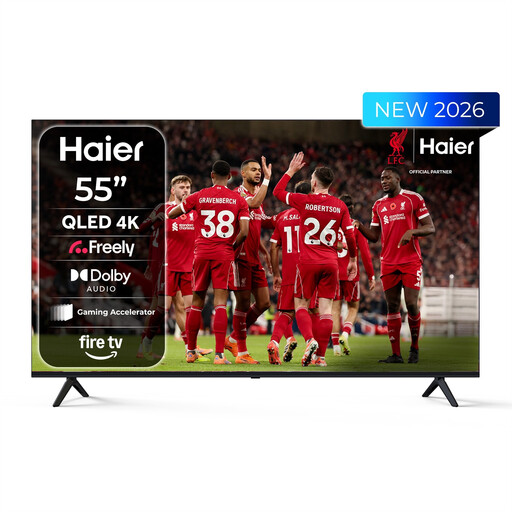
Haier H55S80GUF 55-inch 4K QLED Smart TV
Consider this model if the flat wants to compare a QLED TV with named UK viewing and smart-TV platforms.
The product name specifies Freely, Fire TV and HDR10+. Confirm that its current services meet the household’s needs, and check stand-foot placement, reflections and the view from side seats.
View on Joybuy
 No image available
TCL 50Q6C-UK 50-inch QD-Mini LED 4K Google TV
Consider this 50-inch Mini LED model if its screen size suits the available space and the flat wants to compare local-dimming options for mixed bright and dark scenes.
The product name states up to 512 dimming zones; that figure alone does not establish picture quality. Check stand-foot placement, reflections, side-seat viewing and the required UK apps.
View on Joybuy
 No image available
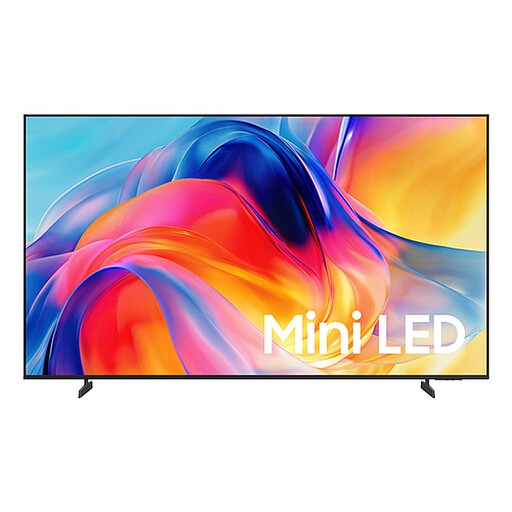
Samsung TU65M70H 65-inch 4K Mini LED Smart TV (2026)
Consider this larger Mini LED model only if the flat has room for the screen and its seating layout makes that size practical.
The product name specifies a 65-inch (163 cm) 4K Mini LED smart TV. Check its exact placement dimensions, reflections, side-seat picture, UK apps and listening connections.
View on Joybuy
Common questions
Does one TV Licence cover everyone in a shared flat?
That depends on the household and tenancy arrangement. TV Licensing says one licence covers one household and that, for a shared property with a joint tenancy agreement, one licence covers the devices in that property. Check the flat’s arrangement and the viewing rules for live TV or BBC iPlayer before relying on existing cover.
Will a smart TV have all the streaming apps the flat uses?
Not necessarily: app availability depends on the TV platform and model and can change. Check the exact UK app catalogue and any account requirements before ordering; the TV listing also cautions that third-party apps and services may cease to be supported.
What should we measure before ordering a TV?
Measure the available furniture width and depth, not just the screen diagonal. Check the exact size variant’s stand-foot positions, overall dimensions and weight; if wall mounting is planned, confirm its VESA pattern and whether the tenancy permits the proposed installation.


