For art documentaries watched mainly in controlled or dim lighting, consider an OLED TV if contrast in dark galleries and close-up footage is your priority. If daylight reflections or displaying art between programmes matters more, compare glare-reducing Mini LED or Neo QLED options and art-display features instead. Whichever route you take, measure your viewing distance and check the picture controls on the exact model.
Who is this for?
Viewers focused on colour and detail
If you watch close-ups of paintings, photographs or restoration work, picture settings that avoid unnecessary processing may matter as much as the display type. Filmmaker Mode, described by the UHD Alliance, is designed to preserve the intended aspect ratio, colours and frame rate.
Viewers in bright rooms
Daylight and reflections can compete with subtle details on screen. Compare how a prospective TV looks from your usual seat, rather than judging its picture only under showroom lighting; Samsung UK lists glare-reducing features on some relevant models.
Households that want to display art
If the screen will show artwork between documentaries, consider the appearance of the installed TV, its connections and the terms of its artwork features. Samsung UK describes these features for The Frame Pro, but the exact model and bundle still matter.
What matters when choosing?
Start with the lighting where you actually watch: it helps determine whether to prioritise controlled-light contrast or managing reflections. Then check picture settings, screen fit and any art-display requirements on the particular TV.
OLED
Consider it when: You mainly watch in a dim or controllably lit room and value contrast in dark gallery and restoration scenes.
Check the trade-off: Windows or lamps reflected in your viewing position may change which screen works for your room.
Mini LED or Neo QLED
Consider it when: Daytime viewing makes room light and reflections central to the decision; check the exact model for a glare-reducing finish.
Check the trade-off: If dark-room shadow detail matters most, compare the picture with an OLED under similar lighting rather than choosing by display name alone.
| Concern |
What to check |
Who this matters to |
| Picture presentation |
Check the exact model for Filmmaker Mode or controls for motion smoothing and sharpening. Try the setting with your usual documentary source. |
I want filmed brushwork and restoration footage without added-looking motion or texture. Around 36% of consumers put faithful-looking presentation first. |
| Daylight and reflections |
Note windows and lamps opposite the screen, then check the model's screen finish from your normal viewing position. |
When I watch during the day, reflections distract me from darker artwork and gallery scenes. For around 29% of consumers, bright-room visibility is the primary need. |
| Screen size and fit |
Measure the seat-to-screen distance and installation space; compare the exact size variant's dimensions with and without its stand. |
I want to see close-up details without choosing a screen that crowds my furniture or wall. This is the leading concern for around 21% of consumers. |
| Art-display setup |
Confirm the exact model's artwork features, connection arrangement, included mounting equipment and artwork service terms. |
When programmes end, I want the screen to work as part of the room's art display. Around 14% of consumers make that their main priority. |
Buying pitfalls
-
Judging the picture only in a bright showroom
Daylight, lamps and reflections at home may make different details noticeable than showroom lighting does.
Map the light around your intended screen position, then compare OLED and glare-reducing alternatives in lighting as close as possible to your usual viewing conditions.
-
Keeping a heavily processed picture preset
Motion smoothing and sharpening can change the appearance of filmed movement and texture. The UHD Alliance describes Filmmaker Mode as a way to disable such post-processing while preserving the intended presentation.
Check whether the exact TV offers that mode or suitable picture controls, and try them with a documentary you normally watch.
-
Choosing by diagonal size alone
A screen's diagonal does not tell you whether its stand fits the furniture or how it will sit in the room. Which? advises measuring the sofa-to-TV distance before choosing a size.
Measure the viewing position and installation space, then check the dimensions of the exact size variant, including its stand if you will use one.
-
Assuming every art-display feature is included
Artwork services, bezels and mounting arrangements depend on the model and bundle; a frame-style appearance alone does not establish what comes with the TV.
Before ordering, confirm the model number, included stand or mount, connection arrangement and terms for displaying artwork.
Relevant brands to consider
LG
An OLED line to examine if controlled-light documentary viewing and a cinema-oriented picture mode are priorities.
- LG UK lists Dolby Vision and Ambient FILMMAKER MODE for the 42-inch OLED evo AI C6.
- LG's picture claims for that model do not describe every LG OLED size or how its screen will look in your room; check the exact variant and daylight conditions.
Samsung
A brand to examine when art-display styling and room-light considerations influence the choice.
- Samsung UK lists Glare Free, Art Mode and Wireless One Connect for The Frame Pro.
- Those features describe The Frame Pro, not every Samsung TV or every The Frame variant; compare the exact model if dim-room picture presentation also matters.
Sony
A QD-OLED line to compare when considering OLED options for film and documentary viewing.
- Sony UK identifies BRAVIA 8 II as a 4K QD-OLED model.
- Sony's descriptions of its colour and contrast are product claims, not a comparison of every BRAVIA model or a substitute for checking the screen size and room lighting.
Joybuy TVs for these viewing needs
These models offer OLED, Neo QLED, QLED and QD-Mini LED starting points for art-documentary viewing. Compare their stated screen sizes and display types against your room, then check picture controls, reflections and installation details on the exact model you choose.
 No image available
Samsung S90F 55-inch OLED 4K Smart TV (2025)
Consider this OLED model for documentary viewing in a room where you can control the light.
The product name identifies a 55-inch 4K screen. Check the viewing distance, screen dimensions and available picture settings for your usual documentaries.
View on Joybuy
 No image available
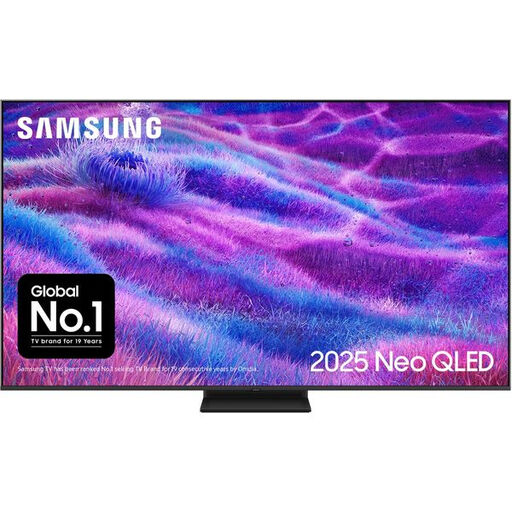
Samsung QE55QN80F 55-inch Neo QLED 4K Smart TV
Compare this Neo QLED model if daytime documentary viewing is a priority.
Its product name identifies a 55-inch 4K screen. Assess reflections from your usual seat and check the exact TV's picture controls and installation dimensions.
View on Joybuy
 No image available
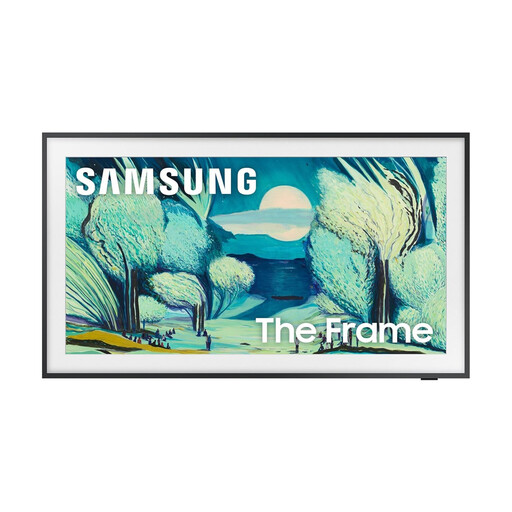
Samsung The Frame QE55LS03F 55-inch QLED 4K Smart TV
Consider this frame-style model if the TV's appearance between documentaries is important to you.
The product name identifies a 55-inch 4K QLED TV. Confirm the artwork features, picture controls, mounting arrangement and bundle contents for this QE55LS03F variant.
View on Joybuy
 No image available
Sony BRAVIA 8 K65XR80BP 65-inch OLED 4K Google TV
This larger OLED option is worth comparing if you watch documentaries in controlled lighting and have room for a 65-inch screen.
The product name also lists Dolby Vision. Measure your seating distance and check the exact dimensions, stand or mount requirements and picture controls before choosing this size.
View on Joybuy
 No image available
TCL 65Q7C 65-inch QD-Mini LED 4K Google TV
Compare this 65-inch QD-Mini LED model if you want to assess a larger-screen option for a bright room.
Its product name specifies 4K and Google TV. Check reflections, documentary picture controls, physical dimensions and mounting requirements for your setup.
View on Joybuy
Frequently asked questions
Should I use Filmmaker Mode for art documentaries?
It is worth trying if you want less added processing in filmed documentaries. The UHD Alliance says Filmmaker Mode disables processing such as motion smoothing and preserves the intended aspect ratio, colours and frame rate; compare its appearance with your usual setting in your own room.
What should I measure before choosing a TV size?
Measure from your main seat to the proposed screen position, then check the exact TV's width and stand or mounting footprint. Which? recommends measuring the sofa-to-TV distance before settling on a screen size.
How should I arrange disposal of an old TV?
Ask the seller about electrical-equipment take-back and check your local authority's recycling arrangements before replacing the TV. Wandsworth Borough Council notes that many suppliers offer like-for-like take-back for large electrical items; the available service depends on the supplier and location.


