Choose headphones when private late-night listening matters more than sharing TV sound. For people watching together, a compact soundbar avoids a separate subwoofer, while an exact model with a dialogue or night setting is worth considering if speech is the main difficulty. None of these choices guarantees that neighbours will not hear the TV: volume, bass, placement and the building still matter, and the connection must suit your television.
Who these options suit
Late-night private viewers
If others are asleep or external TV sound is unsuitable, headphones provide a personal listening route. Check the television’s headphone connection before choosing a pair or transmitter system; Sony UK notes that Bluetooth audio pairing depends on TV support for A2DP.
Dialogue-first shared viewers
If several people watch together but speech is difficult to follow, compare the settings of the exact soundbar model. Sony UK lists Voice Mode and Night Mode for the HT-S2000, while Samsung UK lists Voice Enhancement Mode for the HW-B400F/XU.
Space-limited flat residents
If the TV area has little room for additional boxes, a standalone bar may be simpler to place. Samsung UK and LG UK describe built-in woofers on their HW-B400F/XU and US20A models respectively; fewer separate components do not mean bass-free listening.
What matters when choosing
Headphones
Choose when: One person needs private TV audio, particularly late at night.
Trade-off: Listening becomes personal rather than shared, and the TV needs a compatible audio connection.
Compact soundbar
Choose when: People need to hear the TV together but want fewer separate components around it.
Trade-off: A built-in woofer can still produce bass; having no separate subwoofer does not establish how much sound reaches neighbours.
| Concern |
What to check |
Who this matters to |
| Private late-night listening |
For direct Bluetooth pairing, check the TV’s A2DP support. For a dedicated transmitter, check for a matching optical or analogue output. |
If I watch after others have gone to bed, I would rather listen through headphones than rely on external TV speakers. Around 33% of consumers would put private late-night listening first. |
| Clear dialogue for shared viewing |
Check the exact soundbar model for a voice, dialogue or night setting rather than assuming the brand includes one. |
When we watch films or sport together, I want to follow speech without continually raising the overall volume. Clearer shared dialogue would be the first concern for around 27% of consumers. |
| TV connection and control |
Check labelled HDMI ARC/eARC ports on both devices, or matching optical connections; verify Bluetooth audio support separately. |
I need the audio device to work with my TV’s available outputs and controls before its other features matter. Around 20% of consumers would prioritise connection practicality. |
| Equipment and placement |
Check whether a subwoofer is separate, measure the TV area and plan where each component will sit. |
With limited space around the TV, I want fewer boxes to position without assuming that a compact bar stops sound travelling. Placement and equipment would come first for around 20% of consumers. |
Mistakes to avoid in a flat
-
Assuming no separate subwoofer means no disturbance
A compact bar can still contain a built-in woofer. Samsung UK and LG UK list integrated low-frequency hardware on specific standalone models, but their configuration cannot tell you how sound will travel through your flat.
Treat the lack of a separate subwoofer as a space and placement choice. Keep external volume restrained and try speech-focused settings where the chosen model provides them.
-
Buying Bluetooth headphones based on the TV’s Bluetooth label
Bluetooth on a television does not by itself establish that it can pair with audio headphones. Sony UK says direct Bluetooth audio pairing requires support for the relevant A2DP profile.
Check the exact TV model’s manual. If direct pairing is unavailable, compare transmitter systems against the TV’s optical or analogue output.
A separate compatible transmitter may add another device to connect and position.
-
Assuming any HDMI socket will connect a soundbar
Sony UK’s connection guidance specifies ARC- or eARC-labelled ports on both the TV and soundbar for that audio-return connection; a TV with several HDMI sockets may not offer ARC/eARC on each one.
Note the TV port labels before shopping. If you plan to use optical instead, check that the TV has an optical output and the soundbar has an optical input.
-
Treating pads or feet as soundproofing
Placement accessories do not establish how sound or vibration will travel through a particular building. A stable position for the equipment is a different question from acoustic isolation between flats.
Choose accessories for their stated fit and placement purpose; do not rely on them as a substitute for managing external volume.
Brands and relevant product lines
Sony
A reference point for comparing soundbar listening settings and TV audio connections.
- Sony UK lists Night Mode, Voice Mode, HDMI eARC/ARC and optical input for the HT-S2000.
- For Bluetooth headphones, A2DP support and simultaneous speaker-and-headphone output depend on the television model.
Samsung
The HW-B400F/XU is a compact-bar reference for shared viewing without a separate subwoofer.
- Samsung UK lists a 2.0-channel design, built-in woofer, Voice Enhancement Mode and HDMI ARC for this model.
- Those model-specific features do not establish whether neighbours will hear the sound.
LG
The US20A is a reference for a compact standalone soundbar rather than a separate-subwoofer arrangement.
- LG UK describes the US20A as a 2.0-channel bar with built-in woofers.
- Its integrated low-frequency hardware means fewer boxes should not be confused with vibration-free use.
Sennheiser
The RS 175 provides a dedicated wireless TV-headphone route for personal listening.
- Sennheiser UK specifies digital optical and analogue connections for the RS 175 transmitter.
- Check the TV’s available output and supported audio settings; headphones do not provide shared room sound.
Joybuy options for shared and private listening
These choices cover soundbars for shared TV viewing and headphones for one-person listening. Decide which listening arrangement you need, then check the exact TV connection and available space before choosing a model.
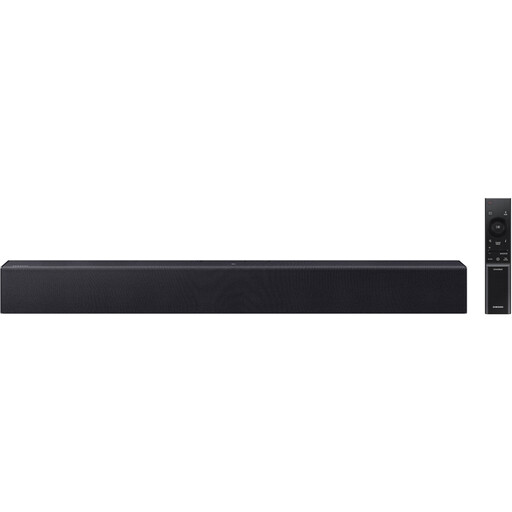 Image unavailable
Samsung HW-B400F/XU 2.0-channel soundbar
Consider this model for shared TV viewing when speech settings and avoiding a separate subwoofer matter. Samsung UK lists a built-in woofer, Voice Enhancement Mode and HDMI ARC for the HW-B400F/XU. Check the TV’s matching connection and use a suitable volume; the integrated woofer does not make the bar neighbour-proof.
View on Joybuy
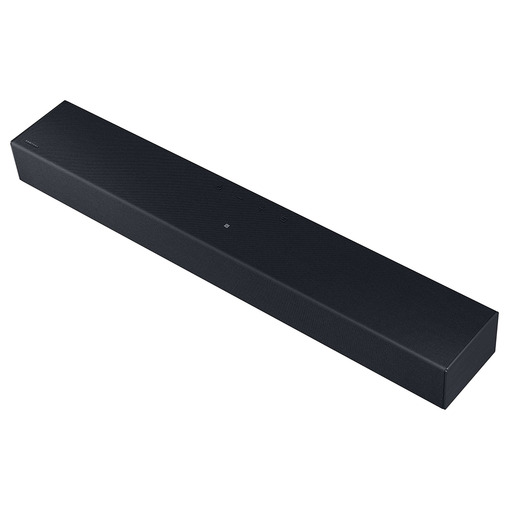 Image unavailable
Samsung HW-C400/XU 2.0-channel soundbar, black
Consider this soundbar if you want shared TV audio in a 2.0-channel format. Before relying on a particular connection or TV-control arrangement, confirm the HW-C400/XU’s available ports against your television; the connection information for this listing is inconsistent. A soundbar setting is not a guarantee against neighbour disturbance.
View on Joybuy
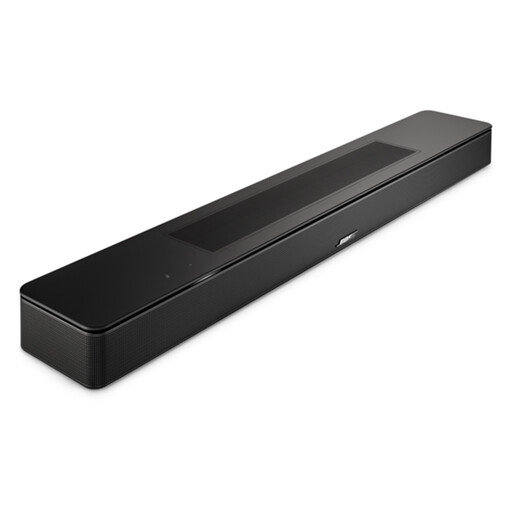 Image unavailable
Bose Smart Compact Sound Bar
Consider a soundbar for shared viewing if headphones would prevent others in the room from listening. If dialogue processing or a night setting is important, confirm the exact settings on this model, as well as a connection that matches your TV.
View on Joybuy
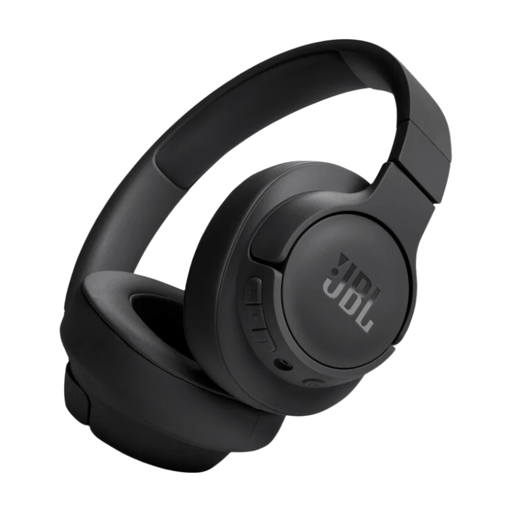 Image unavailable
JBL Tune 720BT wireless over-ear headphones, black
Headphones suit one person who wants to watch without relying on external TV-speaker volume. Before choosing these wireless headphones for TV use, check whether your television supports compatible Bluetooth audio pairing; Sony UK notes that A2DP support is model-dependent.
View on Joybuy
 Image unavailable
Bose Smart Ultra Soundbar, Arctic White
Consider this soundbar when several people need to hear the TV together and speech is a selection priority. Check its exact dialogue and night settings, measure the available TV area and confirm the connection with your television. Dialogue processing alone cannot establish what neighbours will hear.
View on Joybuy
Questions about TV audio in a flat
Should I use headphones instead of a soundbar for late-night TV?
Choose headphones if private listening matters more than sharing the sound with others in the room. For direct Bluetooth pairing, check whether your TV supports A2DP; alternatively, a dedicated headphone transmitter needs an output that matches the TV, such as optical or analogue audio.
Will a soundbar’s Night Mode stop neighbours hearing it?
No soundbar setting can guarantee that neighbours will not hear the TV. Night Mode is a setting listed for particular models, such as the Sony HT-S2000 according to Sony UK; volume, bass, placement and the building still affect the listening situation.
Which TV connection should I check before buying a soundbar?
Check for matching, labelled HDMI ARC/eARC connections on the TV and soundbar if you intend to use HDMI audio return. Sony UK advises using the ports marked for that feature; if they are unavailable, check whether both devices offer a matching optical connection.
Can one person use Bluetooth headphones while others hear the TV?
It is possible on televisions that support simultaneous headphone and speaker or audio-system output, but the feature is model-specific. Sony UK documents it for an applicable BRAVIA model, so check your own TV’s audio-output settings and manual before planning to use both.


