What to check before choosing
Start with the picture in your dark room, then give older-source processing or access services greater weight if either is central to how you watch.
| Concern |
What to check |
Who this matters to |
| Dark-room contrast |
Compare dark scenes on the exact model using your usual sources; try a picture preset suited to a dark room. |
I mostly watch in low light and want to distinguish dark backgrounds from clothing and set details. Around 40% of consumers put dark-room contrast first. |
| Older-source processing |
Try a familiar DVD, broadcast or compressed stream; check whether sharpness and noise reduction can be adjusted. |
When an old comedy fills a 4K screen, I want it to remain watchable without exaggerated edges. Older-source processing comes first for around 40% of consumers. |
| Dialogue and access |
Find the TV’s subtitle and accessibility controls, then check access-service availability on programmes you use. |
If I depend on subtitles or audio description to follow a programme, easy access matters more than picture adjustments. That is the primary need for around 20% of consumers. |
Joybuy TVs for this viewing setup
These OLED TVs are relevant to dark-room viewing. The Samsung S90F and Sony XR42A90K listings also name upscaling features to investigate if older programmes make up much of your viewing; assess the picture and access controls on the exact model before choosing.
 No image available
Samsung 55-inch S90F OLED 4K Vision AI Smart TV (2025)
Consider this model if dark-room contrast matters and you also want to investigate processing for older programmes. The listing names an OLED panel, 4K resolution, 4K AI Upscaling Pro and an NQ4 AI Gen3 processor; those feature names do not establish the result with a particular DVD or stream.
Confirm the complete UK model suffix and check subtitle controls and your usual services.
View on Joybuy
 No image available
Sony 42-inch BRAVIA A90 XR42A90K OLED 4K HDR Google TV
Consider this 42-inch OLED model if you want to assess dark-room viewing and named processing for non-4K programmes. Its listing specifies 4K resolution and XR 4K Upscaling, but the feature description is not a test of how your older sources will look.
Try a familiar programme, check the accessibility controls and compare the energy label for this exact model.
View on Joybuy
 No image available
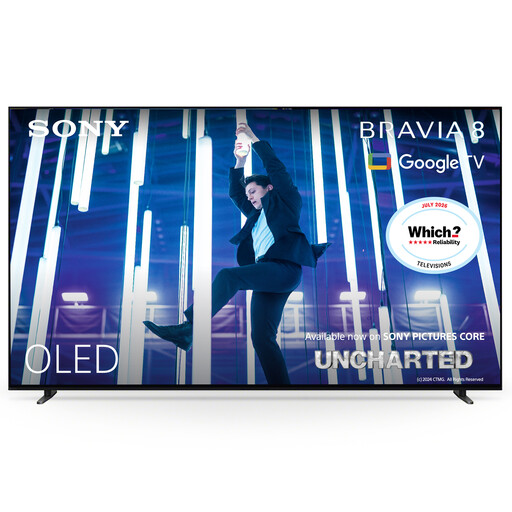
Sony 55-inch BRAVIA 8 K55XR80BP OLED 4K HDR Google TV
This 55-inch OLED TV is an option to examine for dark-room viewing. Its listing identifies 4K HDR and Google TV; if DVDs or older broadcasts are important to you, assess their picture on the exact model rather than assuming they will look a particular way.
Check subtitle access on your services and compare this model’s energy label.
View on Joybuy
 No image available
Sony 48-inch BRAVIA A90 XR48A90K OLED 4K HDR Google TV
This 48-inch OLED model is relevant if you are comparing dark-room TVs at this screen size. Its listing identifies 4K HDR and Google TV; judge older broadcasts or DVDs on the model itself before making processing a reason to choose it.
Check subtitle controls, the programmes you use and the energy label for this exact model.
View on Joybuy
Common questions
Will a 4K TV make an old sitcom or DVD look like native 4K?
No. A 4K TV scales lower-resolution material to fill its screen, but the result still depends on the source and processing. RTINGS identifies upscaling and sharpness processing as relevant to low-resolution or low-bitrate viewing; try familiar footage before choosing a model or increasing sharpness.
Is OLED enough reason to choose a TV for older broadcasts?
No. OLED’s self-lit pixels make it relevant to dark-room contrast, as Which? explains, but older broadcasts also put the TV’s scaling and sharpness controls to work. Assess both on the exact model.
Do I need a TV Licence to watch classic comedies in the UK?
That depends on how you watch them: GOV.UK says you need a TV Licence to watch or record live TV on any channel or service, or to use BBC iPlayer. Check those activities against your viewing plans rather than deciding from the television you own.
Does a smart TV guarantee subtitles or audio description?
No. Ofcom identifies these as access services for television and on-demand programmes, while the TV’s menus affect how you find and use them. Check the controls on the TV and availability for the programmes and services you actually use.
How should I compare energy use between TV sizes?
Compare the energy labels and stated consumption figures for the exact models and sizes under consideration. Energy Saving Trust describes the A-to-G rating scale; the letter alone should not replace a comparison of the figures on the relevant labels.


