Daytime kitchen-diner viewers
If you often watch before dark or with dining-room lights on, check where reflections appear on the proposed screen before choosing by picture features alone.


Measure the main viewing distance and check where light reflects before choosing a kitchen-diner TV for concert films. For regular daytime viewing, compare the screen treatment of exact models; if you mostly watch with the lights controlled, consider OLED for dark-stage contrast. Compare built-in audio features too, but check whether you have the connections and space for separate audio if sound is a priority.
If you often watch before dark or with dining-room lights on, check where reflections appear on the proposed screen before choosing by picture features alone.
If vocals, instruments and crowd ambience matter most to you, compare the exact TV’s listed audio features and consider whether separate audio will fit the room.
If the room is used for meals as well as viewing, measure the main seating distance and check sightlines from other seats. For wall-mounting, the bracket must suit the TV’s mounting pattern and weight.
Map the light and seating positions first. Then decide whether concert sound or dark-scene picture is the main reason for changing your TV.
| Concern | What to check | Who this matters to |
|---|---|---|
| Daylight and reflections | Check where windows and lights reflect. Confirm whether the exact model has anti-reflection or anti-glare treatment; Samsung UK describes these as different approaches. | When I watch during the day, reflections could distract me from the film. Around 25% of consumers would put reflection control first. |
| Concert sound | Compare the exact model’s listed speaker features, then check its connections and the space available for separate audio. | I want vocals and instruments to be central to the experience, and need to decide whether built-in sound is enough. Roughly 31% of consumers would make concert audio their primary concern. |
| Size and sightlines | Measure from the main seat to the screen position. If wall-mounting, check the TV’s mounting pattern and weight against the bracket. | From the dining seats, I need a screen that fits the room and remains comfortable to watch. About 25% of consumers would prioritise room fit and sightlines. |
| Dark-stage picture | Consider when you usually watch and compare the exact model’s panel type and HDR-format support with your film sources. | Most of my concert viewing is after dark, so contrast in stage scenes matters more to me than solving daytime glare. Around 19% of consumers would put cinematic picture presentation first. |
The wrong screen treatment may leave the lamp or window reflections that bother you most. Samsung UK describes anti-reflection as softening visible reflections and anti-glare as diffusing incoming light.
Identify where reflections fall, then check the treatment specified for the exact TV.
Physical space alone does not tell you whether a screen will suit your usual dining-seat distance.
Measure from the main seat to the intended screen position before settling on a size. Which? advises using viewing distance when making that choice.
An inch rating does not establish that a bracket fits the TV or carries its weight.
Check the TV’s VESA mounting pattern and exact weight, then choose a bracket rated for that weight. Richer Sounds specifically advises against relying on screen size as the load rating.
An unsuitable bracket may need replacing before the TV can be installed.
UK TV-licensing requirements depend on viewing activity, not the TV’s location or whether the programme is a concert film.
GOV.UK says you need a TV Licence to watch or record live TV on any channel or service, or to use BBC iPlayer. Check your intended viewing sources before use.
Relevant if reflections are a central concern in your kitchen diner.
Its OLED B6E is a model to examine if dark-stage contrast drives your choice.
The BRAVIA 5 is relevant if you want to compare a Mini LED TV with a named built-in audio feature.
The Q9BK range offers a QD-Mini LED route with specified HDR formats and built-in audio.
These TVs offer different screen sizes, panel types and listed audio features to assess against your kitchen-diner seating and lighting. A Mini LED or OLED label alone does not settle how reflections will look in your room.
 No image available
Consider this 50-inch option if you want to assess a QD-Mini LED TV for changing room light; check its exact screen treatment where your windows and lamps reflect.
The product name lists 4K HDR, up to 512 dimming zones and an ONKYO 2.1 system. Measure your viewing distance before choosing the size.
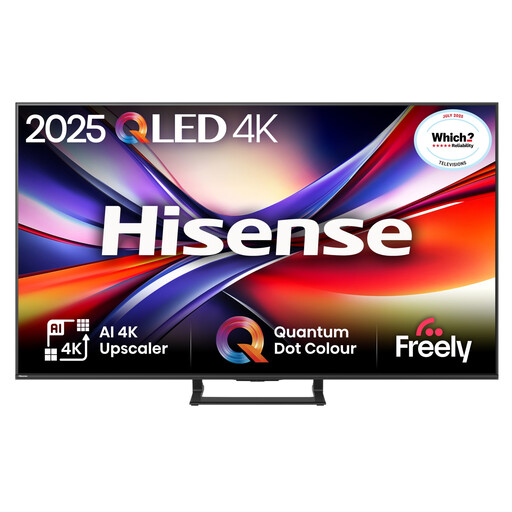 No image available
This 50-inch option is worth comparing if listed audio and HDR formats matter to your concert-film choice; assess the built-in sound and any plans for separate audio.
The product name lists Dolby Vision and Dolby Atmos. Check screen reflections and the viewing distance for your room.
 No image available
Consider this smaller OLED screen if evening concert viewing is the priority and a 42-inch TV suits your measured seating positions.
The product name lists Dolby Vision and Dolby Atmos. If the screen will face strong daylight or be wall-mounted, check its reflection behaviour, mounting pattern and weight before deciding.
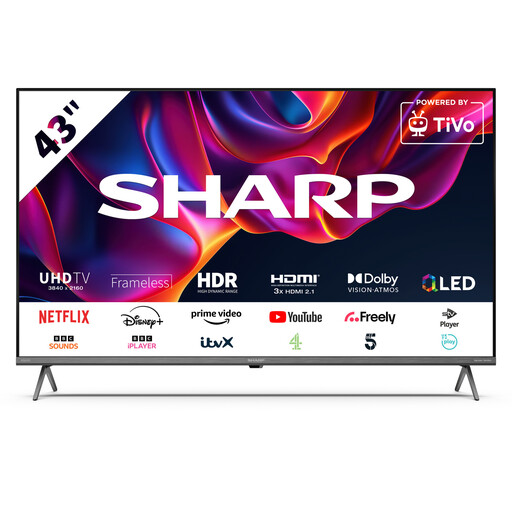 No image available
Assess this 43-inch screen against the dining-seat distance if a smaller TV would fit your planned position.
Before wall-mounting, confirm the exact VESA pattern: the product information gives conflicting measurements. Check reflections too if the screen will face windows or strong lights.
 No image available
Consider this larger QD-Mini LED option only after checking whether 65 inches fits the main viewing distance and sightlines around the dining area.
The product name lists up to 2,048 local dimming zones and audio by Bang & Olufsen. Check the exact screen treatment for reflections, and confirm its mounting pattern and weight if you plan to wall-mount it.
GOV.UK says you need a TV Licence to watch or record live TV on any channel or service, or to use BBC iPlayer. The room and the type of programme do not change those viewing-based requirements.
Measure from your main viewing seat to the proposed screen position, then check the view from other seats. Which? gives around 2.6 m for a 48–50-inch TV and around 3.3 m for a 55-inch TV as examples, not rules for every layout.
Look for the treatment that addresses the light you see on the proposed screen position. Samsung UK describes anti-reflection as softening visible reflections and anti-glare as diffusing incoming light; confirm which, if either, the exact TV offers.
Match the bracket to the TV’s VESA mounting pattern and its specific weight. Richer Sounds advises checking weight rather than relying on the bracket’s screen-size range; also consider whether your seating and light angles call for tilt or movement.
No: an audio-format label alone does not establish how a TV will sound in your kitchen diner. Compare the exact model’s listed speaker arrangement, then check placement and connections if you may add separate audio.