Viewers working with limited space
You want the scale of a concert film without choosing a screen or stand that overwhelms the available wall, furniture or seating space.


Start with the distance from your sofa and the space available for the TV and its stand. A 42–48-inch OLED is worth considering when compact placement and dark-stage presentation matter most; a 50-inch Mini LED is another route if it fits and you often watch in daylight, though the panel name alone cannot tell you how it will handle your room's reflections. If you plan to add a soundbar or AV receiver, check the exact TV's eARC connection alongside the audio device's compatibility.
You want the scale of a concert film without choosing a screen or stand that overwhelms the available wall, furniture or seating space.
Black stage backgrounds and coloured spotlights are important to you, and you are considering an OLED TV that also fits your room.
You expect to connect a soundbar or AV receiver and want to check the TV's audio connection before committing to the setup.
Measure the viewing distance and installation space first, then weigh picture preferences, room lighting and any plans for external audio.
| Concern | What to check | Who this matters to |
|---|---|---|
| Screen size and fit | Measure the sofa-to-screen distance and usable furniture or wall width; check the exact stand footprint. | If my TV unit is narrow, I need the screen and stand to fit my seating layout. Around 31% of consumers would put physical fit first. |
| Dark-stage picture | Compare the exact model's panel type and HDR support, and consider how dim the room is when you watch. | When a performance moves between a dark stage and spotlights, I care most about how the picture presents those scenes. That would be the primary concern for roughly 25% of consumers. |
| External audio | Check eARC on both the TV and soundbar or AV receiver, including which HDMI ports to use. | If I plan to add a sound system, I need a connection that works with both devices. About 25% of consumers would prioritise external-audio readiness. |
| Daylight and reflections | Look at the room during your usual viewing hours and assess reflections before choosing an exact model. | In a living room used throughout the day, I do not want window or lamp reflections to distract from the film. For around 19% of consumers, that would be the leading concern. |
A TV can have a suitable-looking screen size yet still be awkward for the seating distance or too wide for the furniture. Which? suggests 48–50 inches as a possible starting point at around 2.6 m, not a rule for every room.
Measure from the sofa to the proposed screen position, then check the TV and stand dimensions against the available space.
An HDMI port labelled ARC does not, by that label alone, confirm the eARC connection you may want for a soundbar or AV receiver.
Check the port labels and eARC specifications on both devices before choosing external audio.
An added soundbar or receiver also needs a place to sit and a cable route that works in the room.
LG's UK C-series range includes 42- and 48-inch OLED options for comparing compact installations.
Samsung lists a 50-inch QN70H Quantum Mini LED model for buyers considering a mid-sized screen.
Sony's 55-inch BRAVIA 8 II provides a larger OLED route for rooms with sufficient space.
These TVs offer different screen sizes and panel types to compare for a small living room. Check each model's footprint, the apps you use for concert films and any planned audio connection before choosing.
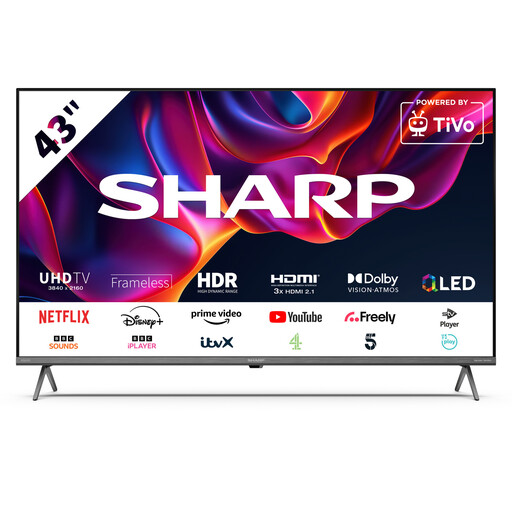 No image available
Consider this 43-inch option if you want to compare smaller screens for a compact TV position.
The product name specifies 4K Ultra HD. Check its stand dimensions, your concert-film apps and the exact audio connections if you plan to add a soundbar.
 No image available
This is a compact OLED option to compare if dark-stage presentation matters and a 42-inch screen suits your seating distance.
The product name specifies 4K HDR, Google TV and Dolby Vision. Confirm the stand footprint, your required apps and eARC support if external audio is part of the plan.
 No image available
Compare this 48-inch OLED with the 42-inch option if your measured space allows a larger screen.
The product name specifies 4K HDR, Google TV and Dolby Vision. Check the stand footprint, your concert-film apps and eARC support before planning an external-audio setup.
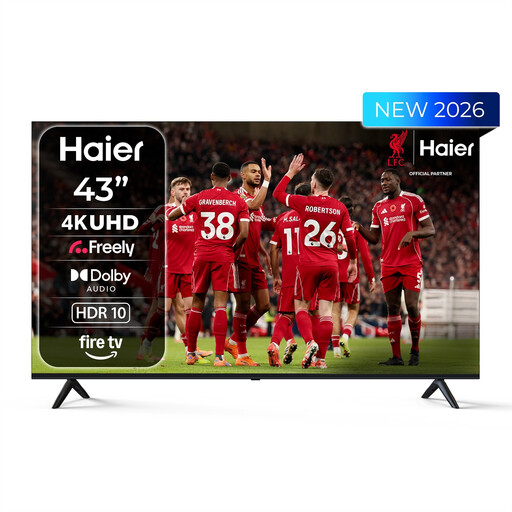 No image available
This is another 43-inch screen to assess where furniture space limits the installation.
The product name also specifies Freely, HDR10 and Dolby Audio. Verify the TV and stand dimensions and whether your preferred concert-film apps are available.
 No image available
Consider this QD-Mini LED model if you are comparing a larger screen for a room that also gets daytime use.
The product name specifies HDR and an Onkyo 2.1 audio system. Measure the intended installation space and check reflections, app availability and external-audio connections against your plans.
Start by measuring the viewing distance and the space for the TV and its stand. Which? suggests that a 48–50-inch TV can be a plausible choice from around 2.6 m away, but your furniture width and room layout still determine what fits.
Consider a compact OLED if dark-stage presentation and a smaller installation are priorities; consider a Mini LED model if a larger screen fits and you frequently watch in daylight. Neither panel label settles how an exact TV will look with your room's lighting and reflections.
Check that the exact TV and soundbar or AV receiver have compatible audio connections, particularly if you want to use eARC. HDMI Licensing Administrator explains that eARC can send audio from a TV's sources to a compatible external audio device through an HDMI cable; check the designated ports on both devices.
TV Licensing says a licence is not needed for on-demand programmes on services such as Netflix, ITVX or YouTube. Check the applicable TV Licensing guidance separately if you also watch live broadcasts or use BBC iPlayer.