Who this is for

PS5 or Xbox Series X players using the main household TV

You want a shared-room television that can expose supported 4K/120Hz, VRR, HDR and low-latency modes where the console, game, cable and selected HDMI port allow them. PlayStation, Xbox Support and Sony UK all describe these setup-dependent features.

Mixed-use living-room households

You need gaming capability without making television, streaming and shared viewing secondary. Ofcom’s 2025 Media Nations report says broadcaster content still accounted for the majority of in-home viewing, while video viewing on TV sets continues to include online services.

Console players choosing between a TV and a desk monitor

You need to decide whether the display is chiefly for one player at a desk or for a room used by several people. That room-use decision should come before comparing gaming specifications.

What to check before buying

Gaming-capable 4K television

Choose it when: You use a PS5, PS5 Pro or Xbox Series X and want supported 4K/120Hz and VRR modes in compatible games, while still needing a full-size shared-room TV.

Keep in mind: PlayStation, Xbox Support and Sony UK note that console features depend on the game, console, HDMI port, settings and cable; refresh rates above 120Hz may be PC-specific.

General TV with gaming settings

Choose it when: Most play is at 60Hz and the priority is a practical television for gaming, programmes and streaming in one room.

Keep in mind: Game Mode or ALLM, VRR and 4K/120Hz can vary by model and HDMI port, even within the same brand range.

Dedicated gaming monitor

Choose it when: Gaming is mainly individual and a desk or separate personal screen works for the room.

Keep in mind: A monitor changes the shared-room setup rather than simply improving gaming specifications, so it may not meet household viewing needs.

Priority What to check Your needs
Console compatibility Confirm a compatible HDMI input for the console. For supported high-frame-rate modes, check the exact model for 4K/120Hz and VRR rather than relying on the TV category alone. I want the TV to deliver the display modes I actually plan to use, not simply connect to the console.
Low-latency play Look for Game Mode or ALLM on the exact model. Sony UK notes that ALLM can activate a gaming-oriented low-latency mode on compatible setups. I want responsive gameplay without losing the TV’s usefulness for ordinary programmes and streaming.
Port and cable setup Check which HDMI terminal supports the required feature and whether an Enhanced Format or VRR setting is needed. For a longer Xbox Series X cable, Xbox Support advises a certified Ultra High Speed HDMI cable. I need the intended console features to work after installation, not only appear in the product listing.
Shared-room use Assess screen size, seating layout, picture preferences, sound and streaming functions alongside gaming settings. Treat viewing angle and reflection handling as room-specific checks. The display needs to work for gaming as well as household television and video viewing.

Common buying mistakes

  • Assuming every HDMI port has the same gaming capability

    On supported TV families, 4K/120Hz and VRR can be limited to particular HDMI terminals or require an Enhanced Format setting. Connecting the console to another port can stop the desired mode from appearing.

    Before buying, check the exact UK model manual or specification table for its 4K/120Hz, VRR and eARC port allocation. During setup, connect the console to a supported port and enable the required HDMI format.

  • Paying for PC-only refresh-rate claims as though they improve console output

    A high headline refresh rate can depend on a PC game and graphics card, so it is not proof that a PS5 or Xbox Series X will use that rate. Samsung UK makes this distinction for its 144Hz, 165Hz and 240Hz claims.

    For current consoles, verify 4K/120Hz, VRR and ALLM or Game Mode on the exact TV model instead of comparing PC-focused refresh-rate figures alone.

  • Ignoring the cable and intermediary-device path

    An unsuitable cable, a long cable run or an unsupported setting in the signal path can prevent high-bandwidth modes from appearing even when the TV and console are capable.

    Start with the supplied console cable where practical. If a longer Xbox Series X cable is needed, use a certified Ultra High Speed HDMI cable and then confirm the selected port and TV setting.

    A replacement certified Ultra High Speed HDMI cable may be needed when the supplied 2-metre Xbox Series X cable does not reach the TV.

  • Treating a shared-room TV as a one-person gaming monitor

    A personal monitor may suit one player but can be the wrong product type when household viewing and online video are central uses of the room. Ofcom’s 2025 UK report supports keeping everyday TV use in the decision.

    Decide first whether several people need to watch the screen. If they do, compare TV picture, room placement, sound and gaming settings together rather than reducing the choice to monitor refresh rates.

Relevant brand references

LG

Relevant for buyers comparing OLED televisions with console-gaming features across LG’s UK OLED size range.

  • LG UK lists gaming-oriented OLED models, including OLED C6 and G6 variants.
  • According to LG’s own product information, the OLED evo G6 has a 0.1ms response-time claim and ALLM; check the exact size, model, HDMI-port capabilities and warranty terms before buying.

Samsung

Relevant for buyers considering OLED, Neo QLED and other Samsung TV lines with Game Mode and low-latency features.

  • Samsung UK highlights Game Mode, low input lag and four HDMI 2.1 ports on selected gaming-TV models.
  • Samsung states that 4K at 144Hz, 165Hz and 240Hz applies to supported PC-connected games with compatible graphics hardware, so verify the exact model’s console-facing 4K/120Hz and VRR support.

Sony BRAVIA

Relevant for PS5-focused shared-room buyers who want model-specific UK documentation for Game Mode, ALLM, VRR, HDR and 4K/120Hz support.

  • Sony UK’s compatibility tables identify supported 4K120, VRR and ALLM features for individual BRAVIA series.
  • Support differs by series: Sony’s table lists 4K120 and VRR for BRAVIA 5 and BRAVIA 8 II, but not for BRAVIA 3 and BRAVIA 2 II. Check the exact series and HDMI port.

Joybuy TV options

Joybuy television options for shared-room console gaming, including gaming-capable 4K TVs and general TVs with documented gaming settings.

TCL 55P8K 55-inch QLED 4K HDR Pro Smart TV

TCL 55P8K 55-inch QLED 4K HDR Pro Smart TV

A gaming-capable option for a shared room where supported high-frame-rate console features matter alongside streaming and television use.

Stated features include 4K HDR Pro, four HDMI 2.1 ports, ALLM, VRR, Google TV, Dolby Atmos and a 35W 2.1 audio system.

Check the UK manual for the HDMI port allocation of gaming modes and eARC. Treat the stated 144Hz and 288Hz-related wording separately from supported current-console modes.

Joybuy

TCL 75Q6C 75-inch QD-Mini LED 4K HDR Google TV

TCL 75Q6C 75-inch QD-Mini LED 4K HDR Google TV

A large-screen option for shared viewing and compatible console gaming in a room that can accommodate a 75-inch television.

The listing states QD-Mini LED, 4K HDR, HDMI 2.1, ALLM, 120Hz/144Hz VRR, Google TV and Onkyo Dolby Atmos audio.

Confirm the exact HDMI terminals for 4K/120Hz, VRR and eARC before installation. The 288Hz Game Accelerator wording should not be assumed to improve PS5 or Xbox Series X output.

Joybuy

Sony BRAVIA XR42A90K 42-inch OLED 4K Google TV

Sony BRAVIA XR42A90K 42-inch OLED 4K Google TV

A compact-room TV option for console gaming and streaming where a 42-inch screen suits the seating arrangement.

The listing states OLED, 4K, HDMI 2.1, 120Hz input, VRR, ALLM, Google TV, Chromecast and Dolby Atmos.

Check the exact port map for 4K/120Hz, VRR and eARC before connecting a console and other HDMI equipment.

Joybuy

TCL 65V6C 65-inch Direct LED 4K HDR Google TV

TCL 65V6C 65-inch Direct LED 4K HDR Google TV

A general-TV route for shared-room console play, streaming and everyday viewing.

The listing states a 65-inch 4K display, HDMI 2.1, ALLM, VRR, Game Master, Google TV, Dolby Vision, HDR10+ and Dolby Atmos.

The stated 120Hz Game Accelerator is at FHD, so check the manual if 4K/120Hz is important. Also confirm the VRR-capable HDMI port and required settings.

Joybuy
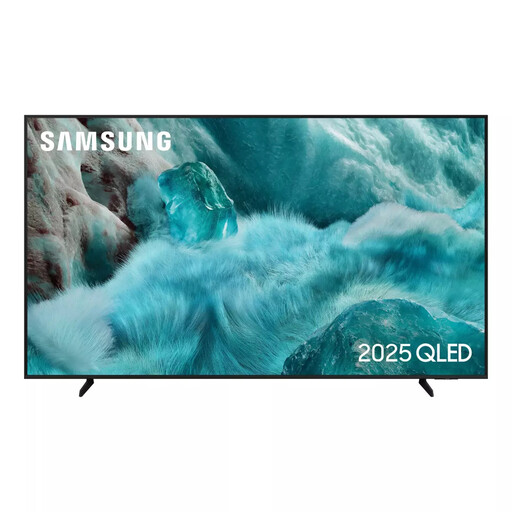
Samsung Q7F QE55Q7FAAU 55-inch 4K QLED Smart TV

Samsung Q7F QE55Q7FAAU 55-inch 4K QLED Smart TV

A general shared-room TV option for mainly 60Hz console play alongside streaming and household viewing.

The listing states a 55-inch 4K QLED display, three HDMI ports, Game Mode, ALLM, Tizen smart-TV functions, eARC, HDR10+ and Game Motion Plus.

The stated native refresh rate is 50Hz with 60Hz supported display refresh, so it is not a confirmed 4K/120Hz console option. Check the manual for VRR support and HDMI port use.

Joybuy

Frequently asked questions

Do I need HDMI 2.1 for a console TV?

Not for every type of console use. The TV first needs a compatible HDMI input, but Xbox Support says Xbox Series X 4K gaming at 120Hz requires a TV that supports HDMI 2.1; for PS5, check the connected display information for supported resolution, VRR and HDR. If you mainly play at 60Hz, choose according to the output modes you need rather than buying HDMI 2.1 solely as a label.

How can I confirm that 4K/120Hz and VRR will work after setup?

Use the TV HDMI port specified for the feature, enable any required Enhanced Format or VRR setting, and use a suitable cable path. Sony UK notes that supported functions can be limited to particular ports, while Xbox Support says the supplied 2-metre Xbox Series X Ultra High Speed HDMI cable supports HDMI 2.1 features including 4K gaming at 120Hz.

Does a 144Hz, 165Hz or 240Hz TV claim make it better for PS5 or Xbox Series X?

Not automatically. Samsung UK states that its 4K 144Hz, 165Hz and 240Hz figures apply to supported PC-connected games with compatible PC graphics hardware. For a console purchase, give greater weight to the exact TV’s supported 4K/120Hz, VRR, ALLM or Game Mode, and the HDMI port that enables them.

Should a shared-household console screen be a TV or a monitor?

Choose a TV when the screen must also serve group viewing, broadcaster content or streamed video in the room; choose a monitor only when a personal desk setup is acceptable. Ofcom’s 2025 UK Media Nations report says broadcaster content still accounted for the majority of in-home viewing and notes growing YouTube viewing on TV sets, so everyday room use should remain part of the decision.