What matters when choosing?
For couch co-op platformers, settle the shared viewing arrangement first, then match gaming modes to the console and games you use. Each audience below is identified by the concern it puts first.
| Concern |
What to check |
Who this matters to |
| Shared-screen readability |
Compare screen size with seating positions; check the exact variant’s dimensions and stand footprint. |
If we sit in different places, we need to follow our own part of the action without crowding round the TV. Roughly 36% of consumers put shared-screen readability first. |
| Console gaming modes |
Check the exact model and HDMI input for the 4K/120Hz, VRR or ALLM modes your console and games can use. |
When our games and console offer higher-frame-rate output, I want a TV that can accept the mode we intend to play in. Around 29% of consumers prioritise console responsiveness. |
| Picture in the room |
Assess your usual lighting, then compare model-specific picture characteristics alongside the gaming specifications. |
Our room can look quite different during daytime and evening play, so I care most about how the picture suits those conditions. Roughly 21% of consumers put room-lighting and picture priorities first. |
| Setup and ownership |
Check cloud-service requirements if relevant, plus the exact seller’s warranty, installation and old-TV collection arrangements. |
I want local console play to be straightforward and any optional cloud gaming or installation arrangements to be clear beforehand. About 14% of consumers make setup and ownership their primary concern. |
Joybuy product choices
These 55-inch and 75-inch TVs offer different sizes and stated gaming features for a shared-screen setup. Compare their physical fit first, then confirm the HDMI modes required by your console; a refresh-rate figure or gaming-mode name alone does not establish every output mode.
 No image available
Hisense 55E8QTUK 55-inch Mini LED 4K TV
The 55-inch size is a starting point for checking whether everyone can see their part of the game from the sofa.
The title lists Mini LED, 4K HDR and 144Hz Game Mode Pro. Confirm the console output, HDMI input and settings needed for the gaming mode you plan to use.
Purchase link unavailable
 No image available
TCL 55P8K-UK 55-inch QLED 4K TV
Consider the 55-inch screen against your seating positions and the space available for the TV.
The title lists QLED, 4K HDR Pro and a 288Hz Game Accelerator. Check which display and HDMI modes that gaming feature provides for your particular console and game.
View on Joybuy
 No image available
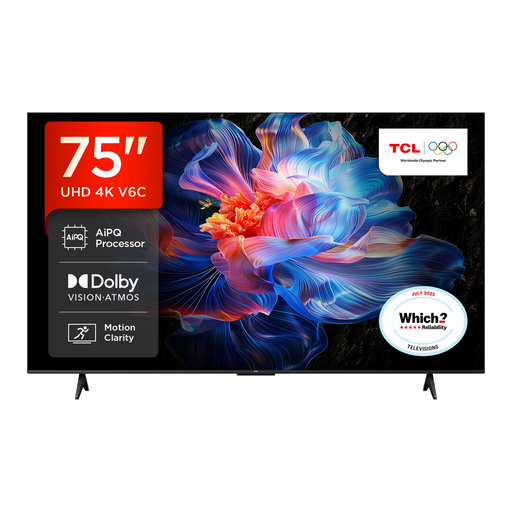
TCL 75V6C 75-inch Direct LED 4K TV
The 75-inch screen may help when several players share the picture, provided its dimensions suit the room and seating layout.
The title specifies a 120Hz Game Accelerator for FHD. Do not treat that as a 4K/120Hz specification; check the HDMI port and mode needed for your console.
View on Joybuy
 No image available
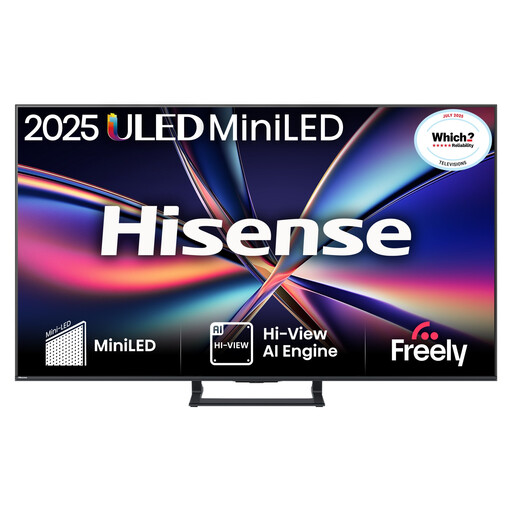
Hisense 75E8QTUK 75-inch Mini LED 4K TV
Compare this 75-inch screen with the distance between the TV and each player’s seat, as well as the available stand or wall space.
The title lists 144Hz Game Mode Pro; check the exact HDMI modes, including VRR and ALLM if you need them. The listing calls for two people to unpack and set up the TV and for secure anti-tip anchoring.
View on Joybuy
 No image available
TCL 75Q7C 75-inch QD-Mini LED 4K TV
The 75-inch size is relevant if several players need to follow the screen from different seats; check the TV’s physical fit before choosing it.
The title specifies a 144Hz native refresh rate. Confirm the HDMI port and console modes you need, including VRR or ALLM where relevant, rather than assuming the panel refresh rate establishes them.
View on Joybuy
Frequently asked questions
Do couch co-op platformers need a 120Hz TV?
No: 120Hz is worth prioritising when your console and games can output higher frame rates and you value that mode. For a mainly 60Hz setup, give shared-screen visibility and placement equal attention; Samsung UK says its 4K/120Hz Game Mode is available only on selected TVs, so check the exact model.
What should I check before using VRR or 4K/120Hz?
Start with the exact TV model and HDMI input, then check the console, cable and signal-format settings. Sony UK says these conditions can affect 4K/120Hz and VRR on BRAVIA TVs; do not assume that every port offers the same modes.
Can Samsung Gaming Hub take the place of a console?
It can provide a console-free route for supported cloud-gaming services, but it does not replace the requirements of every game your household wants to play. Samsung lists an account, internet connection, compatible controller and potentially an additional service subscription; check local game availability and whether your couch co-op titles support the way you intend to play.
How should I compare TV warranties?
Compare the offer for the exact model and seller rather than assuming one duration applies across a brand. TCL’s UK C805K page lists a two-year warranty, while Sony’s cited BRAVIA 5 store listing advertises a five-year guarantee for that television; check the applicable terms alongside delivery and installation arrangements.


