Who is this for?

Dialogue-first TV viewers

If you turn up news or drama to catch speech, then turn it down when music or action starts, check how a TV setting or soundbar handles dialogue rather than judging it by volume alone. Which? assesses speech clarity separately in its soundbar testing.

Simple-setup TV upgraders

If you want an audio add-on without changing your TV or juggling controls, inspect the TV’s ports and the soundbar’s control requirements. An ARC or eARC-labelled HDMI port matters for HDMI audio return; optical may offer another connection but can change how you control the system.

Quiet-household viewers

If you watch while others are nearby or asleep, look at how easily you can adjust speech and loud effects at a lower volume. Check the exact model for a night setting rather than assuming that a more powerful system addresses this need.

What matters when choosing?

TV settings and subtitles

Try when: The difficulty varies by programme or loud effects make you keep changing the volume.

Trade-off: These options use your existing TV; they cannot give it the speaker hardware of an external system. Which? recommends checking dialogue-prioritising TV modes, and Ofcom identifies subtitles as an access service.

Speech-focused soundbar

Consider when: Speech remains difficult to follow and you want a single TV-audio unit with a documented dialogue, voice or speech control.

Trade-off: The connection and controls must suit your TV, and a manufacturer’s description of clearer speech is not a promise of the same result for every listener or programme.

Powered speaker pair

Consider when: You have space for two speakers and want to use a compatible TV output, possibly alongside other audio sources.

Trade-off: Two speakers need more placement space. Edifier lists an optical input on its R1280DB, but its published specification does not identify a dedicated dialogue mode.

Concern What to check Who this matters to
Speech masked by other audio Check for a documented dialogue, voice or speech control, then assess it with programmes you watch. If music or effects drown out words, I want to follow speech without repeatedly raising the volume. Around 36% of consumers would put dialogue clarity first.
Connection and daily control Check for an ARC or eARC-labelled HDMI port or optical output on the TV, and confirm how the chosen model handles remote control. I want the add-on to work with my existing TV and be straightforward to use each day; around 29% of consumers would prioritise compatibility and control.
Low-volume viewing Check whether the exact model has a night setting and how it is switched on. When others are sleeping, I need to hear dialogue without turning loud scenes up too far. Around 21% of consumers would make quiet viewing their primary concern.
Trying the TV first Try its dialogue setting and available subtitles across several programmes before deciding on hardware. If a setting helps me follow the programme, I may not need another speaker; around 14% of consumers would start with those existing options.

Mistakes to avoid

  • Choosing by wattage or surround labels alone

    Louder output does not, by itself, establish that dialogue will be easier to distinguish from music and effects. Which? assesses speech clarity and dialogue features as distinct aspects of a soundbar.

    Look for a documented speech control and assess it with dialogue-heavy content. Give surround features more weight only if they matter to your viewing too.

  • Assuming every HDMI socket works for TV audio

    Bose says its TV Speaker needs an ARC or eARC-labelled TV port for an HDMI connection. Sonos says using optical with its home-theatre speakers removes HDMI-CEC and voice control.

    Inspect your TV’s port labels and settings, then confirm the exact soundbar’s connection, control method and supplied cables.

    Choosing an unsuitable connection can mean obtaining a different cable or using a less convenient control method.

  • Skipping the TV’s existing options

    Which? notes that many TVs have a dialogue-prioritising sound mode. Subtitles, which Ofcom identifies as an access service, can also help you follow a programme without changing its audio equipment.

    Try the available sound modes and subtitles on several programmes before deciding whether an external speaker is needed.

  • Treating worsening hearing difficulty as just a TV problem

    An audio add-on is not a way to assess a change in hearing. NHS guidance advises seeking help for hearing problems, with urgent help for sudden hearing loss or hearing that worsens rapidly.

    Seek appropriate NHS advice for a new, sudden or worsening hearing problem rather than relying on a soundbar to address it.

Relevant brands to consider

Bose

The Bose TV Speaker is a compact, speech-focused soundbar with HDMI ARC and optical connection options.

  • Bose describes a Dialogue Mode that adjusts vocals relative to other audio; assess whether that adjustment helps with your programmes.
  • Bose says the original TV Speaker’s HDMI cable is sold separately. Confirm the cable and TV port you plan to use.

Sonos

Sonos lists different connection routes across its compact soundbars: Ray uses optical, while Beam (Gen 2) uses HDMI eARC.

  • Sonos documents Speech Enhancement on both Ray and Beam, with Night Sound also listed for Beam.
  • Sonos says an optical connection on its home-theatre speakers removes CEC and voice control. Check the exact model if TV-remote integration matters.

Sony

The Sony HT-S2000 combines a 3.1-channel design with HDMI eARC/ARC and optical input.

  • Sony lists a centre speaker, Voice Mode and Night Mode on this model, giving viewers several speech-related features to assess.
  • Consider whether its home-cinema feature set suits your space and setup preferences if you only want a straightforward dialogue upgrade.

Edifier

The Edifier R1280DB is a powered bookshelf-speaker alternative for a TV with a compatible optical output and space for two speakers.

  • Edifier lists optical and other inputs, a remote, and physical tone and volume controls for the R1280DB.
  • Its published specification does not identify a dedicated dialogue-enhancement mode; check whether a speaker pair meets your speech-first needs.

Soundbars for this decision

These Joybuy soundbars offer different sizes and configurations for a TV-audio upgrade. Match any model you consider to your TV’s outputs, your preferred controls and the amount of equipment you want to accommodate.
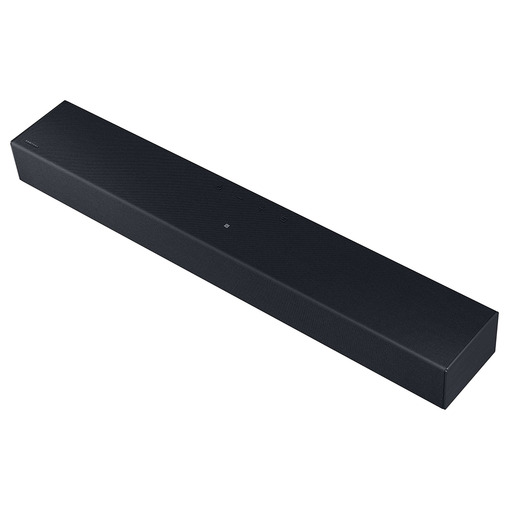
Samsung HW-C400/XU soundbar in black

Samsung HW-C400/XU soundbar, black, 2.0 channels

For a TV-audio add-on, check that your TV has the connection you intend to use and that this model’s speech controls suit your viewing.

The product name specifies 2.0 channels and a 1-year warranty. Confirm the applicable warranty terms before ordering.

View on Joybuy
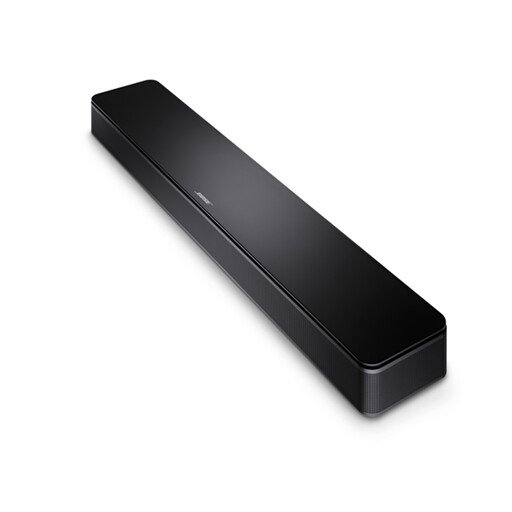
Bose TV Speaker soundbar

Bose TV Speaker

Consider this compact TV soundbar if you want to assess a speech-focused control rather than relying on volume alone.

Bose documents Dialogue Mode and HDMI ARC or optical connection options for the TV Speaker. Check your TV’s port; Bose says the HDMI cable is sold separately.

View on Joybuy
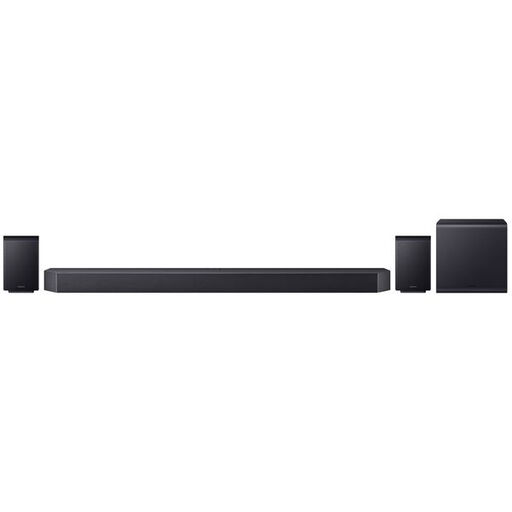
Samsung HW-Q990H/XC soundbar in black

Samsung HW-Q990H/XC soundbar, black, 11.1.4 channels

Consider how much space and setup you want to devote to TV audio before choosing this multi-channel model for a dialogue problem.

The product name specifies 11.1.4 channels and 756 W. Check the connections and components required for your preferred arrangement.

View on Joybuy
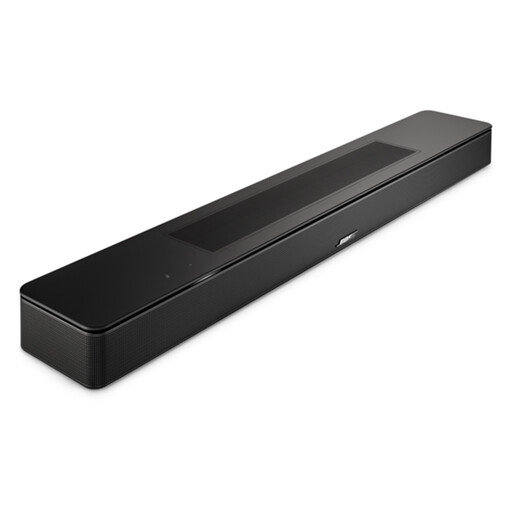
Bose Smart Compact Sound Bar

Bose Smart Compact Sound Bar

If you want a compact soundbar for difficult-to-follow TV speech, compare its available speech adjustments with the controls you would use each day.

Confirm the TV connection and any app setup requirements for this exact model before ordering.

View on Joybuy

Bose Smart Ultra Soundbar in Arctic White

Bose Smart Ultra Soundbar, Arctic White

If dialogue is your main concern, decide whether this soundbar’s controls and setup fit your routine rather than choosing by model range alone.

Check the connection your TV offers and whether the model’s setup steps suit the way you want to use it.

View on Joybuy

Frequently asked questions

Should I change my TV settings before buying a soundbar?

Yes, try the TV’s dialogue-prioritising mode and available subtitles first. Which? notes that many TVs offer a sound mode for speech; if those options do not make your programmes easier to follow, you can then assess an audio add-on.

Which TV connection should I check for a soundbar?

Check for an HDMI port labelled ARC or eARC if you want to explore integrated TV control, and confirm that the TV and soundbar support the required HDMI-CEC settings. If there is no suitable ARC or eARC port, look for a digital optical output and a soundbar that accepts it; an ordinary HDMI socket is not enough to establish ARC compatibility.

Will an optical soundbar work with my TV remote?

Check the exact model’s control options rather than assuming optical works like HDMI ARC. Sonos says its home-theatre speakers lose CEC and voice control when connected by optical; that does not establish how every other soundbar handles its remote.

Are subtitles still useful if I add a soundbar?

Yes, subtitles can still help you follow speech alongside an audio upgrade. Ofcom identifies them as an access service for viewers with hearing loss and other access needs; they address comprehension differently from a soundbar’s audio controls.

What if difficulty hearing dialogue is getting worse?

Do not rely on a soundbar as a response to worsening hearing. NHS guidance advises seeking help for hearing problems and urgent help for sudden hearing loss or hearing that worsens rapidly.