What matters when choosing?
For consumers choosing a TV chiefly for family videos in a bright lounge, assess daylight visibility first. Then match playback to the devices and files you use, before settling on screen size and installation.
| Concern | What to check | Who this matters to |
|---|
| Daylight and reflections |
Look for an exact-model bright-room assessment and check where windows or lamps reflect in the screen. A Mini LED label alone is not a reflection test. |
If darker clips disappear in daylight, I need to see faces clearly without rearranging the room each time; around 40% of consumers put daytime visibility first. |
| Playing personal videos |
Check phone compatibility and the exact model’s HDMI, USB and supported video formats against your devices and files. |
My videos are spread across phones, a laptop and older storage, so getting them onto the screen matters most; for roughly 30% of consumers, dependable playback is the primary need. |
| Screen fit |
Measure the viewing area and furniture; check the chosen size variant’s stand footprint or wall-mount requirements. |
Everyone needs a view, but the screen must fit our stand or wall safely; about 20% of consumers make shared viewing and room fit their main concern. |
| Ownership and setup |
Compare the exact models’ energy information and confirm a stable position away from heat and moisture. |
I want to understand running energy and set the TV up securely from the outset; around 10% of consumers prioritise these ownership considerations. |
Mini LED TVs on Joybuy
These Mini LED TV listings offer 55-, 65- and 75-inch options to investigate for a bright lounge. Compare each screen’s fit and exact-model reflection performance, then confirm how it will play your family videos; the display type alone does not settle either question.
 No image available
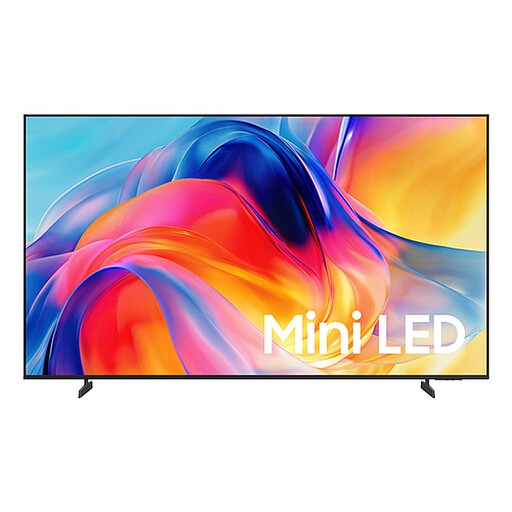
Samsung TU65M70H (2026) 65-inch Mini LED TV
Consider this 65-inch 4K model if that size fits your shared viewing space. Check its reflection handling in your lounge and confirm that your phones and family-video files work with your intended playback method.
View on Joybuy
 No image available
Hisense U7Q Pro 55U7QTUK Pro 55-inch Mini LED TV
This 55-inch 4K HDR option is worth considering where a larger screen would not fit. If you share videos from Apple devices, check compatibility with the household setup; check video-file playback and reflections separately.
View on Joybuy
No image available
TCL 75Q6C 75-inch QD-Mini LED TV
The 75-inch 4K HDR screen is an option for shared viewing if the room and mounting position accommodate it. Check its exact reflection performance, stand fit and the playback methods needed for your clips.
View on Joybuy
 No image available
TCL 65Q7C 65-inch QD-Mini LED TV
This 65-inch 4K HDR model gives you another size to assess against your seating and furniture. Check the exact TV’s daylight reflections, phone-sharing method and support for your video files before choosing it.
View on Joybuy
 No image available
TCL 75Q7C 75-inch QD-Mini LED TV
Consider this 75-inch 4K HDR variant if a large screen suits the group and its position fits the room. Assess reflections for this exact variant, and confirm the mounting and family-video playback requirements.
View on Joybuy
Frequently asked questions
Will my family videos on a USB stick play on a new TV?
Not necessarily: check the exact TV’s supported file formats and codecs against representative clips. Sony’s guidance also distinguishes USB from home-network playback and says 4K video is not supported through its home-network route.
Can I show videos from my phone without a separate streaming device?
You can if the TV supports a sharing method compatible with your phone and setup. Samsung says its described mirroring route can show phone photos and videos when a compatible phone and TV are on the same Wi-Fi network; check the particular TV before buying.
Which energy figure should I compare between TVs?
Compare the energy information for the exact screen sizes you are considering, including on-mode consumption in kWh per 1,000 hours. GOV.UK’s television energy-label guidance distinguishes standard dynamic range (SDR) and high dynamic range (HDR) consumption, so compare corresponding figures rather than unlike viewing modes.
Do I need a TV Licence just to watch my own family videos?
Watching your own family videos is not itself among the activities TV Licensing identifies as requiring a licence. Its guidance says you need cover if you watch TV channels on any TV service, watch live TV on a streaming service or use BBC iPlayer; consider those activities separately from buying the TV.
What should I check before putting a large TV on a stand or wall?
Check that the selected size fits its support and follow the manufacturer’s mounting instructions. Electrical Safety First advises a flat, stable surface away from moisture and heat; if arranging wall installation, confirm whether the bracket is supplied as part of that service.


