Choose a TV around where people will sit, how much light reaches the screen and how the household will play its videos—not by diagonal size alone. An OLED model is worth considering for a usually dim room where contrast matters most; for a bright lounge with seats to the side, look for explicit viewing-angle and anti-reflection features on the exact model. Whichever route you take, check your phones, laptop and video files against that TV’s connection and playback options.
Who is this for?
Shared-lounge viewing organisers
If housemates or visiting family watch from different seats, check how the chosen screen handles side views and reflections. Samsung UK lists both an Ultra Viewing Angle treatment and an Anti-Reflection Screen for its QN90D, but those features should not be assumed on other models.
Phone-and-USB video sharers
If clips arrive from iPhones, Android phones, laptops and USB drives, make a list of the devices and files you need to use. Sony UK notes that wireless sharing methods vary by TV and device, while TCL UK advises checking USB video support by model number.
Space-conscious flat residents
If the TV must sit on existing furniture, compare its dimensions with the stand fitted—not just its advertised screen size. For the chosen size variant, read the energy label and product information sheet when assessing electricity information.
What matters when choosing?
Start with the room: a contrast-led screen for usually dim viewing presents a different choice from a TV intended for bright light and widely spaced seats. Then check how the household will get its videos onto the screen.
OLED TV
Consider it when: The room is usually dim or its light can be controlled, and contrast is a priority for evening viewing. LG UK lists an OLED display and Infinite Contrast for the C4 model.
Check: The C4’s stated features do not establish how another OLED model, or your chosen size, will handle reflections or video sharing.
LCD or Mini LED with verified room-light features
Consider it when: Windows, lamps or off-centre seats make reflection control and viewing angles important. Samsung UK explicitly lists both features for the QN90D.
Check: Neither a Mini LED label nor another model’s specification establishes those features on the TV you choose. Sony UK positions BRAVIA 7 around brightness and local dimming, which is a separate claim from wide-angle viewing.
Straightforward 4K LED or QLED TV
Consider it when: A suitable physical size, 4K playback and the required smart-TV and wired connections take priority over particular panel treatments. TCL UK lists the V6C-UK as a 4K HDR Google TV model.
Check: Do not assume a basic 4K specification includes the viewing-angle or anti-reflection features needed for your seating layout.
| Concern |
Buying check |
Who this matters to |
| Shared seating and room light |
Look for viewing-angle and anti-reflection details for the exact model; consider where windows and lamps sit. |
If my family spreads out across the lounge, I want the picture to remain watchable away from the central seat. Around 29% of consumers would put shared-seat visibility first. |
| Sharing and file playback |
Check each phone’s sharing method, laptop connection and the TV’s support for your USB video files. |
When our clips are on different devices, I need a way to show them without changing how everyone stores their videos. For around 29% of consumers, getting those clips onto the TV is the primary concern. |
| Considerate listening |
Check headphone or Bluetooth options, audio outputs and whether any separate speaker will fit. |
I want to hear family voices without turning the volume up for the whole flat. Quiet or private listening would come first for around 18% of consumers. |
| Physical fit and energy information |
Compare dimensions with the stand fitted against the furniture, then read the chosen model and size’s energy label. |
Before bringing a TV into a shared room, I need to know it fits the available unit and can compare its electricity information. Around 24% of consumers would make those practicalities their main priority. |
What should you avoid assuming?
-
A smart-TV label means every video source will connect
Wireless sharing varies by TV and device, according to Sony UK. TCL UK also advises checking USB video decoding by model number; a USB socket alone does not establish that your files will play.
List the household’s phones, laptop connection methods and a representative video file, then check each against the exact TV’s instructions before buying.
Depending on the devices and files, you may also need an HDMI adapter, cable, streaming device or different storage drive.
-
The diagonal size tells you whether the TV will fit
A screen can appear to fit the room yet have feet or a stand too wide for the existing unit.
Measure the unit’s width and depth and allow space for cables; compare those measurements with the chosen size’s dimensions with its stand fitted.
Changing the placement may require a different TV unit or wall-mount work.
-
A format logo settles picture or dialogue quality
Dolby support does not establish how clearly dialogue will sound at a restrained volume. Likewise, an OLED, QLED or Mini LED label alone does not confirm reflection control or the view from a side seat.
Check model-specific screen features for your room and look at the available audio outputs if headphones or a separate speaker may be needed.
-
One display technology tells you its electricity use
Energy information applies to the particular product and size, rather than to every TV using the same panel name.
Compare the energy label and product information sheet for the exact models under consideration. GOV.UK’s energy-information guidance covers labels and product information sheets for products within its scope.
Brands to consider for this viewing setup
Samsung
Worth examining when the lounge has side seats or light falling near the screen—provided the specific TV lists the relevant treatments.
- Samsung UK lists Ultra Viewing Angle, an Anti-Reflection Screen, Dolby Atmos and Tizen for the QN90D.
- Those QN90D specifications cannot be extended to every Samsung model or screen size.
LG
A reference point for households considering OLED contrast in a usually darker room.
- LG UK lists an OLED display, its Infinite Contrast claim, Dolby Vision, Dolby Atmos and four HDMI 2.1 sockets for the 48-inch C4.
- Check reflection handling, device sharing and ports on the exact size and model you plan to buy.
Sony
Relevant if you are considering Mini LED and need to check how your household’s devices will share videos.
- Sony UK positions BRAVIA 7 around brightness and local dimming.
- Sony UK says casting and other display methods vary by TV and mobile device. BRAVIA 7 claims should not be applied to a different BRAVIA model.
TCL
A reference point for straightforward 4K Google TV models where fit and playback methods need checking.
- TCL UK lists 4K HDR, Google TV and Dolby Atmos for the V6C-UK range.
- TCL UK advises confirming USB video decoding support by model number; a general codec list is not a guarantee for a particular TV.
Joybuy TVs for this scenario
These 43-inch to 55-inch 4K TVs offer different screen sizes and stated display types for a shared-flat shortlist. Compare each exact model with your furniture, seating positions and video sources before choosing; a feature stated for one TV does not carry over to another.
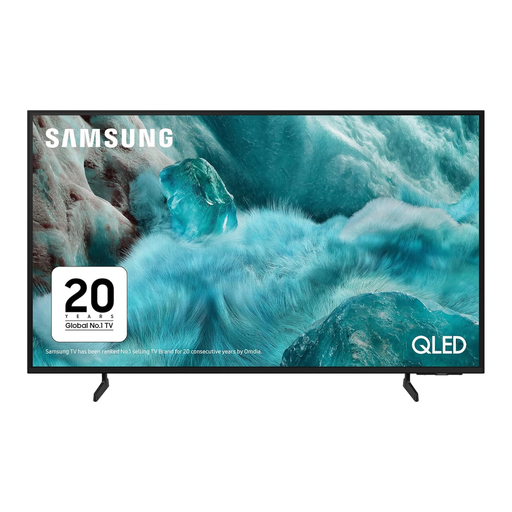 Image unavailable
Samsung Q7F QE43Q7FAAU 43-inch 4K QLED TV
Consider this 43-inch set if that screen size suits the available space. Its name specifies 4K QLED and Wi-Fi; check how your own phones share video with it, whether it plays your USB files and how it handles light and side seats.
View on Joybuy
 Image unavailable
Haier H43S80GUF 43-inch 4K QLED TV
This 43-inch option is worth considering where a smaller diagonal is needed. The title lists Freely, Fire TV, HDR10+, Dolby Audio and energy rating E; check the dimensions with its stand, phone-sharing methods and playback support for your files.
View on Joybuy
 Image unavailable
Haier H50S80GUF 50-inch 4K QLED TV
Consider the 50-inch variant if its full dimensions fit the room and furniture. Its name specifies 4K QLED, Freely, Fire TV, HDR10+, Dolby Audio and energy rating E; confirm the exact phone connections and USB file support you need.
View on Joybuy
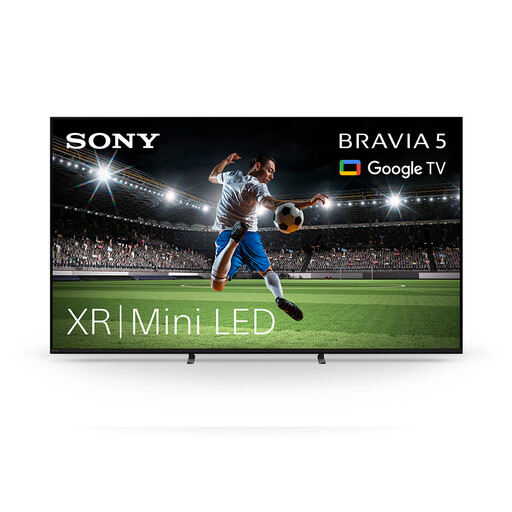 Image unavailable
Sony BRAVIA 5 K55XR55BP 55-inch 4K Mini LED TV
This 55-inch model is an option if a larger screen fits the shared room. Its name lists Mini LED, Google TV, Google Cast, Dolby Vision and Dolby Atmos. Check Google Cast with each household device, along with the exact TV’s dimensions, wired inputs, USB playback and reflection handling; BRAVIA 7 specifications do not describe this BRAVIA 5.
View on Joybuy
 Image unavailable
Haier H50K85GUF 50-inch 4K LED TV
Consider this 50-inch LED model if it fits your viewing area and TV unit. Its name lists Freely, Fire TV, HDR10, Dolby Audio and energy rating E; check dimensions with the stand fitted, phone compatibility and the formats needed for USB family videos.
View on Joybuy
Frequently asked questions
Can every smart TV show videos from both iPhones and Android phones?
No: phone-to-TV sharing depends on the exact TV, phone and connection method. Sony UK explains that available mirroring and casting functions differ by TV and mobile device, so check both phones against the model you intend to buy and the network setup you will use.
Will a USB stick play all our family videos?
Not necessarily: the TV must support the video format and the storage drive’s format. TCL UK says many of its TVs support common video decoders, including H.264 and H.265, but advises confirming support by model number; try an important file before relying on USB playback for a gathering.
Which energy details should I compare for a new TV?
Compare the energy label and product information sheet for the exact TV model and screen size. GOV.UK’s energy-information guidance requires those materials for products within scope; a different size or model may have different information.
What should we do with an old TV?
Check the retailer’s take-back arrangements or a local-authority recycling route rather than putting it in general waste. GOV.UK’s guidance places electrical and electronic equipment within the UK waste-electrical-equipment framework, which aims to reduce disposal and encourage recovery, reuse and recycling.


