Choose a TV for the room and its seats before choosing a panel type: check how the picture looks in daylight, from the dining-table seats and during fast football action. Measure the viewing distance before settling on a screen size, and consider how clearly commentary will carry over cooking and conversation. Sport-viewing features vary by model and screen size, so check the precise TV you intend to buy.
Who is this for?
Daylight-match viewers
If windows or strong daylight make an afternoon match difficult to follow, focus on the picture in your intended position and on brightness and contrast controls. Which? advises adjusting contrast until bright scenes are comfortable without looking washed out.
Dining-table groups
When people will watch from chairs to the side of the screen, check the view from those seats as well as the central one. LG and Sony describe wide-angle viewing on specified ranges, not across every model they sell.
Fast-action viewers
If camera pans, running players or ball movement are what you notice most, look for adjustable motion settings and watch football footage on the exact model if possible. A feature name alone does not show how you will find its picture settings.
What matters when choosing?
Start with the screen position and the seats people will use; then assess daylight visibility, motion and commentary in that setting.
| Concern | What to check | Who this matters to |
|---|
| Daylight visibility |
Check reflections at the intended screen position and adjust brightness and contrast using both bright and dark scenes. |
If afternoon light makes the pitch hard to see, I need a comfortable picture without losing detail in bright areas. Around 29% of consumers put daylight visibility first. |
| Side-seat viewing |
Map the dining-table seats and check the exact model's picture from off-centre positions. |
When friends sit around the table, I want them to follow the match without crowding the central chair. Roughly 24% of consumers make the view from side seats their main concern. |
| Football motion |
Look for adjustable motion processing and, if possible, watch fast broadcast footage rather than relying on a refresh-rate figure. |
Quick pans and moving players draw my attention, so I care most about whether the action looks comfortable to watch. Around 29% of consumers prioritise motion handling. |
| Room fit and commentary |
Measure the viewing distance and installation space; check the model's audio connections if you might add a soundbar. |
I need a screen that fits the diner and commentary I can follow when people are talking or cooking. Approximately 18% of consumers put that practical setup first. |
Buying pitfalls
-
Choosing a diagonal before checking the seats
A screen size that suits the central chair may not settle whether people at the sides can see comfortably. Viewing-distance guidance is a starting point, not a substitute for the room layout.
Measure the main viewing distance and mark out the screen position, then check the sightline from each priority seat.
-
Treating a refresh-rate claim as a football test
Motion processing and its settings also affect fast scenes. Named features can be limited to particular models or viewing modes.
Check the precise model's motion controls with football footage if possible, and see whether you can reduce smoothing for other programmes.
-
Leaving Sport or Vivid mode unchecked
Which? notes that picture presets can raise brightness and motion smoothing; an overly strong setting can make bright areas look washed out.
Use a preset as a starting point, then compare bright and dark scenes while adjusting the picture. Note the original settings so you can return to them.
-
Overlooking commentary and energy use
Cooking and conversation may compete with the TV's speakers, while the energy figure can differ by viewing mode.
Check audio connections if a soundbar might be useful. For energy comparisons, use the same viewing mode and compare the label's consumption figures on the same basis.
Brands to consider
LG
Relevant when comparing specified OLED evo ranges for people watching from different seats, alongside LG's LCD-based options.
- LG describes wide-angle detail and motion features for its OLED evo sport-viewing range.
- These are manufacturer claims about specified ranges; check brightness, reflections and features on the exact model and size.
Samsung
Relevant for comparing model-specific motion and room-light features.
- Samsung lists AI Motion Enhancer Pro and Motion Xcelerator 144Hz for its 2025 55-inch S90F.
- That specification does not describe every Samsung TV; confirm the exact model, screen size and connections.
Sony
Relevant when comparing documented motion features and side-seat viewing on specified BRAVIA models.
- Sony describes XR Motion Clarity and identifies wide-angle support for particular BRAVIA models or ranges.
- Sony's sport-viewing descriptions should not be assumed to apply to other models.
Panasonic
Relevant for checking how picture and audio options differ between individual TVs.
- Panasonic lists Smooth Motion Drive Pro for the TX-77MZ2000B and a Sport picture mode for the TX-50MX650B.
- Features on one of these models should not be assumed to be present on the other, or across Panasonic's range.
TVs to compare on Joybuy
These 50- and 55-inch TVs give you different display and picture-feature options to check against your kitchen diner's light, seating positions and available space. Their listed features do not replace seeing how the exact screen handles a match.
 No image available
Hisense 55E8QTUK E8Q 55-inch Mini LED 4K TV
Consider its picture and audio options if you watch from a dining area where daylight and background noise both matter; check reflections and commentary in your own layout.
The title specifies HDR, VIDAA OS, 144Hz Game Mode PRO and a built-in subwoofer. The game-mode figure does not establish how a live football broadcast will look.
View on Joybuy
 No image available
Samsung Neo QE55QN85FAUXXH 55-inch 4K TV
A 55-inch option to assess against your seating distance and side-seat layout; check the picture from the chairs people will use.
The product name identifies a 4K smart TV. Confirm the precise model's room-light, motion and audio options before choosing it for this setting.
View on Joybuy
 No image available
Haier H50S80GUF 50-inch 4K QLED TV
Check this 50-inch screen against a closer main seat or a tighter installation space, while still assessing the view from side chairs.
The title lists HDR10+, Dolby Audio, Freely and Fire TV. Check its motion settings with football footage rather than inferring broadcast performance from those features.
View on Joybuy
 No image available
TCL 55V6C 55-inch Direct LED 4K HDR TV
If motion is a priority, assess this TV with a match and check how it looks from off-centre dining chairs.
The title lists Google TV, Dolby Atmos, an AiPQ Processor and a 120Hz Game Accelerator limited to FHD. That game feature does not establish 4K football-broadcast motion performance.
View on Joybuy
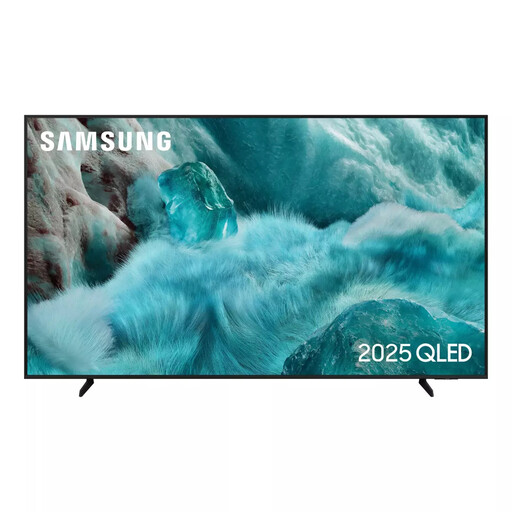 No image available
Samsung Q7F QE55Q7FAAU 55-inch 4K TV
Use the 55-inch size as a starting point for checking the main viewing distance and screen position, not as a guarantee of room fit.
The product name identifies a 4K smart TV. Assess daylight reflections, side-seat viewing and commentary on the exact model before deciding.
View on Joybuy
Common questions
Do I need a TV Licence to watch the football final live?
In the UK, TV Licensing says you need to be covered by a TV Licence to watch live TV, including live broadcasts through streaming services, regardless of the device you use. It also states that BBC iPlayer viewing requires a licence.
Should I leave Sport mode on for every match?
Use Sport mode as a starting point rather than an automatic final setting. Which? notes that it can increase brightness and motion smoothing; check bright and dark scenes and adjust the result to a level you find comfortable.
How can I compare the TVs' energy use?
Compare consumption figures for the same viewing mode, not just the label grade. GOV.UK defines the television label's SDR on-mode consumption figure in kWh per 1,000 hours; keep that unit and mode consistent when comparing models.


