What matters when choosing?
Decide whether dark-scene viewing or daytime reflections are more likely to determine your choice; then check whether everyone can see and hear the programme and whether the TV fits.
| Concern |
What to check |
Who this matters to |
| Dark scenes and HDR |
Compare exact-model dark-scene performance and the HDR formats used by your preferred services. |
When I watch after dark, I want faint stars and bright highlights to remain distinct against the sky. Around 36% of consumers put dark-scene viewing first. |
| Daylight and reflections |
Assess reflections on the exact screen in your usual lighting and consider whether its position faces a window. |
If I watch while the kitchen lights are on, I need to see the programme without reflections drawing my attention away. Roughly 29% of consumers prioritise bright-room viewing. |
| Shared seating and sound |
View the screen from each seat; check dialogue, subtitle controls and HDMI eARC/ARC if external audio is planned. |
With people seated around the room and appliances running, I need narration and on-screen detail to remain usable. About 21% of consumers make shared-room clarity their primary concern. |
| Fit and ongoing use |
Check the TV and stand dimensions, mounting requirements and energy-label consumption for the exact model. |
Before choosing a screen, I need to know it fits the sideboard or planned wall position and suits regular use. Approximately 14% of consumers put these practicalities first. |
Joybuy product choices
These TVs offer OLED, Mini LED and QLED options relevant to dark-scene viewing or lighting in a kitchen diner. Compare their exact specifications and room fit rather than treating their display labels as a result in themselves.
 No image available
Hisense 55U7QTUK Pro 55-inch Mini LED TV
Consider this 55-inch Mini LED model if that screen size suits your seating and you want to investigate the bright-room route. Its title identifies 4K HDR and a built-in subwoofer; check its exact reflection performance, HDR-format support, audio connections and energy label against your plans.
View on Joybuy
 No image available
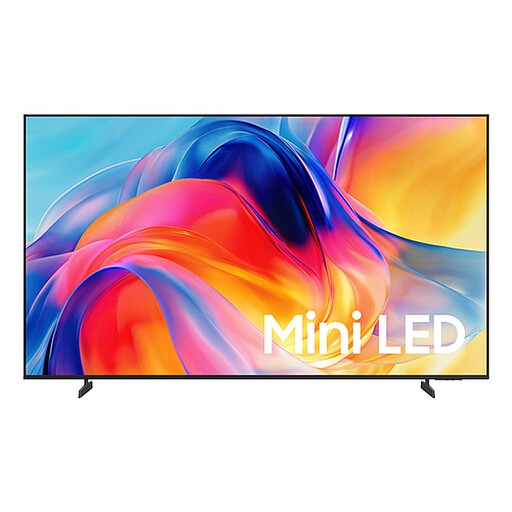
Samsung TU65M70H (2026) 65-inch Mini LED 4K TV
This is a 65-inch Mini LED option to assess if you want a larger screen in a frequently lit kitchen diner. Confirm that its stand or mounting arrangement fits, and compare reflections and dark scenes on this exact model before deciding.
View on Joybuy
 No image available
Sony BRAVIA 8 K65XR80BP 65-inch OLED TV
Investigate this 65-inch OLED TV if evening astronomy viewing is your priority. Its title identifies 4K HDR and Dolby Vision; check the K65XR80BP’s own dimensions, reflection handling and audio connections rather than applying specifications from the different K-55XR8A variant.
View on Joybuy
 No image available
TCL Q7C (65Q7C) 65-inch QD-Mini LED TV
This 65-inch QD-Mini LED TV is another display approach to compare for a lit kitchen diner. The title identifies 4K HDR, but the label alone cannot tell you how reflections or dark-scene effects will look; check those results, the HDR formats you use and the installation measurements for this variant.
View on Joybuy
 No image available
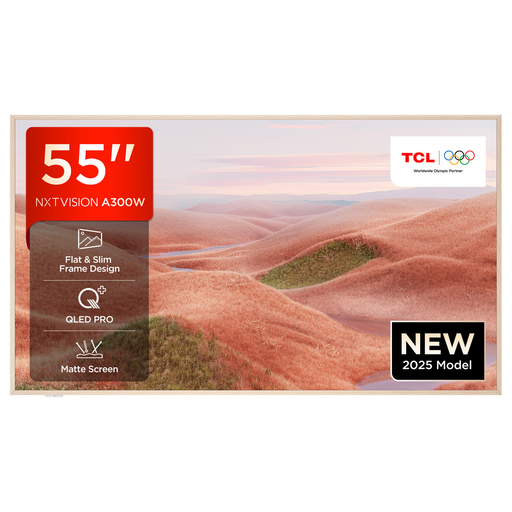
TCL A300W (55A300W) 55-inch QLED TV
Consider this 55-inch QLED model if its stated matte anti-glare screen interests you for a room with troublesome reflections. That description is not a measured comparison: assess the screen in your intended lighting and check its dark-scene performance, dimensions and required connections.
View on Joybuy
Common questions
Should I choose OLED or Mini LED for astronomy programmes?
Start with when you watch: investigate OLED models if dark evening scenes matter most, and compare Mini LED models if daytime lighting is your bigger difficulty. Neither label establishes reflection handling or dark-scene results for every TV, so compare the exact models in conditions like your kitchen diner.
How do I check whether a TV will fit on a sideboard or wall?
Use the exact model’s width, depth, weight, stand footprint and mounting instructions, not just its screen diagonal. Sony UK also warns of personal-injury risk with wall mounting and recommends qualified installation for its TVs.
How can I compare electricity use?
Compare the energy-label consumption figures for the TVs you are considering, alongside how long you expect to watch them. Energy Saving Trust explains that appliance ratings help consumers compare products of the same type; a letter grade alone does not describe your viewing pattern.
Will subtitles or audio description work for my programmes?
Check the programme and the service you use, as well as the TV app’s controls. Ofcom identifies subtitles, signing and audio description as access services, but their availability for a particular programme needs checking with its broadcaster or on-demand provider.
Do I need a TV Licence for astronomy programmes in the UK?
According to TV Licensing, you need a TV Licence to watch live TV on channels or streaming services and to use BBC iPlayer. Check how you intend to watch the particular programme rather than deciding from the type of TV you buy.


