Euronics advises comparing OLED TVs for darker rooms and QLED or Mini LED TVs for brighter ones. For ballet recordings, make the room your starting point, then check that the exact TV works with your playback sources and watch familiar choreography with its motion settings adjusted; a high panel refresh rate alone does not establish how natural the movement will look.
Who is this TV choice for?
Evening performance viewers
If you can darken the room, compare OLED screens using a recording with dark sets and detailed costumes. Euronics recommends OLED for darker rooms; check reflections where you normally sit before choosing a particular model.
Daytime living-room viewers
Windows and lamps make visibility under your usual lighting a priority. Euronics recommends comparing QLED and Mini LED TVs for brighter rooms, but a dark-stage scene with bright spotlights is still worth checking on the exact screen.
Viewers using several playback sources
If your recordings come from discs, a set-top box, USB files or streaming, compare each source’s output with the TV’s inputs and supported formats. Sony’s UK BRAVIA 8 II specifications illustrate the model-specific detail to look for; they should not be assumed to apply to other BRAVIA models.
What matters when choosing a TV for ballet?
Start with the light in your room, then check your recordings and playback equipment; assess motion and sound on the exact TV rather than treating a single specification as the answer.
| Concern | What to check | Who this matters to |
|---|
| Movement on screen |
Check the TV’s accepted video signals and try familiar choreography with motion smoothing adjusted or off. |
If turns or camera pans look distracting, I want controls that let the recording look natural to me. Around 36% of consumers put movement first. |
| Room light and stage contrast |
Compare screens with dark-stage footage under your usual lighting, paying attention to reflections and bright spotlights. |
When I watch beside a window or with lamps on, I need to see the stage clearly without losing the atmosphere of darker scenes; roughly 29% of consumers make room-light visibility their main concern. |
| Playback compatibility |
Match your player, service or files to the exact TV’s inputs, video signals and supported formats. |
I use more than one source and want my existing recordings and equipment to work together. For about 21% of consumers, that compatibility comes first. |
| Sound and installation |
Check the stand or mount dimensions and audio connections; listen to a familiar orchestral passage if possible. |
I need the television to fit my room and connect to my audio setup without disrupting how I watch performances; around 14% of consumers prioritise sound and setup. |
Buying mistakes to avoid
-
Using 120Hz or 144Hz as a ballet picture-quality score
Panel refresh rate does not show how a TV handles a particular recording or whether its motion processing looks natural. Sony’s BRAVIA 8 II documentation lists supported video signals, while Panasonic presents the Z95B’s 144Hz panel among its model features; neither figure substitutes for viewing footage.
Check the exact model’s accepted signals and try a familiar turn, camera pan and scene change with motion settings adjusted.
-
Choosing the screen before considering daylight
Dark-stage footage viewed in a controllable room presents a different choice from the same footage viewed beside a bright window. Euronics recommends OLED for darker rooms and QLED or Mini LED for brighter ones.
Compare candidates with your usual curtains and lights in place, including a scene with spotlights against a dark background.
-
Assuming every recording uses the same connections and formats
A disc player, streaming app and USB file can place different demands on the playback chain; support on one TV model does not establish support on another.
List the sources you use and check their requirements against the exact TV’s inputs and formats. If you use a soundbar, check the relevant audio connection too.
If your existing playback equipment is incompatible, using that source may require another compatible device or connection.
-
Leaving old-TV arrangements until delivery day
A large television may need a planned collection or transport arrangement when it is replaced. GOV.UK describes retailer take-back responsibilities for waste electrical equipment of the same type as the item purchased.
Ask the seller how its take-back or collection service works for your order before arranging delivery.
Brands and model lines to consider
LG
The UK OLED55C54LA C5 is an OLED model to inspect if you mainly watch in a dark or controllable room.
- LG describes per-pixel black levels for the named C5 model, making dark-stage footage a useful viewing check.
- LG notes that brightness can vary by model, size and market. Its picture claims do not establish motion performance for your recordings.
Samsung
Samsung’s UK QN90F is a Neo QLED Mini LED range to compare if you watch in a brighter room.
- Samsung identifies the QN90F as a Mini LED model; Euronics recommends comparing this display route for brighter rooms.
- Check the chosen size under your usual lighting, including whether bright spotlights create distracting halos in dark scenes.
Sony
The UK BRAVIA 8 II K-55XR8M2 is useful to examine if documented input and HDR support matter to your setup.
- Sony lists an OLED panel, 120Hz panel refresh, HDR10, HLG and Dolby Vision, four HDMI inputs and eARC/ARC for this model.
- Those specifications do not establish how its motion processing or sound will suit a particular ballet recording; check the exact model in use.
Panasonic
The UK TV-55Z95B is a 55-inch OLED Fire TV to consider when comparing picture settings and integrated-audio features.
- Panasonic lists a 4K OLED display, a 144Hz panel and Dolby Atmos-based sound features for the Z95B.
- Panasonic’s colour, brightness and fast-motion statements are brand claims, not a like-for-like assessment of ballet playback.
Joybuy TVs for ballet recordings
These TVs include OLED options to compare for a controllable viewing room and Mini LED options to compare for a brighter one. For each model, check playback compatibility and view familiar footage under your usual lighting.
 No image available
Hisense 55-inch U7Q Pro 55U7QTUK Pro Mini LED 4K TV
Compare this Mini LED option if you watch performances in a brighter room; check dark-stage spotlights in your usual lighting.
The product name specifies HDR, VIDAA OS and a 165Hz Game Mode Ultra feature. Check the accepted signals and motion controls for your recordings rather than treating that gaming figure as a playback result.
View on Joybuy
 No image available
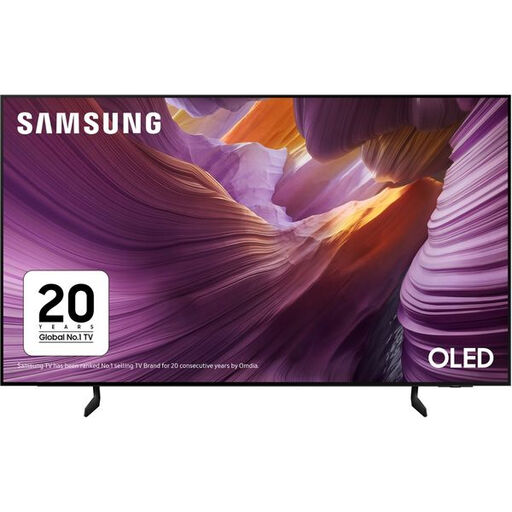
Samsung QE65S85FAE 65-inch 4K Smart TV
Consider this option for evening viewing in a controllable room, and check dark-stage detail and reflections from your usual seat.
The product name identifies a 65-inch 4K TV. Confirm the video signals accepted from your player and the connections needed for any external audio equipment.
View on Joybuy
 No image available
Samsung 55-inch OLED S90F 4K Smart TV (2025)
Compare this OLED model if you can control room light while watching dark-stage recordings; assess reflections if you also watch during the day.
The product name specifies a 55-inch screen and 4K resolution. Check source-signal support and try its motion settings with familiar choreography.
View on Joybuy
 No image available
TCL 65-inch Q7C QD-Mini LED 4K HDR Google TV
Compare this QD-Mini LED model for daytime viewing, paying particular attention to reflections and spotlights against dark scenery.
The product name lists a 144Hz native refresh rate and audio by Bang & Olufsen. Neither feature establishes how a particular ballet recording will look or sound; check the playback signals and listen to familiar material.
View on Joybuy
 No image available
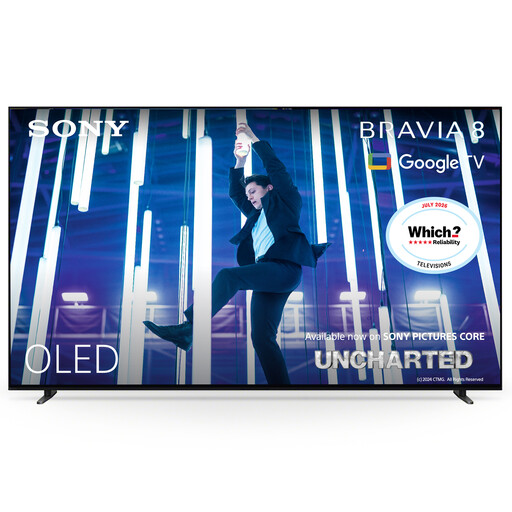
Sony 55-inch BRAVIA 8 K55XR80BP OLED 4K TV
Compare this OLED model for a dim or controllable room, checking stage detail and reflections where you normally watch.
The product name lists Dolby Vision and Dolby Atmos. Check this BRAVIA 8 model’s inputs, supported video signals and audio connections for your equipment; specifications for the separate BRAVIA 8 II should not be assumed to apply.
View on Joybuy
Common questions
Will a 120Hz or 144Hz TV automatically make ballet recordings look smoother?
No. Panel refresh rate alone does not establish how a TV handles your recording’s signal or how its motion settings will look. Check the exact model’s accepted formats and try familiar footage with motion smoothing adjusted or off.
Should I choose OLED or Mini LED for recordings with dark theatre stages?
Compare OLED first if you can control the room light; compare Mini LED or QLED as well if you usually watch in a bright room. That follows Euronics’ display guidance, but the exact screen still needs checking for reflections, costume detail and bright spotlights against dark scenery.
Do I need a 4K TV if many of my ballet recordings are HD?
A 4K TV can display an HD recording, but the recording does not gain detail that was never captured in its source. Check your playback equipment, the TV’s motion controls and its fit for your room alongside resolution.
Can a UK retailer take back my old television?
GOV.UK describes an in-store retailer duty to take back waste electrical equipment of the same type as an item purchased. Ask your seller which take-back or collection arrangements apply to your order, particularly if you need the old TV collected from home.


