Viewers sitting close to the screen
If the sofa is near the planned TV position, measure that distance before deciding whether a 42-inch or 50-inch screen suits the room.


Choose the screen size from your seating distance and available space before comparing picture features. Which? gives roughly 2.5 metres as a starting point for 40–43-inch TVs and around 2.6 metres for 48–50-inch TVs. If you watch football regularly, compare motion specifications on the exact model; for a daytime final, weigh reflections against the wider viewing angles that can matter when guests sit off-centre.
If the sofa is near the planned TV position, measure that distance before deciding whether a 42-inch or 50-inch screen suits the room.
If windows or lamps reflect in the screen during afternoon matches, brightness and glare handling deserve attention alongside contrast.
When several people will sit away from the centre, consider viewing angles, audible commentary and where the TV can be placed.
Measure the main viewing position and the TV space first. Then decide which viewing condition matters most: fast play, daylight, physical fit or watching with a group.
| Concern | What to check | Who this matters to |
|---|---|---|
| Fast-moving play | Check the exact panel refresh specification and motion settings. Distinguish normal TV viewing from gaming-only refresh claims. | If I watch football often, I want to follow quick passes and camera pans without distracting blur; around 36% of consumers put motion clarity first. |
| Daylight and reflections | Compare model-specific brightness and glare-control claims, then consider where windows and lamps face the screen. | For an afternoon final, I need to see the pitch clearly despite light in the room; roughly 29% of consumers make daylight visibility their main concern. |
| Screen and room fit | Measure viewing distance, TV width and stand depth, or check the mounting requirements. | With the sofa close and limited furniture space, I need a screen that fits both the seat and the TV unit; around 21% of consumers prioritise physical fit. |
| Group viewing and access | Consider off-centre seats and commentary, and confirm the required broadcaster, reception or app on the exact TV. | If friends are coming over, I want everyone to see and hear the match and to have a working way to receive it; approximately 14% of consumers put shared viewing and access first. |
A 50-inch TV may be awkward if the main seat is close or its stand does not fit the furniture.
Measure the seat-to-screen distance and usable width and depth. Compare the exact TV’s dimensions with and without its stand.
A gaming-mode maximum does not necessarily describe how a TV displays a football broadcast.
Check whether the quoted figure describes the panel, standard viewing or a particular gaming mode; compare motion settings on the exact model.
Freeview says channels depend on geographic coverage and that service and player availability can vary between products.
Confirm the final’s broadcaster, postcode reception, app or connected-device support, and your broadband and TV Licence requirements before match day.
Your chosen way to watch may also require a separate subscription or aerial work.
The bracket also needs to match the TV’s VESA mounting pattern and support its weight; the wall affects which fixings are suitable.
Check the exact TV and bracket specifications, then assess the wall before installation.
An unsuitable bracket or wall fixing may mean obtaining different hardware or arranging installation.
A reference point for 50-inch QD-Mini LED TVs if daylight viewing and stated motion capability are priorities.
Worth comparing for a bright-room 50-inch Mini LED route with a stated glare-control feature.
A reference point for 48-inch OLED viewing when evening contrast and off-centre seats matter.
A reference point when connected-TV features matter, provided motion specifications are checked separately.
These 42- to 50-inch TVs offer smaller OLED screens alongside 50-inch LED-based options. Match the screen to your seating distance, then check the features relevant to reflections, off-centre seats and football motion.
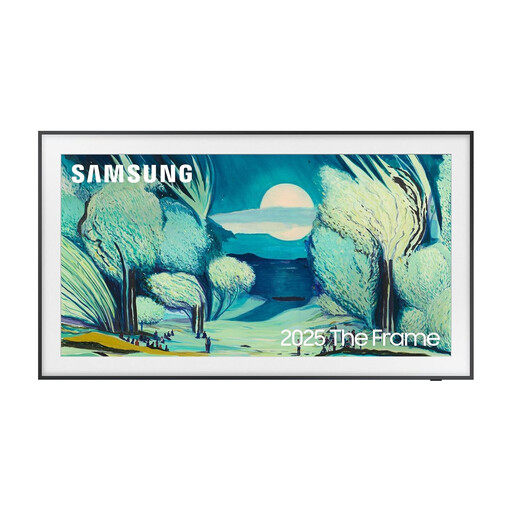 No image available
Consider this 50-inch option if reflections or seats away from the centre are priorities. Check its anti-glare and viewing-angle claims for your room, and confirm the panel refresh rate separately if football motion matters most.
 No image available
Consider this QD-Mini LED model if a 50-inch screen fits and daylight viewing matters. Refresh-rate claims for this variant differ by viewing mode, so confirm its standard TV-viewing specification before relying on a higher figure for football.
 No image available
The 42-inch size is worth considering when seating is closer, while OLED is a route to compare for off-centre guests. Check the exact dimensions and ordinary TV-viewing motion specification; gaming-related 120Hz information alone does not settle broadcast performance.
 No image available
This 48-inch OLED option suits consideration where the larger screen fits the measured seating distance and guests may sit off-centre. Confirm its placement dimensions and TV-viewing motion specification rather than treating gaming-related 4K/120 information as a broadcast-football result.
 No image available
Consider this 50-inch Direct LED model if its size suits the main seat and you want Google TV. Its 120Hz Game Accelerator is labelled for FHD gaming, so check the panel’s ordinary TV-viewing refresh rate if fast football action is a priority.
Choose from the measured seating distance, not the room label alone. Which? gives roughly 2.5 metres for 40–43-inch TVs and around 2.6 metres for 48–50-inch TVs as starting points; also check the set’s width, stand depth and any wall clearance.
Not necessarily for one match, but it is worth comparing if you watch football frequently. product information identifies 120Hz refresh and strong motion processing as useful for fast sport; check whether a model’s quoted refresh figure applies to ordinary viewing or only a particular mode.
Consider OLED if off-centre seating and evening contrast lead your decision; compare a bright Mini LED/QLED option if daylight and reflections are more pressing. Assess brightness and glare handling on the exact model rather than assuming either display type will suit every room.
Check the broadcaster and your way of receiving that particular match before buying. Freeview says channel availability varies with geographic coverage and service or player support can differ between products, so confirm your postcode, the TV’s app support and any broadband or aerial requirements.
Yes, TV Licensing says a TV Licence is required to stream a TV programme live. Check your licence status alongside access to the broadcaster or service carrying the match.