What matters for everyday viewing?
Try the daily routine before weighing up smart-TV extras: switch on, reach a familiar channel, adjust the volume and return to live TV from the guide or an app.
| Priority | What to check | Your needs |
|---|
| Live channels |
Check the exact TV’s tuner and the supplied remote’s channel-selection controls. For Freeview live channels through its TV Guide, Freeview says a working aerial is needed. |
I want to reach the channels I know without opening several menus or operating another box. |
| Readable information |
Ask to see the guide and settings at a comfortable viewing distance. Check the exact model for larger text, high contrast or spoken guidance; Freeview says text-to-speech in its Accessible TV Guide varies by device. |
Programme names and menu choices need to be clear enough for me to find my way around. |
| Remote controls |
Look at button size, spacing and whether the everyday controls are easy to identify. Before choosing a programmable remote, check which device changes channels and whether the original remote works for setup. |
Fewer, more distinct buttons would help if a crowded remote is difficult to see, hold or remember. |
| Start-up routine |
Have the exact model switched off and on, then check what appears first and how to return to live TV. Repeat the test with any connected box or soundbar in place. |
I would rather start watching than work through a home screen each time. |
| Catch-up viewing |
Check how the chosen TV opens the intended catch-up service and whether the household has the connection it requires. Freeview says Freeview Play catch-up needs internet access. |
Occasional catch-up is useful, but it should not make ordinary channel viewing harder. |
Which brands have relevant features?
These are feature references, not a claim that every TV from a brand has the same controls or viewing experience.
Samsung
Worth checking when spoken navigation is important alongside smart-TV functions.
- Samsung UK describes Voice Guide for items shown on supported Smart TV screens.
- Samsung says accessibility functions can vary by broadcast, model and geographical area. Check the exact TV and its remote.
LG
Relevant when the viewer needs menu and device-status information read aloud.
- LG UK describes Audio Guidance that reads on-screen menus and device statuses.
- Confirm the feature, its activation steps and the supplied remote on the exact model under consideration.
Panasonic
A model-specific reference for buyers considering a compact TV with built-in reception options.
- Panasonic describes built-in terrestrial, satellite and cable tuners on the 32-inch TX-32MS360B.
- Built-in tuners do not establish how simple the remote, menus or start-up routine will be; check those on the model itself.
TV options on Joybuy
These TVs include compact models listed with Freeview or Freely features, plus a larger Freely model. Compare their everyday controls and live-TV setup before choosing; the listings alone do not establish which interface an older viewer will find easiest.
 No image available
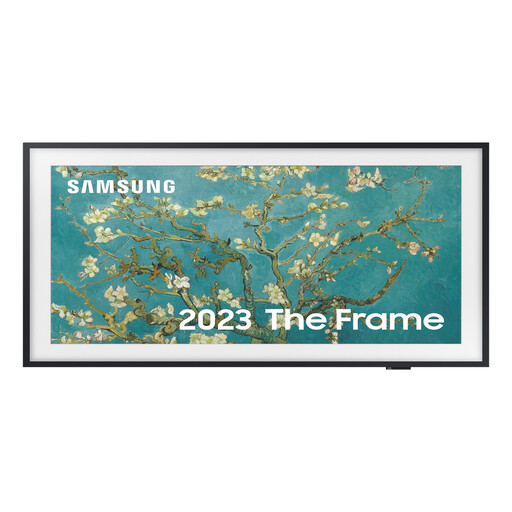
Samsung The Frame QE32LS03CBUXXU 32-inch Full HD TV
The 32-inch size may suit a room where a compact TV is preferred. If spoken menus matter, confirm Voice Guide on this exact model and ask to see the supplied remote, channel controls and start-up screen.
View on Joybuy
 No image available
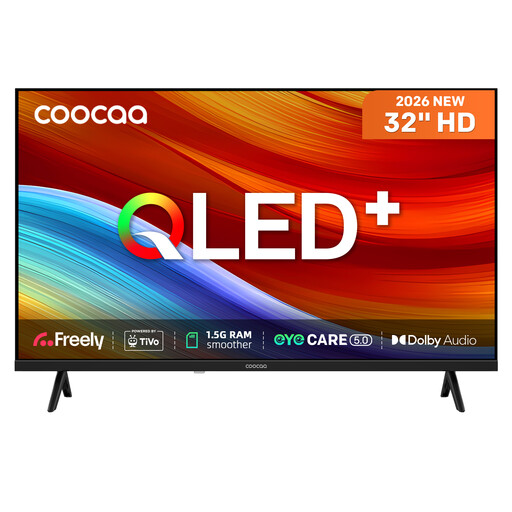
Coocaa 32CTQH38ZUK 32-inch Freely TV
The listing identifies a 32-inch HD TV with Freely for live and on-demand viewing over Wi-Fi. Check the household’s connection and try the remote, numbered-channel selection and start-up routine before relying on it for simple daily viewing.
View on Joybuy
 No image available
Toshiba 32WV2553DB 32-inch HD Ready Freely TV
This 32-inch model lists Freely for live and on-demand viewing over Wi-Fi. Check the connection, then see whether its supplied remote and menus make the viewer’s usual channels easy to reach.
View on Joybuy
 No image available
LG 32LQ63006LA 32-inch HD Ready Freeview HD TV
Freeview HD is listed for this 32-inch TV. For live channels through a Freeview TV Guide, check the aerial connection; also confirm this exact model’s catch-up options, remote layout, menu readability and start-up behaviour.
View on Joybuy
 No image available
Coocaa 40CTQH38ZUK 40-inch Full HD Freely TV
This 40-inch model lists Freely for live and on-demand viewing over Wi-Fi. If the larger screen size suits the room, check the connection and demonstrate channel selection, menu reading and start-up with its supplied remote.
View on Joybuy
Common questions
How can I check whether a TV is straightforward for live viewing?
Confirm the exact UK model’s live-TV reception options, then ask for a demonstration using its supplied remote: switch on, select a familiar channel and open and leave the guide. Freeview says a working aerial is needed for its live channels through the TV Guide; Freeview Play catch-up needs internet access.
Does Freeview Play include an accessible TV guide?
Freeview describes an Accessible TV Guide on compatible connected Freeview Play devices, with high contrast and screen magnification. Text-to-speech is available only on some devices, so check compatibility for the exact TV if spoken guidance is essential.
Can a simplified remote replace the normal remote?
It can for some equipment, but compatibility determines whether it replaces a controller or adds another one. RNIB Shop describes the Geemarc Easy TV5 as suitable for TVs with built-in Freeview channels but potentially unsuitable for set-top boxes; it says the TV10 is not suitable for smart TVs. Both need the original remote for programming.
Can accessibility features be set up after delivery?
Yes, where the TV supports the required features, though the person who will use them may need help with initial activation. RNIB notes that accessibility settings can be difficult to locate. Set up the preferred live-TV routine and any wanted text or spoken controls together, then practise it with the everyday remote.
Is a TV Licence needed for this setup in the UK?
GOV.UK says a TV Licence is required to watch or record live TV on any channel or service, or to use BBC iPlayer. GOV.UK also says someone aged 75 or over who receives Pension Credit can get a free TV Licence; check the household’s circumstances before viewing.


