What to consider when choosing
Ofcom’s usability research found that participants could face more difficulty when moving from familiar channel-number navigation to programme guides and on-demand services. Test the whole viewing sequence on the equipment the viewer would use.
| Concern |
What to check when buying |
Who this matters to |
| A predictable route between live TV and streaming |
Try opening a familiar app and returning to the live channel; check how the home screen and guide are reached. |
If I want to move between a familiar channel and an app without getting stuck, I need a route I can repeat. About 36% of consumers put this navigation need first. |
| The right source for live channels |
Check whether the viewer needs aerial-delivered Freeview, broadband-delivered live channels or both, and confirm the wanted channels. |
If I rely on particular live channels, I need to know whether they arrive by aerial or broadband before choosing a device. About 29% of consumers prioritise how to receive live channels. |
| Manageable remote interaction and search |
Try power, volume, input, guide, back and app-search actions on the intended TV and remote. |
If small buttons or typing make everyday control difficult, I need a remote I can operate for the commands I use. About 21% of consumers prioritise easier remote or voice interaction. |
| Continued access without unnecessary replacement |
Check the exact model’s UK apps and update terms; compare an add-on streamer with replacing a working screen. |
If my screen works, I want to check access to the services I use before replacing it. About 14% of consumers prioritise preserving a working screen while checking future service access. |
Joybuy products
These options cover smart TVs with built-in live-TV and streaming routes, plus a streaming stick for adding streaming access to a working HDMI television.
 No image available
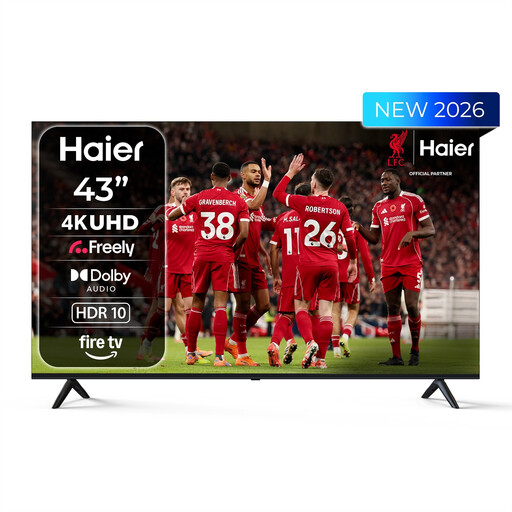
Haier H43K85GUF 43″ 4K Ultra HD Smart TV with Freely and Fire TV
This integrated TV route may suit a viewer who wants live-TV and streaming options on one screen.
The listing names Freely, Fire TV, Wi-Fi and an Alexa voice remote. Freely streaming requires broadband; Freely states a minimum of 10 Mbps for live internet channels or on-demand viewing.
Some apps may require subscriptions, and channel and app availability may change. Check the wanted services and practise the remote’s route between live TV and apps.
View on Joybuy
 No image available
Haier H50S80GUF 50″ 4K Ultra HD QLED Smart TV with Freely and Fire TV
This integrated TV route may suit a viewer who wants live-TV and streaming options on one screen.
The listing names Freely, Fire TV, Wi-Fi and an Alexa voice remote. Freely streaming requires broadband; Freely states a minimum of 10 Mbps for live internet channels or on-demand viewing.
Some apps may require subscriptions, and channel and app availability may change. Check the wanted services and practise the remote’s route between live TV and apps.
View on Joybuy
 No image available
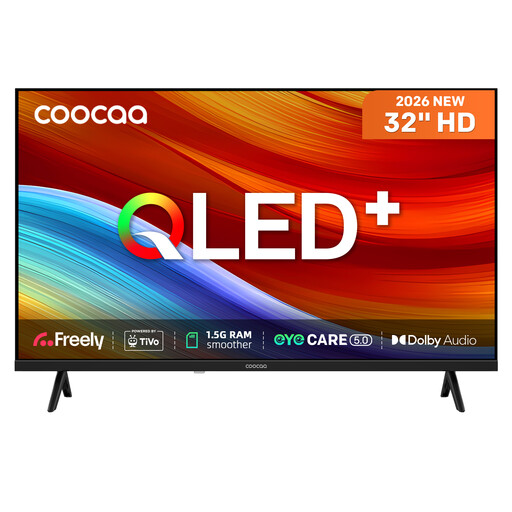
Coocaa 32CTQH38ZUK 32″ HD Smart TV with Freely and TiVo
This built-in TV route may suit a household considering one screen for live-TV and streaming services.
The listing names TiVo OS, Freely, Wi-Fi, a triple tuner and USB recording and time-shift features. Freely streaming requires broadband; Freely states a minimum of 10 Mbps for live internet channels or on-demand viewing.
Check the intended live-channel reception route, the services the viewer uses and how easily they can move between them.
View on Joybuy
 No image available
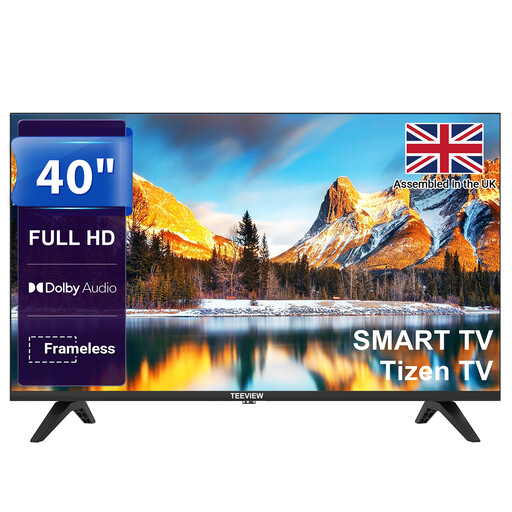
TeeView 40NFT0UK 40″ Full HD Smart Tizen TV with Freeview Play
This TV-replacement route may suit a viewer who wants Freeview Play and streaming apps on one screen.
The listing names a customisable home screen and Tizen OS. Ordinary Freeview live TV through its TV guide requires an aerial.
Check the aerial connection and practise finding a live channel, opening an app and returning to the channel on the actual TV.
View on Joybuy
 No image available
Roku Streaming Stick 4KPlus
This add-on streaming device may suit a viewer who wants to keep a working TV while changing how they access streaming apps.
The listing specifies an HDMI connection, Wi-Fi and a voice remote. The TV needs a usable HDMI input, and selecting that input may add a step to the viewing routine.
A streaming stick does not itself provide aerial reception. Practise switching to its input and returning to the usual live-TV source.
View on Joybuy
Frequently asked questions
Does the viewer need an aerial, broadband or both?
It depends on the channels and services they want. Freeview says an aerial is needed for ordinary live TV through its TV guide, while Freeview Play on-demand features need internet. Freely can provide participating live and on-demand channels over broadband without an aerial. Check the wanted channels and the exact equipment before choosing.
Can a streaming device be added without replacing the television?
Yes, if the existing TV has a usable HDMI input and the device can connect to the internet. Practise selecting that input and returning to the TV’s normal live-channel source; a separate streamer does not remove an awkward input-switching step.
Will a voice or large-button remote operate everything?
Not necessarily. Roku says its TV power and volume controls work with most TVs, while One For All lists learning functions for the URC 6820. Try power, volume, input, channel and app actions on the actual setup before relying on a replacement remote.
What ongoing costs and after-sales checks matter?
Check whether the intended apps require subscriptions, what internet connection the setup needs and the exact TV model’s update and support terms. For an eligible online purchase, GOV.UK explains the usual right to notify the seller of cancellation within 14 days of receiving goods. Statutory rights for faulty goods are distinct from a manufacturer’s warranty.
Is a UK TV Licence required for this setup?
The device choice does not determine the licensing rule. GOV.UK says a TV Licence is required to watch or record live TV on any channel or service, or to use BBC iPlayer. A free licence may be available when the applicable age-75-and-over and Pension Credit conditions are met; check eligibility rather than assuming an age-based exemption.


