Hosts with widely spaced guests
When people sit across sofas and chairs rather than directly in front of the TV, side-seat picture quality matters. RTINGS.com identifies wide viewing angles as relevant to group viewing.


For a group spread across a room, prioritise a TV whose picture remains clear from the side seats, then choose a screen size that fits the seating distance and installation space. RTINGS.com identifies viewing angle as important for wide seating; if windows or lamps face the screen, check the exact model’s reflection handling too. Subtitles and audio description depend on the programme and service, so check those separately from the TV.
When people sit across sofas and chairs rather than directly in front of the TV, side-seat picture quality matters. RTINGS.com identifies wide viewing angles as relevant to group viewing.
Windows and lamps can reflect in the screen during a quiz show. Samsung UK explains how screen treatments address reflections, making the room’s lighting worth checking before choosing a TV.
Some viewers need subtitles, audio description or signing to follow a programme. Ofcom identifies these as access services and notes that subtitle customisation can matter to viewers.
Start with the seats furthest from the centre, then consider the room’s light and the services your group will use.
| Concern | What to check | Who this matters to |
|---|---|---|
| Side-seat visibility | Look for viewing-angle results or an exact-model wide-angle specification; assess the picture from your intended side seats if possible. | If guests sit well away from the centre, I want questions, scores and faces to remain clear from their seats. Around 42% of consumers would put side-seat picture quality first. |
| Reflections and room light | Note where windows and lamps face the screen, then check the exact model’s anti-reflection or anti-glare treatment. | With daylight or lamps on, I do not want reflections distracting us from the questions. Around 33% of consumers would make reflection control their main concern. |
| Subtitles and dialogue | Check the intended programme and service for access options; assess the TV’s sound and external-audio connections if dialogue is hard to hear. | When someone needs subtitles, audio description or clearer speech, I want them to follow the quiz alongside everyone else. Around 25% of consumers would prioritise access and dialogue needs. |
A larger screen does not ensure an accurate picture for guests sitting to the side. RTINGS.com identifies viewing angle as a separate consideration for wide seating.
Check viewing-angle information for the exact model and, where possible, look at it from positions like those your guests will use.
Windows and lamps can create distracting reflections across questions and scores. Samsung UK distinguishes between treatments that soften visible reflections and those that diffuse incoming light.
Work out where the screen will face before choosing a model or mounting position, and check its stated screen treatment.
TV Licensing states that watching a TV programme live, including a live stream, requires a TV Licence in the UK; buying the equipment does not provide one.
Check how you intend to watch the quiz show and whether the premises are covered when a licence is required.
Ofcom identifies subtitling, audio description and signing as access services. Their availability depends on the programme and provider, not just the television.
Check the intended quiz show and service for the option viewers need, including any subtitle controls they intend to use.
Relevant when considering a large OLED TV for a wide seating layout.
Relevant when comparing exact Neo QLED models for a room with broad seating and visible light sources.
Relevant when looking at a large Mini LED TV with stated viewing-angle and reflection-control features.
These TVs offer different screen sizes for a shared quiz-show setup. Match the size to your room, then check side-seat picture quality and reflections for the model you are considering.
 Image unavailable
Consider this 75-inch screen if it fits your seating distance and installation space. The product name specifies 4K Ultra HD and Wi-Fi; check its picture from side seats and its handling of reflections before choosing it for a wide or bright room.
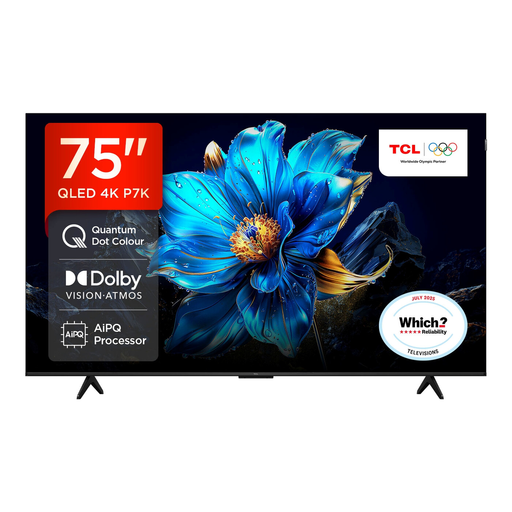 Image unavailable
This 75-inch model is an option when the group needs a large shared screen. Its product name specifies QLED, Direct LED, 4K HDR, Google TV and Dolby Atmos; assess side-seat viewing and reflections in the intended room.
 Image unavailable
Consider this 65-inch model where that screen size suits the seats and available space. The product name specifies Direct LED, 4K HDR, Google TV and Dolby Atmos; check side-seat picture quality and reflection handling for your layout.
 Image unavailable
The 83-inch screen may suit a large viewing area if its dimensions fit the room and installation position. The product name specifies 4K Ultra HD and Wi-Fi; check viewing angles and reflections for this exact model before relying on it for widely spaced guests.
 Image unavailable
This 55-inch model is worth considering if that size works for the furthest seats. The product name specifies Direct LED, 4K HDR, Google TV and Dolby Atmos; assess the picture from side seats and check reflections before choosing it for a wide group.
No: screen size and off-centre picture quality are different considerations. For guests spread across a room, check viewing-angle information for the exact TV and assess it from the intended side seats if possible, as RTINGS.com advises for wide seating.
No. Samsung UK describes anti-reflection as softening visible reflections from lamps and windows, while anti-glare diffuses incoming light across the screen. Check the exact model’s stated treatment against the light sources in your room.
No: those options depend on the programme and its broadcaster or on-demand service. Ofcom identifies subtitling, audio description and signing as access services; check the intended show and service, including any subtitle settings viewers need.
Yes, if you watch the programme live, you need to be covered by a TV Licence in the UK. TV Licensing says this includes streaming a TV programme live; check that the premises are covered before the group watches.