What matters when choosing?
Check the room and seating position first, then assess how the exact TV handles fast broadcast action and how you will receive the match.
| Concern |
What to check |
Who this matters to |
| Glare and brightness |
Check for an anti-reflection feature on the exact model and consider where windows and lights will appear in the screen. |
When daylight catches the screen, I need to follow the ball and score without distracting reflections. Around 36% of consumers would make glare their primary concern. |
| Motion clarity |
Look for independent broadcast-motion assessments where available; compare motion features without treating a gaming refresh rate as a rugby test. |
If rapid passes and kicks look difficult to track, clear live action matters more to me than a gaming specification. Motion would come first for around 29% of consumers. |
| Fit and side seating |
Measure the available space and viewing distance, then check TV-with-stand dimensions and the view from off-centre chairs. |
I need the set to fit its position while remaining watchable from the dining seats. Around 21% of consumers would prioritise layout and viewing angle. |
| Sound and live viewing |
Check the planned service or reception method, audio connections and whether the household needs TV Licence cover for live viewing. |
With kitchen activity nearby, I want to hear commentary and know how I will receive the match. Setup and sound would be the main concern for around 14% of consumers. |
Joybuy TV options
These 43-inch and 55-inch TVs offer sizes to assess against a kitchen-diner position. Check each model’s fit, reflections, broadcast motion and reception options against the way you plan to watch rugby.
 No image available
Samsung S90F 55-inch 4K OLED Smart TV
Consider this 55-inch option if it fits the intended position and viewing distance. Its 4K OLED specification is stated in the product name; assess reflections and broadcast-rugby motion separately before choosing it.
View on Joybuy
 No image available
Haier H43S80GUF 43-inch 4K QLED Smart TV with Freely and Fire TV
This 43-inch option is worth assessing where placement space is limited and Freely is part of the viewing plan. The product name also specifies 4K QLED, Fire TV, HDR10+ and Dolby Audio; check stand dimensions, room reflections and rugby motion for the exact set.
View on Joybuy
 No image available
TCL 43V6C 43-inch 4K Direct LED Google TV
Assess this 43-inch model if a smaller screen is needed for the TV position. Its product name specifies 4K HDR, Dolby Atmos and a 120Hz Game Accelerator scoped to FHD gaming; that gaming feature does not establish broadcast-rugby motion quality. Confirm the set’s dimensions and your intended reception method.
View on Joybuy
 No image available
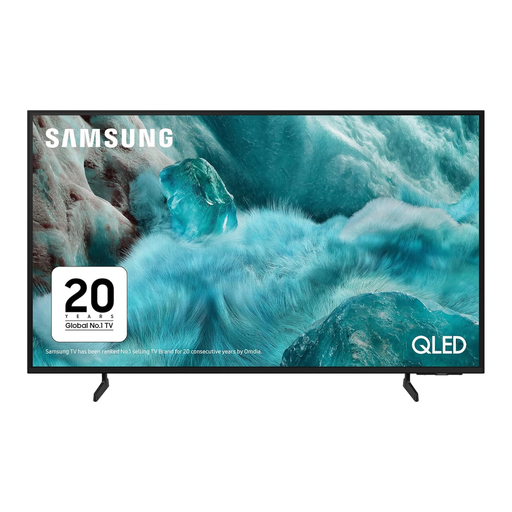
Samsung Q7F QE43Q7FAAU 43-inch 4K Smart TV
This 43-inch model gives households considering a smaller screen another size to measure against their space. Its product name specifies 4K Ultra HD and smart-TV functionality; check the stand footprint, reflections and broadcast motion before deciding.
View on Joybuy
 No image available
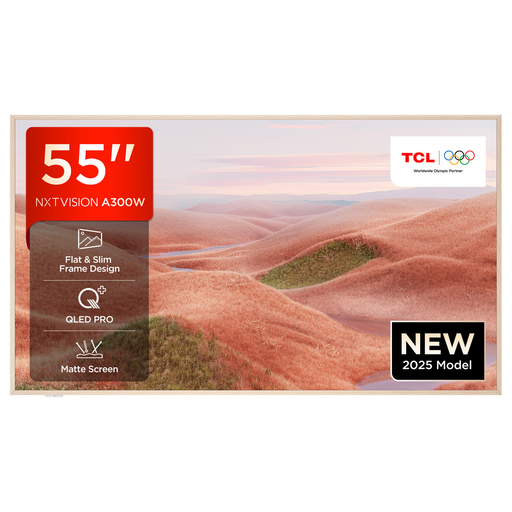
TCL 55A300W 55-inch 4K QLED Google TV
Consider this 55-inch option only after checking that its screen and stand suit the intended position. The product name specifies 4K QLED; confirm whether the matte anti-glare screen applies to this exact variant before relying on it for a bright room, and assess broadcast motion separately.
View on Joybuy
Questions about watching rugby
Do I need a TV Licence to watch live rugby in the UK?
You need to be covered by a TV Licence if you watch or record rugby as it is broadcast. GOV.UK says this applies to programmes watched on a TV, computer or other device; check the household’s cover before live viewing.
Does 120Hz or 144Hz mean rugby will look clear?
No: a refresh-rate label alone does not establish broadcast-rugby motion quality. Which? highlights motion control as important for sport, so compare the exact model’s motion features and independent broadcast assessments where available.
Should I choose OLED or an anti-reflection TV for a kitchen diner?
Make reflections the deciding check if windows or lights face the screen: look for an anti-reflection feature on the exact model. If off-centre seating is the greater concern, compare wide-angle performance too; LG UK describes this as a strength of its OLED evo range, but the chosen screen still needs assessing in the room’s lighting.
Will I need a soundbar for rugby commentary?
A soundbar is not automatically necessary. Assess whether the chosen TV’s built-in sound remains clear with normal kitchen activity, then check its audio connections and the space available if you plan to add external speakers.
What should I measure before buying the TV?
Measure the available width, depth and height, along with the distance to the main seats, then compare them with the exact TV’s dimensions including its stand. Note where windows and lights sit relative to the screen; for wall mounting, check the manufacturer’s mounting and ventilation guidance.


