What matters when choosing?
Start with the room and shared seats, then decide which picture, sound and service requirements could change your choice of model.
| Concern |
What to check |
Who this matters to |
| Size and seating |
Measure the distance from the main seats and the available stand or wall space. Sony UK’s 4K minimum-distance reference is 1.5 times the screen’s vertical height, with comfort and layout still affecting the choice. |
If we watch together from several seats, the screen needs to fit the furniture and remain comfortable to take in. About 33% of consumers put size and shared seating layout first. |
| Picture in room light |
Compare dark-scene presentation, side-seat viewing, brightness and visible reflections on the exact model. Which? describes OLED’s deep blacks; Samsung UK’s glare guidance concerns specific screen treatments. |
When films happen in the evening but programmes are also watched beside a sunny window, picture performance in both conditions matters. About 27% of consumers make room-light picture performance their primary concern. |
| Dialogue and sound |
Assess speech through the TV’s speakers. If considering a soundbar, confirm the intended HDMI ARC or eARC connection on both devices; HDMI Licensing Administrator distinguishes their audio capabilities. |
If speech is hard to follow or film sound is a priority, I want to judge the TV’s audio before adding another device. Clear dialogue or a separate sound setup comes first for about 20% of consumers. |
| Services and accessibility |
Confirm the exact TV’s desired apps, Freeview Play inclusion and interface controls. Check programme subtitles or audio description with the relevant service. |
For everyday catch-up viewing, an easy-to-use menu and the services we rely on can matter more than another picture feature. Roughly 20% of consumers prioritise service access or accessibility controls. |
TVs to consider on Joybuy
These OLED and QD-Mini LED televisions offer several screen sizes for shared viewing. Match each set to your seating and installation space, then check the services and sound arrangement your household needs.
 No image available
TCL 50Q6C 50-inch QD-Mini LED TV
Consider this 50-inch option where a larger screen would be difficult to fit, while still checking the distance from every regular seat. Its listed features include 4K HDR, Google TV, a 144Hz native refresh rate and an ONKYO 2.1 audio system. Confirm the UK services and accessibility controls you use on this exact model.
View on Joybuy
 No image available
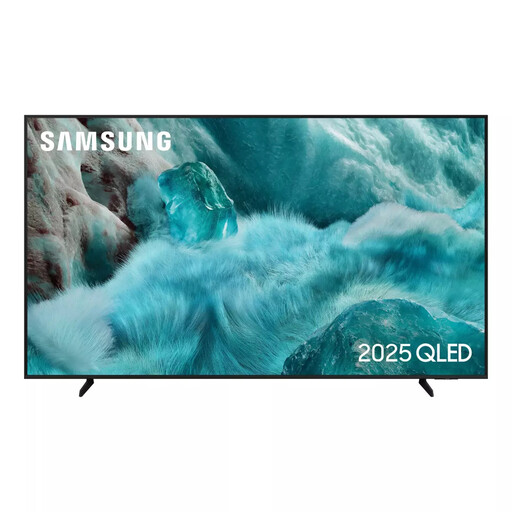
Samsung Q7F QE55Q7FAAU 55-inch QLED TV
The 55-inch screen is worth comparing with your sofa distance and available furniture space. This model is listed as a 4K smart TV; check its current UK apps, Freeview Play status and accessibility settings if those will determine everyday use.
View on Joybuy
 No image available
TCL 65Q7C 65-inch QD-Mini LED TV
For a household considering a 65-inch screen, check the sofa distance, stand footprint and mounting space before settling on this model. The listing names 4K HDR, Google TV, a 144Hz native refresh rate and audio by Bang & Olufsen. Assess the sound and connections separately if a soundbar is part of your plan.
View on Joybuy
 No image available
Sony BRAVIA 8 K65XR80BP 65-inch OLED TV
Consider this OLED model if dark-room films are a priority and a 65-inch screen fits the shared seating layout. Its listing includes 4K HDR, Google TV, Dolby Vision and Dolby Atmos support. Check its physical fit, current UK services and built-in sound against your household’s requirements.
View on Joybuy
 No image available
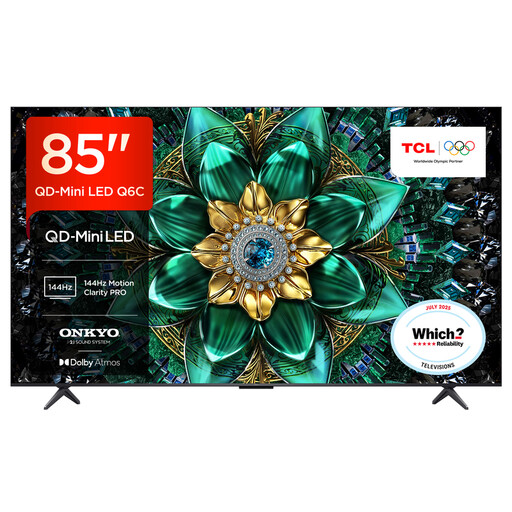
TCL 85Q6C-UK 85-inch QD-Mini LED TV
An 85-inch screen calls for careful checks of seating distance, wall or furniture space and the route into the room. This model is listed with 4K HDR, Google TV and an ONKYO 2.1 audio system. If refresh rate affects your decision, confirm the exact specification before purchase.
View on Joybuy
Questions about shared TV viewing
How do we choose a TV size for several seats?
Measure from the main seats and check the TV’s width and stand footprint, not just its diagonal. Sony UK uses at least 1.5 times the screen’s vertical height as a minimum-distance reference for 4K TVs, while advising adjustments for the content, room and viewers’ comfort. Include off-centre seats in the final check.
Should we choose OLED, QLED or LED/LCD?
Choose according to the room and the individual model. OLED’s independently controlled pixels make it relevant to dark scenes and shared side seating; LED/LCD uses a backlight, and QLED belongs to the LCD family. For daytime viewing, compare brightness and reflections on the exact screens under consideration rather than assuming a label settles the choice.
When is a separate soundbar worth considering?
Consider one if the TV’s own sound does not meet your household’s needs for dialogue or film viewing. Check space and setup requirements as well as connections: HDMI Licensing Administrator says eARC supports higher-bandwidth audio than ARC, but both the TV and soundbar must support the connection you intend to use.
Can Freeview Play be installed on any smart TV later?
No. Freeview says Freeview Play requires equipment with the service already installed, rather than a downloadable TV app. If integrated catch-up matters, confirm it on the exact model; a compatible Freeview Play recorder is another way to use the service with an existing TV.
Are TV voice guidance and programme audio description the same?
No. Voice guidance describes items in the TV interface on supported models, as Samsung UK explains. Ofcom identifies audio description, subtitles and signing as programme access services, so check the TV controls and the availability of the required service on the programmes you watch.


