For tennis, start with the exact TV model’s native panel refresh rate and motion controls, then consider reflections in the room where you will watch. An LCD or Mini LED model with stated anti-reflection treatment is worth considering for daytime viewing; OLED offers a different contrast-focused choice when you can manage room light. A high gaming refresh-rate claim alone does not establish how a live match will look, so check your viewing service and connections too.
Who is choosing a tennis TV?
Fast-action tennis followers
If keeping track of serves and baseline exchanges is your priority, compare exact-model native panel specifications and look for motion settings you can adjust. A branded motion number is not, by itself, the panel’s refresh rate.
Daytime and bright-room viewers
If you watch with daylight or lamps on, consider where reflections will fall on the screen. Check the shortlisted model’s anti-reflection features and its position in your room rather than choosing by OLED, LCD or Mini LED terminology alone.
Live-sport streaming households
If matches reach your household through a broadcaster, streaming service or connected box, confirm that the exact TV works with that setup. Check its inputs, network and audio connections, along with the service you intend to use.
What matters when buying?
For a TV mainly used to watch tennis, decide whether rally clarity, room-light control or access to your viewing source comes first. Then compare the exact models against that priority.
| Concern |
What to check |
Who this matters to |
| Following fast rallies |
Check the native panel refresh rate separately from branded motion figures. Look for adjustable processing and, if possible, try it with sports footage. |
When the ball moves quickly across the court, I want to follow play without distracting motion effects. Around 40% of consumers put rally clarity first. |
| Daylight and reflections |
Note windows and lamps opposite the screen, then check whether the exact model specifies anti-reflection treatment. |
If I watch afternoon matches with the room lit, reflections could distract me from play. For around 30% of consumers, controlling glare is the primary concern. |
| Live viewing setup |
Confirm the intended service or tuner, required HDMI inputs, network connection and any audio-return connection on the exact model. |
I need my usual match service and connected equipment to work with the new screen. Getting that setup right comes first for around 30% of consumers. |
Buying pitfalls
-
Reading a motion label as the native refresh rate
Sony UK explains that Motionflow XR combines panel frequency with techniques such as frame insertion and backlight control. A branded figure therefore cannot replace the exact model’s native panel specification, and a gaming-oriented 144Hz claim does not establish a benefit for every live tennis source.
Read the native refresh-rate specification and try the available motion settings with fast sports footage where possible.
-
Choosing screen technology before checking the room
OLED contrast and a particular LCD or Mini LED set’s anti-reflection features address different priorities. Windows or lamps reflected in the screen can still interfere with daytime viewing.
Choose the screen position first. Then check the exact model’s reflection-related specifications and, if possible, view it under similar lighting.
-
Overlooking mounting and installation
A large TV may need a suitable stand, wall mount or installation arrangement, which can affect where you can place it to avoid glare.
Measure the space and check the mount and wall requirements before ordering. Ask the retailer about installation arrangements if you need them.
-
Assuming the TV purchase covers live viewing
TV Licensing says licence coverage is required for watching or recording live TV on any service, and for watching or downloading BBC iPlayer. The requirement concerns how you watch, not which device you buy.
Check your household’s TV Licence coverage before watching live tennis or using BBC iPlayer.
Brands to consider
Sony
Sony models are worth comparing when native panel frequency, motion controls and reflection handling are priorities.
- Sony UK lists a 100/120Hz panel and X-Anti Reflection treatment for the XR-65X95L.
- Sony UK explains that Motionflow XR combines several motion techniques; its branded figure should not be read as the native panel rate of every BRAVIA model.
LG
LG’s OLED range is relevant if contrast is a priority and you can manage the lighting in your tennis-viewing room.
- LG UK states that its OLED65B6ELC supports 4K at up to 120Hz.
- That model-specific capability does not establish identical brightness, reflection handling or live-sport motion across LG OLED TVs.
Samsung
Samsung’s Mini LED models offer another route to examine for tennis viewing, provided you compare the precise model and screen size.
- Samsung UK describes the QE75QN80HAUXXU as a Neo QLED Mini LED TV with Motion Xcelerator 144Hz.
- That stated capability is model-specific and does not establish how a different Samsung TV will handle a live tennis broadcast or reflections.
Joybuy TVs for tennis viewing
These Joybuy models include an OLED option for controlled-light viewing and Mini LED options to assess for other room conditions. Compare their stated features with your room and viewing source; the product order is not a ranking of tennis performance.
 No image available
Samsung S85F QE83S85FAE 83-inch 4K Smart TV
Consider this large-screen option if you can control the light where you watch tennis. The product name states an 83-inch 4K screen and Wi-Fi; check the native refresh rate, reflections and your intended match service on the exact model.
View on Joybuy
 No image available
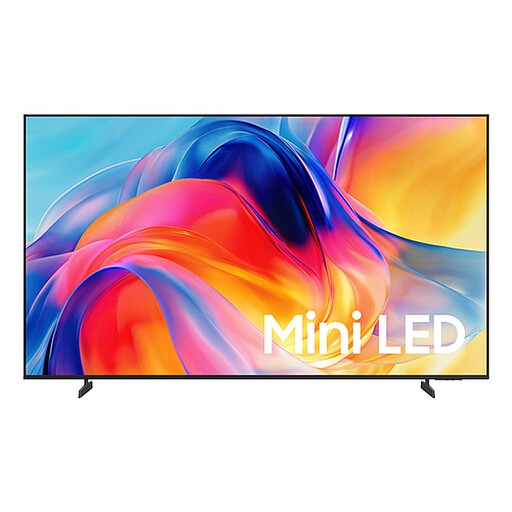
TCL 75Q7C 75-inch 4K QD-Mini LED Google TV
For tennis viewing on a 75-inch screen, compare this model’s room-light handling with your screen placement. Its product name states a 144Hz native refresh rate and up to 2048 local dimming zones; neither figure alone establishes how a live match will look. Check reflections, motion controls and your intended service.
View on Joybuy
 No image available
Samsung TU65M70H 65-inch 4K Mini LED Smart TV (2026)
If a 65-inch Mini LED screen fits your space, check this model against your room lighting and live-TV setup. Confirm its native panel refresh rate separately from any enhanced motion-mode figure, and check reflections and service compatibility before choosing it for tennis.
View on Joybuy
 No image available
TCL 65Q7C 65-inch 4K QD-Mini LED Google TV
Consider this size if a 75-inch screen would not suit your viewing space. Its product name states a 144Hz native refresh rate and up to 2048 local dimming zones. Check the exact model’s reflections, adjustable motion settings and match-service compatibility rather than treating the refresh-rate figure as a live-sport result.
View on Joybuy
Frequently asked questions
Do I need a TV Licence to watch live tennis on a smart TV in the UK?
Yes, you need TV Licence coverage to watch or record live TV on any channel or service, according to TV Licensing. Coverage is also required to watch or download BBC iPlayer; the requirement does not depend on whether you use a smart TV or another device.
Will a 144Hz TV show live tennis better than a 120Hz TV?
Not necessarily: a headline refresh-rate figure does not establish how either TV will display your live source. Check each model’s native panel specification, the source format and its adjustable motion settings; gaming-oriented capabilities may not apply to the match you watch.
What should I check on a TV energy label?
Check the SDR energy-efficiency class and make sure the label belongs to the exact model and screen size you are considering. GOV.UK identifies the SDR class as part of the television energy label; a different size or variant should not stand in for your chosen TV.
Do I need a soundbar for tennis commentary?
Not necessarily. First assess whether commentary is clear at your normal listening volume. If you want to connect a soundbar, check the audio connections and HDMI eARC or ARC compatibility of both exact models.


