What matters when choosing?
Start with the seats and available space, then compare motion features on exact models; decide how the household will listen before adding audio equipment.
OLED TV
Consider it when: Evening viewing and off-centre seating are priorities; LG describes black levels and wide viewing angles for its OLED range.
Check: The chosen size, stand and picture in the room's daytime light rather than applying category claims to every model.
Mini LED/QLED TV
Consider it when: Daytime light is a major factor and you can compare the picture in similar lighting. Samsung lists Mini LED/Neo QLED and Motion Xcelerator 144Hz for its 55-inch QN80H.
Check: A stated high refresh rate does not establish the view from side seats or the quality of a particular tennis stream.
Conventional 4K LED TV
Consider it when: A particular model meets your room and motion requirements; Sony specifies a 120Hz refresh rate and Motionflow XR for its X85K/X89K series.
Check: Those Sony specifications do not apply to every conventional LED or BRAVIA TV.
| Concern |
What to check |
Who this matters to |
| Motion clarity |
Check the exact model's stated refresh rate and motion features. Judge how its settings look with the tennis source you plan to watch. |
When rallies are hard to follow, I want to track the ball without distracting motion effects. Around 33% of consumers put motion clarity first. |
| Room fit and shared viewing |
Measure the TV's full dimensions with its stand and map the main and off-centre seats. |
If we watch from different parts of the room, I need a screen that fits the furniture and gives the side seats a usable picture. For around 42% of consumers, shared-room fit is the primary concern. |
| Considerate audio |
Confirm Bluetooth audio or the required eARC connection on the exact variant, then check compatibility with the intended device. |
For late matches, I want to listen without disturbing anyone else and without buying equipment that will not connect as intended. Audio flexibility comes first for around 25% of consumers. |
TVs to compare on Joybuy
These TVs cover Mini LED/QLED, OLED and conventional LED choices for shared-flat viewing. Compare each model's size and stated features against your seating layout, available space and listening plans.
 No image available
Hisense 55U7QTUK Pro 55-inch Mini LED 4K TV
Consider this 55-inch option if motion features are a priority and the size suits the shared room.
The product name specifies VIDAA OS and 165Hz Game Mode Ultra; that mode is not a measure of how a tennis broadcast will look.
Check the view from your intended seats and confirm headphone compatibility if you plan to listen privately.
View on Joybuy
 No image available
Samsung S85F QE83S85FAE 83-inch 4K Smart TV
Consider this OLED-route option only if an 83-inch screen suits the viewing positions and available furniture.
Measure the full TV and stand footprint before ordering; the advertised diagonal does not establish that it will fit.
If private listening matters, confirm that your intended headphones work with the exact TV.
View on Joybuy
 No image available
Samsung Neo QE55QN85FAUXXH 55-inch 4K TV
This 55-inch Neo model is one to compare if a smaller screen footprint and off-centre viewing both matter.
Check the picture from the flatmates' seats rather than treating a viewing-angle feature name as a guarantee.
Confirm the exact model's motion settings and compatibility with any planned headphones.
View on Joybuy
 No image available
Samsung QE75QN80FAU 75-inch 4K Smart TV
Consider this Mini LED/QLED-route option if a 75-inch screen works for both the seating distance and the furniture.
Measure the available width and stand space, then assess the view from the side seats as well as the centre.
Check the intended tennis source and any headphone setup with the exact model rather than relying on its display category alone.
View on Joybuy
 No image available
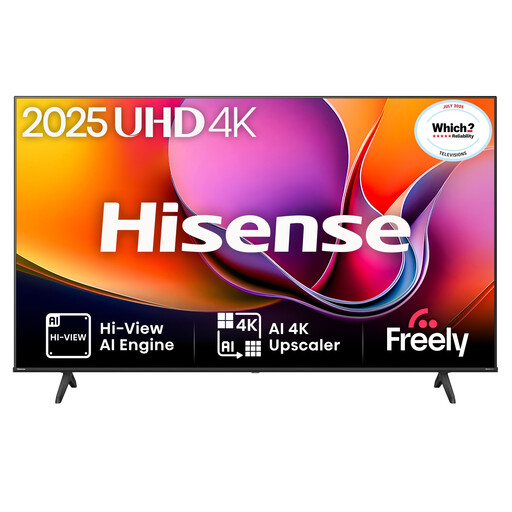
Hisense 75A6QTUK 75-inch Direct LED 4K TV
This conventional LED option gives the household a 75-inch size to assess against its room layout.
The product name lists VIDAA OS and AI Smooth Motion, but that feature name does not establish how tennis will look.
Check the full dimensions, side-seat picture and connection to your intended listening equipment.
View on Joybuy
Frequently asked questions
How should we choose a screen size for a shared living room?
Choose a size that works from the main seats and fits the available furniture, including the TV's full width and stand. The listing advises measuring beyond the advertised diagonal; also consider whether flatmates watching from the sides have a usable view.
Can we use headphones for late tennis matches?
Yes, if the exact TV supports a connection compatible with your headphones. LG lists Bluetooth for its cited C5E configuration, but check the selected model and intended headphones, including whether audio delay is acceptable for live sport.
Should we buy a soundbar with the TV?
Not necessarily; decide whether the household needs external audio before adding one. If you do plan to use a soundbar, confirm the selected TV's connection, such as eARC, and the soundbar's compatibility.
Do we need a TV Licence for live tennis or BBC iPlayer?
TV Licensing says you need licence coverage to watch live TV on any service or to use BBC iPlayer. Check whether the flat is already covered and how its tenancy arrangement affects who needs coverage.
Can one TV Licence cover everyone in the flat?
It can cover the address under a joint tenancy, according to TV Licensing; separate contracts for individual rooms can require a different arrangement. Check the tenancy and existing coverage rather than assuming that sharing a TV settles the question.


