Viewers following every rally
You watch full matches and want to follow serves, ball movement and camera pans. Motion settings on the exact TV matter more to this choice than a gaming refresh-rate figure on its own.


Choose a screen that fits your usual viewing distance, wall and furniture before comparing picture features. For tennis, check the exact model’s motion controls; if daylight reflections or side seats are a bigger concern, assess glare handling and viewing angles from those positions rather than relying on a panel label or gaming refresh-rate figure alone. Confirm that the TV supports your intended viewing service.
You watch full matches and want to follow serves, ball movement and camera pans. Motion settings on the exact TV matter more to this choice than a gaming refresh-rate figure on its own.
Your sofa is close to the screen, or the wall and TV unit limit what will fit. Measure the viewing position and available space before settling on a diagonal size.
You watch with daylight or reflections in the room, or from seats to the side. Check the picture from your normal seats and under your usual lighting.
Start with the room measurements, then decide which viewing issue would most affect your choice: motion, visibility from your seats or access to matches.
| Concern | What to check | Who this matters to |
|---|---|---|
| Tennis motion | Check the exact model’s motion settings and, if possible, watch sport or comparable 50/60Hz footage with them on and off. | When serves and camera pans make the ball hard to follow, I want motion that looks clear without an unnatural picture. Around 40% of consumers put motion clarity first. |
| Room fit | Measure from your usual seat to the screen position, then check the TV’s full width and stand footprint against the wall or unit. | If my sofa is close or my TV unit is narrow, I need a screen that fits the space as well as my view of the court. Room fit comes first for around 30% of consumers. |
| Daylight and side seats | Look for reflections at the planned screen position and assess the picture from off-centre seats; check features on the chosen model and size. | I may watch afternoon matches with a window nearby or share the sofa with someone sitting to the side. Around 20% of consumers prioritise a usable picture in those conditions. |
| Match access and electricity use | Confirm the intended service works with your setup, check broadband at your address if streaming, and compare exact-model energy labels. | Before choosing a TV, I want to know how I’ll watch matches and what its published electricity use is. Those practical checks lead the decision for around 10% of consumers. |
A 120Hz or 144Hz gaming feature does not, by itself, show how clear live tennis will look. Sony UK describes normal TV signals as 50/60 frames per second, while available motion controls vary by model.
Check the exact TV’s motion options and, where possible, judge them using live sport or comparable footage.
A screen can look suitable on a viewing-distance chart but still overhang the TV unit or crowd a narrow wall.
Measure your usual viewing distance, wall and furniture, then compare the model’s full dimensions, stand footprint and mounting requirements.
TV Licensing says you need to be covered by a TV Licence to watch live TV on a streaming service, and to use BBC iPlayer. The viewing activity matters whether you use a smart-TV app or another device.
Check how you intend to watch tennis before choosing your TV and service.
Screen choices can differ in published electricity consumption. The UK television energy-label information described by GOV.UK includes on-mode SDR consumption in kWh per 1,000 hours.
Compare that figure for the exact models you are considering on the same basis.
Relevant if documented motion controls and viewing from several seats are priorities.
Relevant when comparing OLED-oriented viewing from side seats with other picture options for the room.
Relevant when comparing named OLED motion features with selected glare-focused options.
These 43- and 55-inch 4K TVs give you different sizes to assess for a small living room. Check the full dimensions, your normal viewing position and the intended tennis service before choosing.
 No image available
Consider this larger screen if your sofa distance, wall and TV unit accommodate it; assess tennis motion and reflections under your usual viewing conditions.
The product name specifies a 139.7 cm (55-inch) 4K Ultra HD Smart TV with Wi-Fi. Confirm support for your intended tennis service.
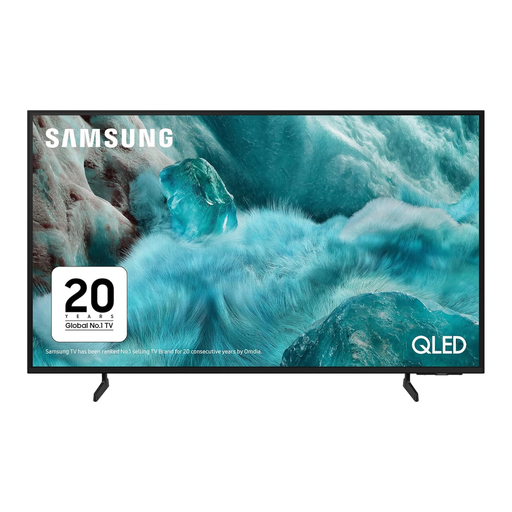 No image available
Consider the 43-inch size where a wider TV would be awkward, but check its physical fit and judge tennis motion with sport footage if possible.
The product name specifies a 109.2 cm (43-inch) 4K Ultra HD Smart TV with Wi-Fi. Check that your intended viewing service is supported.
 No image available
This is another 43-inch option to measure against a compact wall or TV unit; assess the picture from every seat you normally use.
The product name specifies 4K HDR and a 120Hz Game Accelerator at FHD resolution. That gaming feature is not a native 4K refresh-rate specification or proof of clearer live tennis; check the model’s motion settings and stand dimensions.
 No image available
The 43-inch size may suit a restricted wall or unit if the full dimensions fit. Check how tennis looks with your intended source and whether that service is available through your setup.
The product name specifies a 4K Ultra HD QLED Smart TV with Freely, Fire TV and HDR10+. Measure against the exact stand footprint before buying.
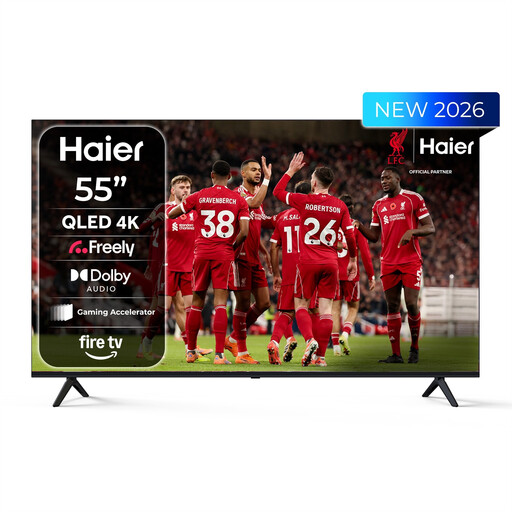 No image available
Consider this size only after checking the full TV and stand dimensions against your room. Assess live-sport motion and confirm access to your intended tennis service.
The product name specifies a 55-inch 4K Ultra HD QLED Smart TV with Freely, Fire TV and HDR10+. Compare it with a 43-inch option from your usual seat rather than assuming the larger screen will fit comfortably.
You need to be covered by a TV Licence if you watch live TV on a channel or streaming service, according to TV Licensing. It also says a licence is required to use BBC iPlayer, including for on-demand programmes; check the service you plan to use rather than judging by the TV itself.
Start with the distance from your usual seat to the planned screen position, then check the TV’s full width and stand against your space. TCL UK gives 43 inches at about 1.3 m and 55 inches at about 1.7 m as starting points, not fixed rules for every room or seating layout.
Not necessarily: a gaming refresh-rate figure alone does not establish live-tennis clarity. Sony UK describes normal TV signals as 50/60 frames per second; check the particular TV’s motion controls and, if possible, watch sport with the settings you would use.
Compare energy labels for the exact TV models on the same basis. GOV.UK’s television energy-label information identifies on-mode SDR consumption in kWh per 1,000 hours; your household use will determine how that published figure relates to your own electricity consumption.
Yes, if streaming is how you intend to watch tennis. Ofcom’s broadband checker provides address-level availability information, but Ofcom cautions that the service and speeds received at a property can differ; also confirm that your intended service works with your TV or another device.