Shared-sofa players
You play and watch with other people from shared seating, so room fit and everyday television use matter alongside console features. TechteamGB identifies screen size as a consideration when choosing between a TV and monitor.


Choose a television if several people watch or play from shared seating, or ordinary TV viewing is central; consider a gaming monitor when the main player sits close and a separate programme and sound setup will work for the room. For either option, check the console’s supported modes against the specific HDMI input, confirm how the household will receive programmes, and plan where audio will come from. A panel’s advertised refresh rate alone does not establish the output a console and game can use.
You play and watch with other people from shared seating, so room fit and everyday television use matter alongside console features. TechteamGB identifies screen size as a consideration when choosing between a TV and monitor.
You mainly play near the display, while still needing a workable way to show programmes and provide sound when the room is shared.
You want aerial-delivered channels as well as console gaming. Freeview guidance says its aerial service needs a Freeview TV, box or recorder and a working aerial.
| Concern | What to check when buying | Who this matters to |
|---|---|---|
| Viewing from shared seating | Measure the available space and consider the actual seating positions before settling on a screen size and placement. | If several of us watch or play from the sofa, I want the screen to work for the room as well as the main player; around 33% of consumers put shared-seat viewing first. |
| Console play at a close seat | Compare the specific HDMI input’s resolution, refresh mode, VRR and HDR support with the console and games you use. | When I sit close and care about console display modes, I want the connected input to support the ones I use; roughly 27% of consumers prioritise close-seat play. |
| Access to TV programmes | Decide whether you need aerial Freeview, internet services or both; check the exact TV or external device and any required aerial. | If our household relies on particular programmes, I want to know how they will reach the screen before choosing it; about 20% of consumers place programme access first. |
| Sound and device connections | List the console, viewing source and speakers, then check the required inputs and the intended audio connection and settings. | Where several devices and shared-room sound need to work together, I want a clear connection plan; approximately 20% of consumers prioritise sound and connections. |
Inputs on the same TV can support different resolutions, and settings may affect whether an expected mode is available.
Check the capabilities of the exact input and the console’s connected-display information before choosing a model for 4K, HDR or a particular refresh mode.
A panel specification and the output supported by the console, connection and game are separate considerations. ASUS’s stated 240 Hz panel maximum, for example, does not mean a PS5 game will output at 240 Hz.
Choose around the console-compatible modes you need, and check room fit as well as the panel specification.
Aerial Freeview needs suitable reception equipment and a working aerial; a monitor-based arrangement may also need a separate audio path.
Map out the console-to-display, programme-to-display and display-to-speaker connections before choosing the screen.
These model examples illustrate TV and monitor routes. Feature descriptions below are attributed to the manufacturers; check the exact model against your programme, connection and room needs.
The UK OLED55C55LA is a 55-inch 4K smart-TV example for shared viewing.
The UK QE55QN90FATXXU is a 55-inch Mini LED smart-TV example.
The EX321UX illustrates a 32-inch 4K monitor route for close-seat play, with room audio to plan separately.
The ROG Swift OLED PG32UCDM is a 32-inch 4K QD-OLED monitor example for close-seated play.
The products below are televisions for shared-room console gaming and everyday viewing. Compare screen size with your room and seating, and check each model’s exact inputs against your console and viewing devices.
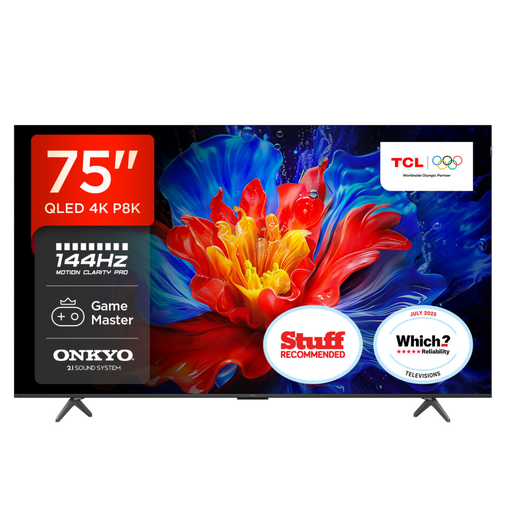 No image available
A 75-inch television option for a shared-room setup; check the room dimensions and seating positions before choosing this screen size.
The product title identifies a QLED 4K HDR PRO smart Google TV and an ONKYO 2.1 sound system. Check the exact HDMI input modes and programme access you need.
 No image available
A 55-inch TV option for console gaming and shared viewing; compare its size with the room and the positions from which people will watch.
The product title identifies QLED 4K HDR PRO, a smart-TV format and an ONKYO 2.1 sound system. Check the exact input modes and programme sources required for your setup.
 No image available
A 65-inch television option for shared viewing and console use; check that its size suits the room and seating.
The product title lists a 144 Hz native refresh rate. That figure alone does not establish the modes available from your console, game and selected HDMI input.
 No image available
A 70-inch television option for shared-room gaming and everyday viewing; check the available space and seating before selecting this size.
The product title lists Dolby Audio, Gaming Hub and Freeview Play. If you want aerial-delivered channels, confirm the reception equipment and aerial required for your household.
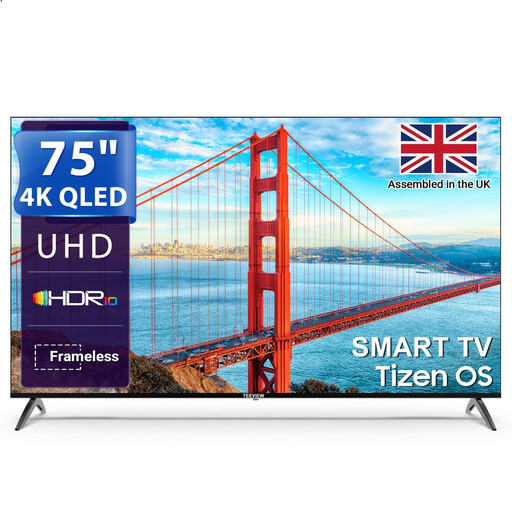 No image available
A 75-inch television option for a shared viewing setup; check the room dimensions and seating positions to assess whether this size fits.
The product title lists Dolby Audio, Gaming Hub and Freeview Play. Check the exact connections and the programme sources you intend to use.
No. ASUS’s stated 240 Hz figure describes the PG32UCDM panel, not the output of every console game. Sony says PS5 120 Hz output requires a compatible display and game, so check the console, game and specific HDMI input.
Check the console’s display settings and the capabilities it reports for the connected display. On PS5, look under Settings > Screen and Video > Video Output; on Xbox, check Settings > General > TV & display options > 4K TV details. Microsoft notes that capabilities can differ between a TV’s inputs.
Freeview says its aerial-delivered service needs a Freeview-capable TV, box or recorder and a working aerial. A compatible box or recorder can provide reception for a monitor setup if its outputs work with the monitor’s inputs.
Check the exact monitor’s audio connections and the connection required by your speakers or soundbar. PS5 provides audio-output settings, and BenQ specifies eARC for the EX321UX; do not assume that feature is available on other monitors.
No. TV Licensing says a licence is required to watch live TV on a channel or streaming service, or to use BBC iPlayer, on any device. It says on-demand programmes on other services do not require a licence if that is all you watch.