Viewers in different seats
Flatmates watching from a sofa, dining chair or side seat need to consider the picture from more than one position. Check the viewing angle of the chosen model and measure the distance from each regular seat.


Start with where everyone sits and how much daylight reaches the screen. OLED is worth considering for off-centre seats, while Mini LED gives a bright communal room a different display route to assess; a Direct LED or QLED TV may suit a household focused on straightforward shared viewing. Whichever route you consider, check the chosen size against the room, the apps everyone uses and the arrangements for setting up and watching the TV.
In a shared lounge, the most useful starting point is the seat and viewing condition that is hardest to accommodate—not a display label on its own.
Flatmates watching from a sofa, dining chair or side seat need to consider the picture from more than one position. Check the viewing angle of the chosen model and measure the distance from each regular seat.
If daylight reaches the communal room, reflections and screen visibility matter when watching foliage, flowers and outdoor scenes. Compare the exact TV’s display and reflection information rather than assuming every QLED or Mini LED model behaves alike.
Flatmates choosing one TV for routine streaming need agreement on screen size, required apps and how it will be set up. Check the energy information for the chosen model and the household’s TV Licence arrangements before everyone contributes.
Choose the display route around the room’s seats and lighting, then compare individual TVs for size, streaming and setup. The technology name alone cannot establish how a particular screen will look from every seat.
Consider it when: several flatmates regularly watch from side seats, particularly in the evening.
Bear in mind: measure the room before choosing a size. LG’s advice to sit at roughly twice an OLED screen’s diagonal is a starting guide for its TVs, not a rule for every room.
Consider it when: daylight or overhead lighting makes bright-room viewing a priority.
Bear in mind: check the exact model’s reflection handling and viewing-angle information; its Mini LED label does not establish the result from your seats.
Consider it when: the household mainly needs a straightforward TV for shared streaming.
Bear in mind: a QLED label does not specify the same backlight, viewing-angle or smart-TV features across models.
| Concern | What to check | Who this matters to |
|---|---|---|
| Picture from several seats | Map the regular seating positions and check the chosen model’s viewing-angle information. Compare screen size with the available viewing distance. | If I usually watch from a side chair, I need to follow the programme without relying on the centre seat. Around 33% of consumers put clear viewing from several seats first. |
| Daytime picture visibility | Note where daylight and room lights fall, then check the exact model’s display and reflection information. | When the lounge is bright, I want outdoor scenes to remain easy to follow. For around 25% of consumers, daytime visibility is the primary concern. |
| Shared household budget | Compare like-for-like screen sizes and their energy information; agree whether delivery, a stand or installation is needed. | If we are splitting the purchase, I need everyone to understand what the chosen setup involves. Around 25% of consumers prioritise keeping the shared commitment manageable. |
| Streaming and individual listening | Confirm each required app and the intended headphone or split-screen arrangement on the exact UK model. | If our viewing habits differ, I need the shared TV to accommodate the apps we use and, where required, quieter listening. That flexibility comes first for around 17% of consumers. |
A larger picture does not solve a shallow room, off-centre seating or daylight falling on the screen.
Measure the regular viewing positions first. LG suggests roughly twice the screen diagonal as an OLED viewing-distance starting point; assess the layout of your own room as well.
Apps and split-screen arrangements can differ by TV model and region. Samsung says its supported Multi View apps, layouts and configurations vary.
Check the exact model for the services, connected sources and headphone setup your flatmates intend to use.
A wall-mounted arrangement may not suit the tenancy or the available space, while a tabletop setup needs an appropriate stand position.
Check permission before planning to mount the TV, and agree whether delivery, installation or recycling services are part of the household’s plan.
Buying a communal TV does not establish which viewing it is licensed for. GOV.UK says a TV Licence is needed to watch or record programmes as they are broadcast and to watch BBC programmes on iPlayer.
Check how flatmates watch, where they watch and the tenancy arrangement against the applicable TV Licence guidance before relying on an existing licence.
These ranges offer examples of the display routes above. Compare the precise model and size you intend to buy rather than extending one model’s features across a brand.
LG’s UK OLED range is relevant when several people will watch from different angles. Its C6 range includes 42-, 48-, 55-, 65- and 77-inch models.
Samsung’s Neo QLED Mini LED range is one route to examine for a bright communal room.
TCL offers Direct LED, QLED and QD-Mini LED models that allow households to compare different display specifications.
Sony’s 48-inch XR-48A90K provides a compact OLED model to assess against shared seating and available space.
These TVs cover OLED, Mini LED, Direct LED and QLED options for a shared lounge. Their listed features give you models to compare, but room fit, app access and viewing from side seats still need checking on the exact TV.
 No image available
Consider this 48-inch OLED when side-seat viewing matters and its size suits the lounge; Sony specifies X-Wide Angle for the XR-48A90K, though the room layout still needs checking.
 No image available
This Direct LED model is an option for a household seeking a 55-inch shared TV with Google TV; check the picture from the flat’s side seats rather than assuming a particular viewing angle.
 No image available
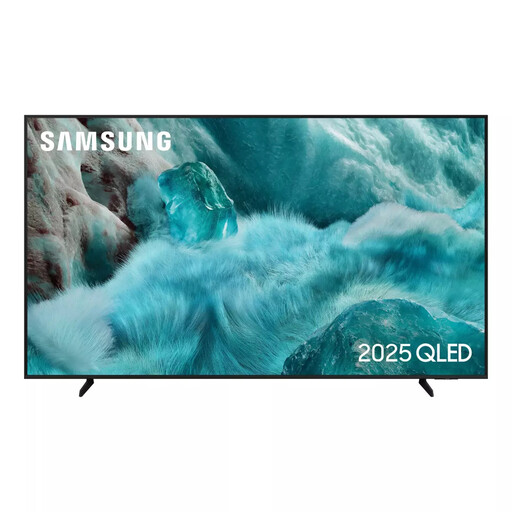
Compare this 55-inch TV if the household wants a shared 4K screen; confirm its apps and any intended split-screen or headphone use on this exact model.
 No image available
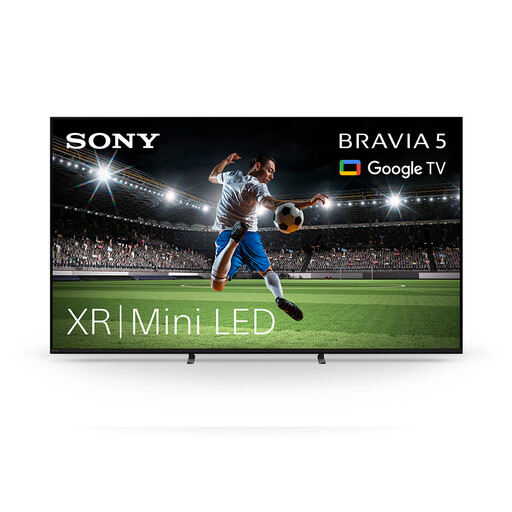
This Mini LED model is a route to examine for a daylight-filled lounge, but its display label alone cannot establish how it handles your lighting or side seats.
 No image available
Consider this QLED model for a 55-inch shared streaming setup, while checking its viewing-angle information and whether it suits the room’s lighting.
A TV Licence is needed if you watch or record a programme as it is broadcast, or watch BBC programmes on iPlayer, according to GOV.UK. Check the household’s viewing habits and tenancy arrangement before relying on an existing licence.
Measure the distance and angle from each regular seat, then check that the TV and its stand fit the available space. LG suggests sitting at roughly twice the screen diagonal for its OLED TVs; treat that as brand guidance rather than a fixed distance for every screen.
It can be possible on supported Samsung Multi View arrangements, but the intended sources and headphone setup must work on the exact TV. Samsung says supported apps, layouts and configurations vary by model and region, so check that combination before purchase.
Compare the energy label and product information for the exact screen size you are considering, rather than assuming two sizes of the same range use energy alike. GOV.UK states that products within the relevant UK energy-labelling rules must be supplied with an accurate printed energy label.