What matters when choosing
Choose the connection route first, then decide whether dialogue controls or sound for another viewer change what the setup must do.
Direct TV Bluetooth
Choose it when: Your exact TV supports Bluetooth audio and you want to use compatible headphones without a separate base station.
Trade-off: Pairing, lip sync and simultaneous speaker output depend on the TV and headphones.
Transmitter-and-headphone kit
Choose it when: The TV lacks suitable Bluetooth audio or you want a dedicated, often pre-paired TV setup.
Trade-off: The transmitter needs a compatible TV output, and the chosen connection may affect an existing soundbar setup.
| Concern |
What to check |
Who this matters to |
| Connection and lip sync |
For direct pairing, check the exact TV’s Bluetooth A2DP support and sound sync. For a kit, match its input to an available TV audio output. |
If I watch late at night, I need private sound that connects to my TV without dialogue lagging behind the picture. Around 36% of consumers would put connection and sync first. |
| Dialogue and personal adjustment |
Check for a stated speech mode and, if needed, separate left/right balance. Treat these as listening controls, not medical support. |
When voices are harder to follow than the rest of a programme, I want controls aimed at speech rather than simply more volume; roughly 29% of consumers would make that their primary concern. |
| Sound for other viewers |
Confirm simultaneous TV-speaker output, soundbar pass-through or second-headset support for the exact connection you will use. |
I need to listen privately without cutting off the person beside me or their soundbar. Keeping sound available to others comes first for around 21% of consumers. |
| Everyday use |
Consider the charging arrangement, where a transmitter or dock will sit, and the manufacturer’s stated battery life where applicable. |
For regular evening viewing, I want a setup that is straightforward to put on and recharge. About 14% of consumers would prioritise that routine ease. |
Joybuy product choices
These choices offer two ways to listen privately: a 3.5 mm wired headset for a TV with a usable headphone output, and Bluetooth headphones for a TV that supports compatible Bluetooth audio. Check your TV’s connection, sync and speaker-output behaviour before choosing either.
 No image available
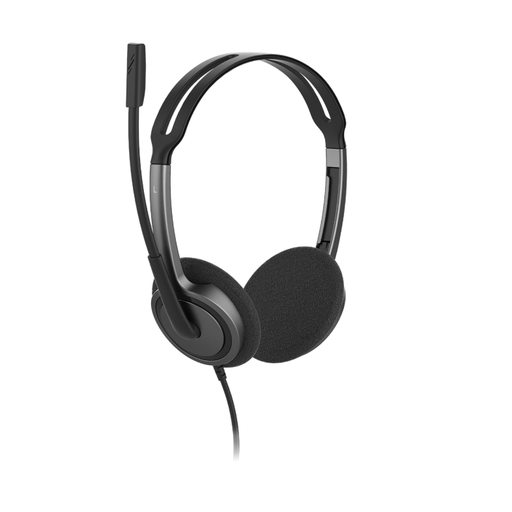
V7 HA212-2EP 3.5 mm On-Ear Headset
For private listening if your TV has a usable 3.5 mm headphone output. The headset has an adjustable headband; check the TV manual if someone else needs its speakers or soundbar while it is plugged in.
View on Joybuy
 No image available
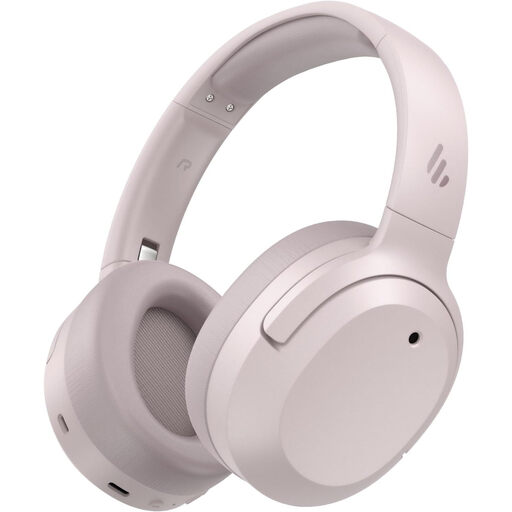
Edifier W820NB Plus Bluetooth Over-Ear Headphones
A wireless option if your TV supports compatible Bluetooth audio. The product title specifies Bluetooth V6.1 and noise cancellation; check pairing and lip sync with your exact TV, as well as whether its speakers or soundbar can remain active.
View on Joybuy
Common questions
Can I pair any Bluetooth headphones directly with my TV?
No. Check whether your exact TV supports Bluetooth audio through A2DP and whether your chosen headphones pair and stay acceptably in sync. Sony UK advises checking the model’s specifications because operation and latency are not guaranteed for every Bluetooth device.
What should I check before buying a TV-headphone transmitter kit?
Match the kit’s input to an available audio output on your TV, such as optical, HDMI ARC or AUX where the particular kit supports it. Check whether a soundbar already uses that connection and which TV audio-output setting the kit requires.
Can someone else still listen through the TV speakers?
Sometimes, depending on the TV and connection. Sony documents setups that cannot output to Bluetooth headphones and TV speakers together, while Sennheiser says simultaneous speaker audio with the RS 275 depends on the television. Check your TV manual before relying on shared output.
Will speech-focused TV headphones solve worsening hearing problems?
Speech and balance controls can help tailor TV listening, but they are not a substitute for hearing assessment. Sennheiser says the RS 195 is not a hearing aid or medical product, and the NHS advises seeing a GP if you are having problems with your hearing.


