What matters when choosing?
Start with the light in your room and the formats you watch, then decide how the TV and audio equipment will fit. A picture-led choice and a soundbar plan can coexist; neither removes the need to check the exact model.
| Concern | What to check | Who this matters to |
|---|
| Dark scenes and HDR |
Check the exact model’s panel, HDR formats and picture modes against the services you use. |
If shadows and costume colours are central to my viewing, I want picture settings and programme formats that work together. Roughly 33% of consumers put picture presentation first. |
| Room light and reflections |
Assess the screen from your seat with the lamps or daylight you normally have. |
When I cannot reliably darken the room, reflections could distract me during quieter scenes. Around 25% of consumers prioritise how the picture looks in mixed light. |
| Dialogue and built-in sound |
Listen at your usual volume and decide whether the TV’s speakers meet your needs. |
If I want fewer separate devices, I need dialogue I can follow without immediately adding speakers. About 25% of consumers make integrated audio their primary concern. |
| Soundbar and physical fit |
Measure the cabinet and soundbar; check the exact TV’s eARC/ARC, stand positions and mounting requirements. |
With a soundbar or a narrow cabinet already in my plans, the equipment has to fit without blocking the screen. Roughly 17% of consumers put installation and system fit first. |
Joybuy product choices
These TVs offer screen-size choices for a historical-drama home cinema, including several models named as OLED TVs. Compare each exact model’s HDR formats and audio connections with your room and viewing services.
 No image available
Samsung S85F QE83S85FAE 83-inch TV
For a larger home-cinema screen, check whether the 83-inch size fits your seating position and furniture.
4K Ultra HD Smart TV with Wi-Fi and a stated one-year warranty. Confirm the HDR formats you need before buying.
View on Joybuy
 No image available
Sony BRAVIA A90 XR42A90K 42-inch OLED TV
Consider this size if you want an OLED option but need to assess a smaller screen against your seating distance.
The product name lists 4K HDR, Google TV, Dolby Vision and Dolby Atmos. Check your services’ HDR formats and the TV’s installation requirements.
View on Joybuy
 No image available
Sony BRAVIA 8 K65XR80BP 65-inch OLED TV
This is a 65-inch option for viewers comparing OLED screen sizes for a home-cinema room.
The product name lists 4K HDR, Google TV, Dolby Vision and Dolby Atmos. Check seating distance, furniture fit and the exact model’s soundbar connections.
View on Joybuy
 No image available
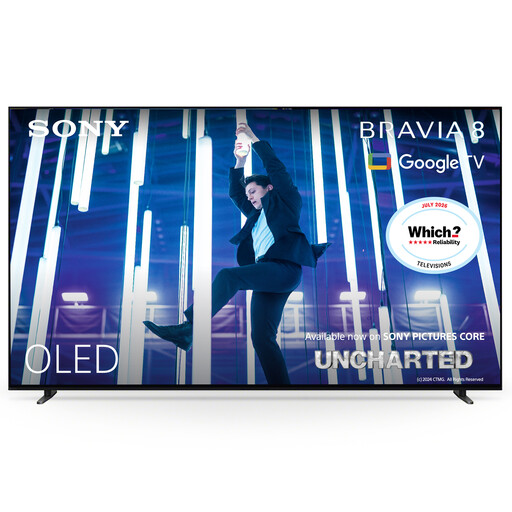
Sony BRAVIA 8 K55XR80BP 55-inch OLED TV
Compare this 55-inch OLED with your available wall or cabinet space before settling on a screen size.
The product name lists 4K HDR, Google TV, Dolby Vision and Dolby Atmos. Check your viewing services and the exact TV’s stand and audio connections.
View on Joybuy
 No image available
Sony BRAVIA A90 XR48A90K 48-inch OLED TV
This 48-inch OLED gives you another screen size to assess against your seating and room layout.
The product name lists 4K HDR, Google TV, Dolby Vision and Dolby Atmos. Confirm that the HDR formats suit what you watch and check soundbar placement if needed.
View on Joybuy
Common questions
Do I need a TV Licence to stream historical dramas in the UK?
You need to be covered by a TV Licence to watch live TV through a streaming service or use BBC iPlayer, including its on-demand programmes, according to TV Licensing. Watching only on-demand programmes on other services does not by itself require one, provided you do not watch live TV or use BBC iPlayer.
Should I rely on the TV’s speakers or add a soundbar?
Start with the TV’s speakers if keeping the setup simple matters most, but assess dialogue at your normal listening volume. If you plan a soundbar, check the exact TV’s audio connection and make sure the bar will not obstruct the screen.
What should I measure before placing or mounting a TV?
Measure the cabinet, available wall space and any soundbar, then check the dimensions and mounting requirements for the exact TV size. For the K-65XR80, Sony UK lists a 300 × 300 mm VESA pattern and separate stand-position measurements; do not apply those figures to another model.
How should I arrange disposal of an old TV?
Ask your retailer or local authority which electrical-equipment collection or recycling route is available where you live. Arrange that route before removing the old TV, particularly if the replacement will be installed on the same day.


