What to check before buying
Settle where the TV will go and who will watch, then check the lecture connection, listening arrangement and caption controls before comparing other features.
| Concern |
What to check |
Who this matters to |
| Quiet listening |
Confirm an audio connection for your intended headphones or other device, and check whether the sound and picture stay in sync. |
If others are studying or sleeping, I need to hear spoken explanations without turning up the speakers. Around 36% of consumers would put private audio first. |
| Fit and slide readability |
Compare the TV’s full dimensions, including its stand, with the available space; consider whether viewers can read slides from their planned seats. |
When several flatmates share a screen in a small room, I want maps and dates to be readable without crowding the furniture. This is the primary concern for around 29% of consumers. |
| Lecture access |
Check the laptop’s HDMI connection or intended TV app, and try the caption controls on the lecture platform. |
If my course uses a laptop or I rely on captions, I need a straightforward way to reach the lecture and its available settings. Around 21% of consumers would prioritise that access. |
| Electricity use |
Read the energy label and product-information sheet for each exact model, alongside its screen size. |
When the TV will be used regularly in a shared household, I want to consider its electricity use before choosing a larger screen. Around 14% of consumers would make this their main concern. |
TVs to consider on Joybuy
These models include compact screens for one or two viewers and a 50-inch option to consider for regular shared viewing. Compare the exact TV with your available space, lecture source and intended listening setup.
 Image unavailable
Haier H43S80GUF 43-inch 4K QLED TV
Consider this size for a compact lecture-viewing space, subject to the TV and stand fitting where you plan to put them.
The listed configuration includes Freely and Fire TV. Check how your lecture source connects and whether your intended headphones work with the TV.
View on Joybuy
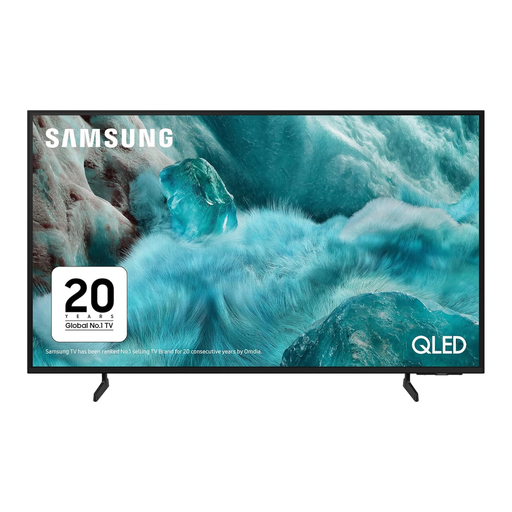 Image unavailable
Samsung Q7F QE43Q7FAAU 43-inch 4K TV
This 43-inch model is another size to assess for a room where space is limited.
Its listed configuration includes Wi-Fi. Confirm the laptop connection and a suitable private-audio route for your devices before choosing it for shared-flat study.
View on Joybuy
 Image unavailable
Haier H50S80GUF 50-inch 4K QLED TV
Consider the 50-inch format if several flatmates regularly watch together and there is enough room for the TV and seating.
The listed configuration includes Freely and Fire TV. Check its full dimensions, lecture connection and intended headphone setup before ordering.
View on Joybuy
 Image unavailable
Coocaa 40CTQH38ZUK 40-inch Full HD QLED TV
The 40-inch format is worth considering where the planned location is small, provided viewers can read the lecture material from their seats.
This model is listed as Full HD rather than 4K, with TiVo smart-TV software. Check the intended source connection and private-audio setup.
View on Joybuy
 Image unavailable
TCL 43V6C 43-inch 4K Google TV
This is a compact-screen option to compare with the space available for lecture viewing.
The title identifies Google TV and HDR. Confirm the TV’s full dimensions, laptop input formats and an audio connection for your intended headphones.
View on Joybuy
Frequently asked questions
Will any Bluetooth TV work with my headphones?
No: Bluetooth on a TV’s feature list does not establish compatibility with your headphones or acceptable lip-sync. Check the exact model’s audio support and your headphones’ requirements; Sony UK lists A2DP stereo-audio support for the K-43S3, but that alone does not establish how every headset will perform.
Can the TV provide subtitles for a history lecture?
Only if subtitles are available for that lecture through the service you use. Ofcom identifies subtitles as an access service, so check both the particular lecture’s availability and how to switch captions on in its platform or TV interface.
Does an on-demand lecture need a UK TV Licence?
An on-demand lecture on a non-BBC service does not normally require one solely for that viewing, according to TV Licensing. Watching live TV or using BBC iPlayer does require licence coverage, so check whether the lecture is live and which service carries it.
Does one TV Licence cover everyone in a shared student flat?
Coverage depends on the accommodation arrangement, not the number of TVs. TV Licensing says one licence is needed for the address under a joint tenancy, while a separate room contract or self-contained flat may require individual coverage; check your tenancy and the address’s existing licence.
How should we compare the TVs’ electricity use?
Compare the energy label and product-information sheet for each exact model, taking screen size into account. Energy Saving Trust explains the A-to-G rating scale; the letter alone does not tell you that differently sized TVs will use the same amount of electricity.


