What to check before buying
Choose between direct USB playback and an external player first; then assess the screen in the room’s lighting and confirm that the set fits its intended position.
Direct USB playback
Choose it when: You want to select videos from a connected drive without setting up another device.
Trade-off: Playback depends on the exact TV, drive and files; Sony UK warns that even listed formats may not always play.
Playback over HDMI
Choose it when: Your laptop or media player already plays the family videos and you want that device to handle the files.
Trade-off: You need a suitable device, connection and cable in the room; HDMI does not make an unplayable file work on the external device.
| Concern |
What to check |
Who this matters to |
| Visibility in a bright room |
Compare reflections and bright scenes under similar lighting where possible; inspect the exact model’s energy label and product information sheet. |
When daylight or ceiling lights reach the screen, I need to see our videos comfortably from the seats we use. Around 44% of consumers would put bright-room visibility first. |
| Playing existing video files |
For USB playback, check the model’s supported file systems and video formats; keep a backup of the original files. |
I want to start a family video without discovering that the TV cannot play the file on our drive. Roughly 33% of consumers would make straightforward playback their main concern. |
| Fit and placement |
Measure the available space and viewing positions; confirm stand or wall-mount dimensions and access to the ports you need. |
With the dining area in regular use, I need a screen that fits without awkward seating or blocked connections. About 23% of consumers would prioritise workable placement. |
Joybuy TVs for external-device playback
These TVs are choices to consider if a laptop or other external device will play your family videos through a suitable connection. Compare their stated screen sizes with your seating and available space, and check exact-model USB support separately if you also want to play files directly from a drive.
 No image available
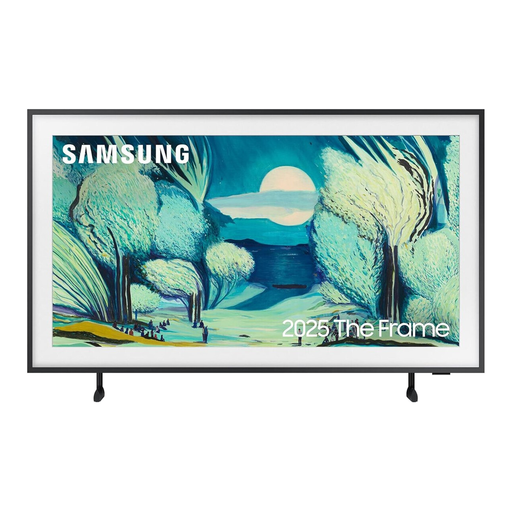
Samsung The Frame QE43LS03FAU 43-inch 4K Ultra HD TV
Consider this 43-inch set if an external device already plays your videos and the screen fits the intended wall or furniture. Check reflections from your usual seats and confirm the connections and USB formats you plan to use.
View on Joybuy
 No image available
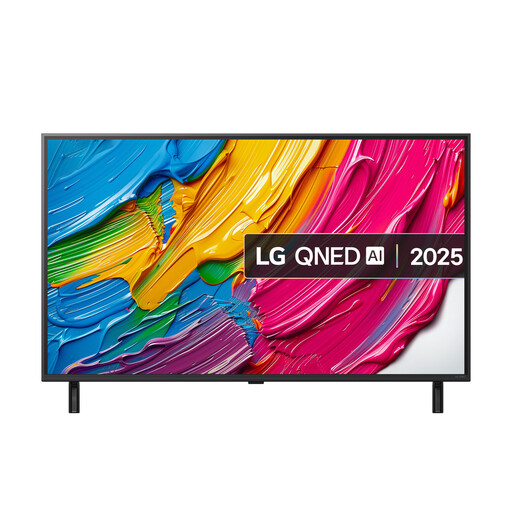
LG 43QNED80A6A 43-inch QNED 4K TV
This 43-inch model is worth considering when a laptop or media player will handle playback. Compare the screen under lighting like yours, measure its planned position and check direct USB compatibility before relying on it.
View on Joybuy
 No image available
Coocaa 40CTQH38ZUK 40-inch Full HD QLED TV
If a 40-inch screen suits the available space, this model can be considered with an external video player. Check whether its position works for everyone at the table; the screen specification alone cannot establish visibility under your lighting.
View on Joybuy
 No image available
LG 32LQ63006LA 32-inch HD Ready TV
Consider this 32-inch set where the installation area is limited and another device will play the files. Check whether the screen will be comfortable to watch from every intended seat, as well as the connections and formats you need.
View on Joybuy
 No image available
TCL 43V6C 43-inch 4K HDR Google TV
This 43-inch set is another option when an external device handles your family videos. Confirm its stand or mounting dimensions against your space, and assess reflections before relying on the screen for daytime viewing.
View on Joybuy
Common questions
Can any TV play videos from a USB drive?
No: USB playback depends on the exact TV, drive file system and video format. Sony UK warns that even a listed format may not play, so check the model’s guidance and try a backed-up sample file where possible.
Is Mini LED automatically the right choice for a kitchen diner?
No: it is a display option to compare if viewing under room lighting is a priority, not a substitute for checking reflections and seating positions. LG and Samsung describe brightness and contrast control for particular Mini LED models, but those are manufacturer claims rather than results for your room.
Do I need a TV Licence just to watch my own family videos?
Watching locally stored family videos alone is not one of the activities for which TV Licensing says a licence is required. TV Licensing says you do need one to watch live TV or use BBC iPlayer, so consider the household’s other viewing too.
What UK energy information should I compare?
Compare the energy label and product information sheet for the exact TV size and model you intend to buy. GOV.UK includes televisions among the electronic displays covered by UK energy-information regulations.
What should I do with an old TV in the UK?
Check an appropriate electrical-equipment collection or recycling route rather than treating an old TV as general waste. GOV.UK covers televisions within the UK waste electrical and electronic equipment framework; ask the retailer about take-back or check your local authority’s accepted options.


