Viewers who need their own volume
You want to adjust what you hear without raising the sound for everyone else. RNID describes separate speaker and headphone volume on some TVs; check whether yours supports it with the connection you plan to use.


Try the TV’s speech, equaliser and subtitle settings first if dialogue is the main difficulty. If one person needs a different volume, choose headphones, a compatible hearing-device streamer or a home loop according to the receiving device and the TV’s audio connections. RNID notes that some TVs allow separate speaker and headphone levels, but whether the room speakers can stay on depends on the particular TV and connection.
You want to adjust what you hear without raising the sound for everyone else. RNID describes separate speaker and headphone volume on some TVs; check whether yours supports it with the connection you plan to use.
You use hearing aids, an implant or an accessory and need to match the exact receiving device to a TV streamer or home loop. RNID advises checking telecoil capability for loop listening.
Speech is difficult to follow over music or effects, but you may not need personal audio. RNID suggests checking speech and tone controls and subtitles before adding equipment.
Decide whether the priority is clearer dialogue or a separate listening level, then check the TV output and, where relevant, the receiving device.
Choose when: Dialogue is the difficulty and a separate volume is unnecessary.
Trade-off: These settings do not give one viewer an independent audio level; RNID notes that subtitle availability and quality vary by programme.
Choose when: One viewer needs personal listening and the TV supports the headphones directly or through a compatible transmitter.
Trade-off: Sony UK says simultaneous speaker output depends on the TV model and connection method, so pairing alone does not establish that others can still hear the TV.
Choose when: Your existing hearing aids are explicitly supported by the accessory maker’s TV streamer.
Trade-off: Phonak and Oticon describe compatibility for their respective hearing-aid routes, not for hearing aids generally.
Choose when: The intended listener has a usable telecoil programme or compatible loop-receiving accessory.
Trade-off: RNID says a telecoil programme may need setting up; a loop also requires a suitable TV connection and installation.
| Concern | What to check | Who this matters to |
|---|---|---|
| Separate listening level | Check the TV manual for speaker-plus-headphone output using your chosen connection and for separate volume controls. | If others are watching with me, I need my own level without silencing their speakers. Around 36% of consumers put that independent volume first. |
| Hearing-device compatibility | Match the exact hearing-device model to the streamer or telecoil programme, then check the accessory’s required TV output. | With hearing aids, an implant or an accessory I already use, I need a route that can deliver the TV sound to that device. For around 29% of consumers, compatibility is the primary concern. |
| Dialogue without extra hardware | Try speech or equaliser controls and check subtitles on the programme and service you watch. | When speech gets lost among other sounds, I would rather adjust the TV before adding equipment. Clearer dialogue is the first priority for around 21% of consumers. |
| Manageable setup | Check the TV’s available outputs against the proposed connection; for a loop, check the receiving programme and installation area. | I need a connection and setup I can manage with my existing TV and listening device. Around 14% of consumers place setup simplicity first. |
For the Sony TV examples, direct Bluetooth audio depends on A2DP support, and operation with every device is not guaranteed.
Check the exact TV model’s audio specifications and the headphones’ requirements. If direct audio is unsupported, assess a transmitter against an available TV output.
A working headphone connection may still mute the speakers, leaving other viewers without sound. RNID and Sony UK describe dual output as dependent on the TV and connection.
Confirm simultaneous playback and separate volume controls in the manual for your TV model and intended connection.
Phonak and Oticon specify TV accessories for named hearing-aid platforms; a TV streamer should not be assumed to work with a different device.
Check your exact hearing-aid model against the accessory maker’s compatibility and TV-connection instructions.
A home loop needs a telecoil-capable hearing device or compatible receiving accessory. RNID says an audiologist may need to set up the telecoil programme.
Confirm the device’s telecoil or T-setting with its provider before selecting a loop and planning its connection to the TV.
Allow for programme setup and the physical installation the room requires.
Offers consumer TV-listening equipment, including transmitters for compatible wireless headphones.
Offers specialist TV-listening systems and home induction-loop equipment.
Offers a TV Connector for named compatible Phonak hearing-aid platforms.
Offers a TV Adapter route for compatible Oticon hearing aids.
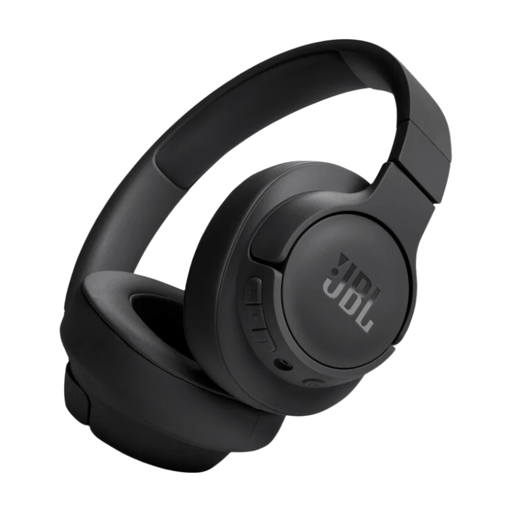
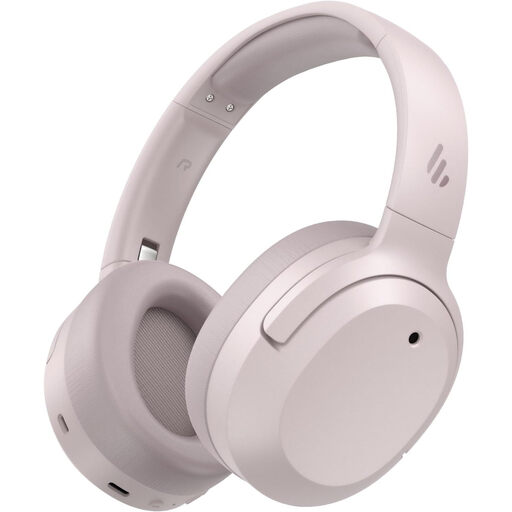
These wireless over-ear headphones are options to consider if personal listening suits your household. Before choosing either one for shared viewing, check its connection against your TV and confirm whether that TV can keep its speakers playing.
 No image available
Consider this wireless over-ear model for personal TV listening if your TV supports a suitable connection. Check the exact TV model and connection method before relying on simultaneous speaker playback.
 No image available
Consider this wireless over-ear model if its connection works with your TV; also check whether your TV can play through its speakers at the same time. Confirm whether the offered version is W820NB Plus or W820NB before relying on model-specific features.
No: direct Bluetooth audio depends on the TV’s supported audio profile and the particular devices. Sony UK identifies A2DP as necessary for its compatible Google TV and Android TV examples but does not guarantee operation with every Bluetooth audio device; check your exact TV and headphone requirements.
They can on some TV and connection combinations, but not all. RNID describes TVs with simultaneous speaker and headphone output and separate levels, while Sony UK documents model- and connection-specific restrictions; check both playback and volume controls for your exact setup.
Only if your hearing device has a usable telecoil programme or you have a compatible loop-receiving accessory. RNID advises that an audiologist may need to set up the telecoil programme, so confirm the capability of your exact device before choosing a loop.
No. Ofcom describes access-service requirements for a proportion of broadcasters’ programming, not every programme, and RNID notes that subtitles can be unavailable or poor quality. Check the particular service and title you want to watch.