What should you check before choosing?
Start with settings if everyone can keep using the TV speakers. For personal audio, check the output your TV actually supports, then decide whether the speakers must remain on or a compatible hearing device will receive the sound.
| Concern |
What to check |
Who this matters to |
| Dialogue clarity |
Look for speech or tone controls on the TV or set-top box, and check whether the programme offers subtitles. |
If speech gets lost under music or effects, I would try settings or subtitles before adding equipment; around 28% of consumers put dialogue clarity first. |
| Independent volume |
Confirm that the exact TV supports speakers and your intended headphone connection at the same time, with separate volume control. |
When someone else wants to keep listening through the TV speakers, I need my own level without changing theirs; around 28% of consumers prioritise independent volume. |
| Private wireless listening |
Check the TV’s Bluetooth audio support or its usable output for a transmitter; an optical transmitter may require PCM audio. |
If I mainly want to listen privately, I can choose a headphone connection that works with my TV rather than depend on its speakers staying on; about 22% of consumers place private listening first. |
| Hearing-device compatibility |
Confirm the receiver or telecoil, its configured loop programme, and the proposed system’s TV input and coverage. |
If I already use a hearing device, I want TV audio through a compatible receiver instead of conventional headphones; roughly 22% of consumers make that compatibility their primary concern. |
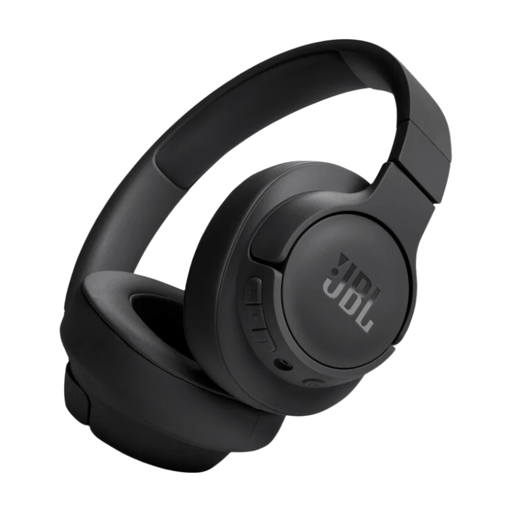
Joybuy headphones for personal TV listening
These wireless headphones are a personal-listening option if your TV supports a compatible connection. If someone else needs the TV speakers at the same time, check that function on your exact TV before buying.
 No image available
JBL Tune 720BT Wireless Over-Ear Headphones – Black
Consider these for personal TV listening if your television supports a compatible headphone connection. Check the TV’s Bluetooth audio output and whether its speakers can remain on for anyone else watching.
View on Joybuy
TV listening questions
Should I try TV settings before buying headphones or a loop?
Yes, if clearer dialogue is the main aim and everyone can continue using the TV speakers. RNID identifies speech and tone controls and subtitles as options to try; they will not give one viewer an independent volume level.
Can headphones and TV speakers play together?
They can on some TVs, but the exact model and connection matter. RNID notes that some TVs offer separate speaker and headphone volumes, while Sony UK advises checking model-specific simultaneous-output support. Check the manual for the connection you plan to use.
Can I use a hearing loop for TV at home?
Yes, if the home system connects to your TV audio source and you have a compatible receiver. RNID describes home use of assistive listening systems, and domestic loop products from Ampetronic and Contacta are designed to connect to television audio.
Does my hearing aid need a loop programme set up?
A hearing aid needs a compatible telecoil and a configured programme to receive a hearing-loop signal. RNID says an audiologist must set up the telecoil programme; ask yours to check the device if you are unsure whether it is ready to use.
Will every programme have usable subtitles?
Not necessarily. RNID notes that subtitle availability and quality vary by programme, so check the channel or service and the particular programme if subtitles are central to your listening setup.


